Thermal Label Printers and Printing Guides for Etsy, Shopify, and Small Business Sellers

Choosing a thermal label printer gets complicated fast. Print speed, label compatibility, cost per label, and software integration all vary highly across brands like Rollo, DYMO, Zebra, and Brother. A printer that works perfectly for Shopify shipping labels might jam on Etsy 4×6 sticker sheets.

Read best thermal label printer reviews for Etsy and Shopify sellers, compared by print speed and label cost

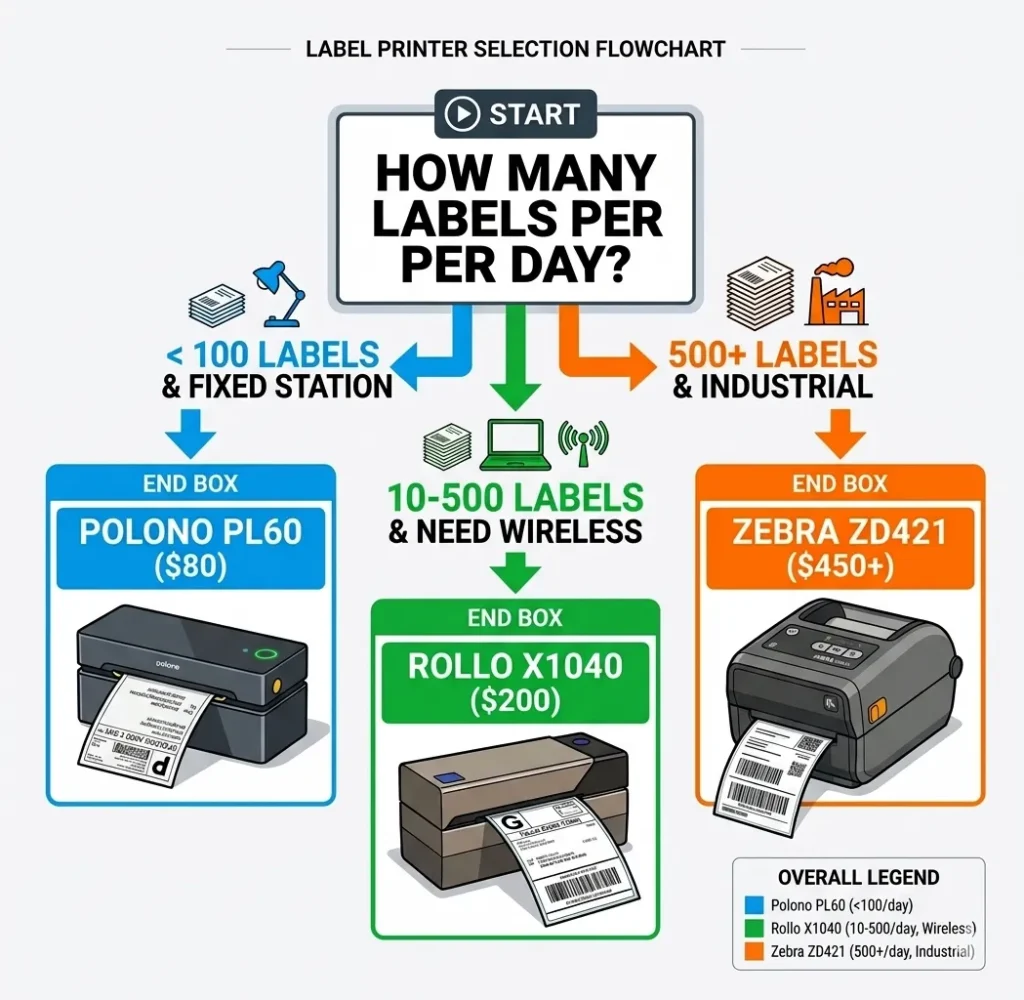
GadgetsChamp covers thermal label printers and small seller printing from one angle: what actually works when you are printing 50 to 500 labels a day. We compare print resolution, label roll compatibility, setup time, and cost-per-label across the models that show up most on Amazon and small business forums.

Every guide on this page is written for sellers who need reliable output, low running costs, and a printer that does not require a IT background to set up.

Find What You Need

Our printer content is organized by use case. Start with the section that matches your setup.

If you are choosing a thermal label printer

Our buying guides compare the top thermal label printers by print speed, label size support, and cost per label. We cover 4×6 shipping label printers for high-volume sellers and smaller desktop models for low-volume Etsy shops.

Browse thermal label printer comparisons, tested for Etsy, Shopify, and eBay shipping workflows →

If you print stickers or custom labels

Our sticker printing guides cover the printers that handle vinyl, glossy, and matte sticker sheets without color bleed or misalignment. We also cover waterproofing methods, cut compatibility with Cricut and Silhouette, and cost-per-sheet breakdowns.

Read tested sticker printer guides covering vinyl compatibility, waterproofing methods, and print quality benchmarks →

If you sell on Etsy or Shopify and need to lower costs

Our pricing and cost guides break down the true cost of printing labels and stickers, including ink yield, paper cost, and platform fees. We also cover how to calculate your cost-per-label before committing to a printer model.

See our Etsy sticker pricing formula and cost-per-label calculator guides →

If your printer is giving you problems

Our troubleshooting guides cover the most common issues with thermal label printers: label misalignment, connectivity failures, driver errors on Mac and Windows, and label feed jams. Each guide walks through the fix step by step.

Find printer troubleshooting guides for label alignment, driver issues, and connectivity problems →

FAQs

What is the best thermal label printer for Etsy sellers in 2026?

The Rollo X1040 and DYMO LabelWriter 4XL are the two most used thermal label printers among Etsy sellers. The Rollo X1040 prints 4×6 labels at 150mm per second with direct USB and Wi-Fi connectivity. The DYMO 4XL runs at 53 labels per minute and integrates directly with Etsy’s shipping label system. Your choice depends on whether you need Wi-Fi printing and how many labels you print per day.

Do thermal label printers need ink?

No. Thermal label printers use heat to activate dye already embedded in the label material. There is no ink cartridge, toner, or ribbon to replace. Your only ongoing cost is the label rolls themselves, which typically run between $0.02 and $0.08 per label depending on label size and supplier.

What label sizes do thermal printers support?

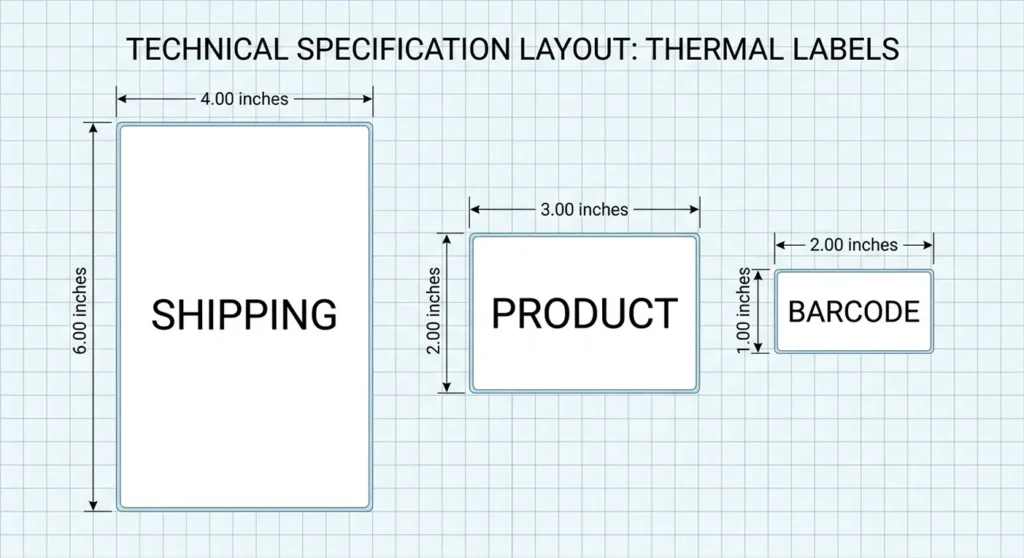
Most thermal label printers support 4×6 inch labels as their standard size, which covers the majority of shipping label formats used by USPS, UPS, FedEx, and carrier integrations on Etsy and Shopify. Some models also support 2×1, 3×2, and 4×4 inch label sizes for product tags and custom stickers. Always check label roll compatibility before buying a printer.

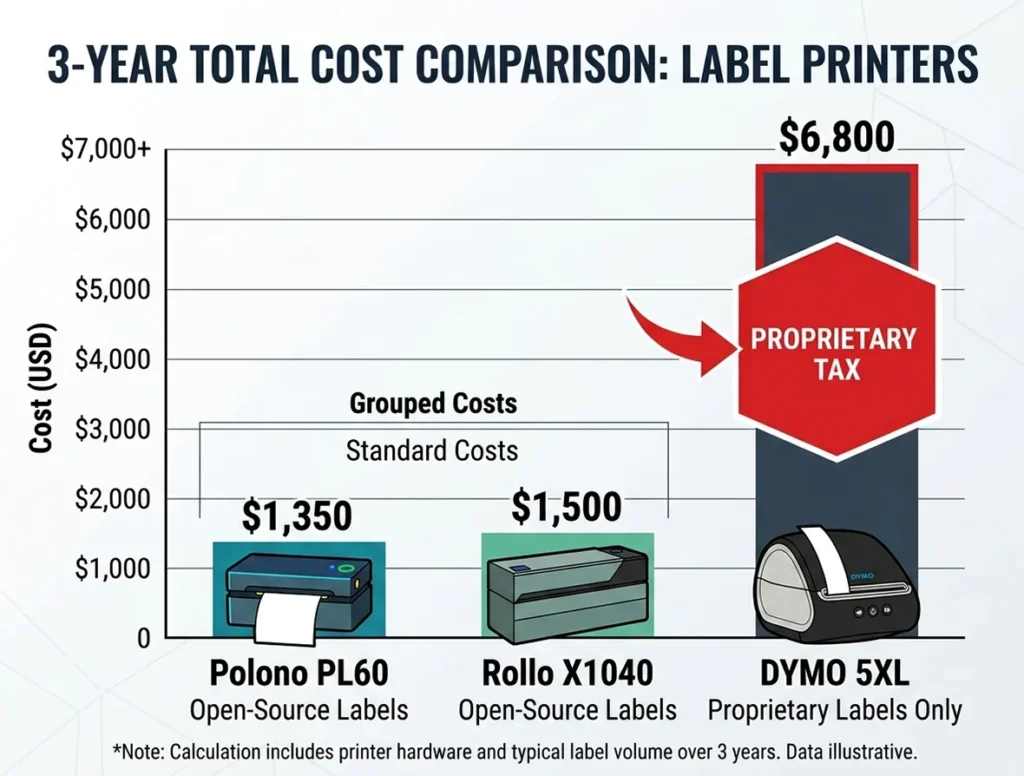
Find the Best 4x6 thermal label printer: A bar chart infographic showing the total three-year cost of ownership of the Rollo X1040, Polono PL60, and DYMO 5XL based on 10,000 labels per year.

4×6 Thermal Label Printers: Best Models and Compatible Label Rolls

By Kamran Asghar | Founder, GadgetsChamp.com | Updated April 2026 I have spent the last three years helping e-commerce sellers pick the right thermal printer. The question I get most often is not “which printer is fastest.” It is “why does my DYMO cost more to run than my original printer cost to buy.” The […]

4×6 Thermal Label Printers: Best Models and Compatible Label Rolls Read More »

Visual guide of standard thermal label sizes including shipping, barcode, and product labels.

Thermal Label Sizes and Types: 4×6, Address, Barcode and Clear Labels Guide

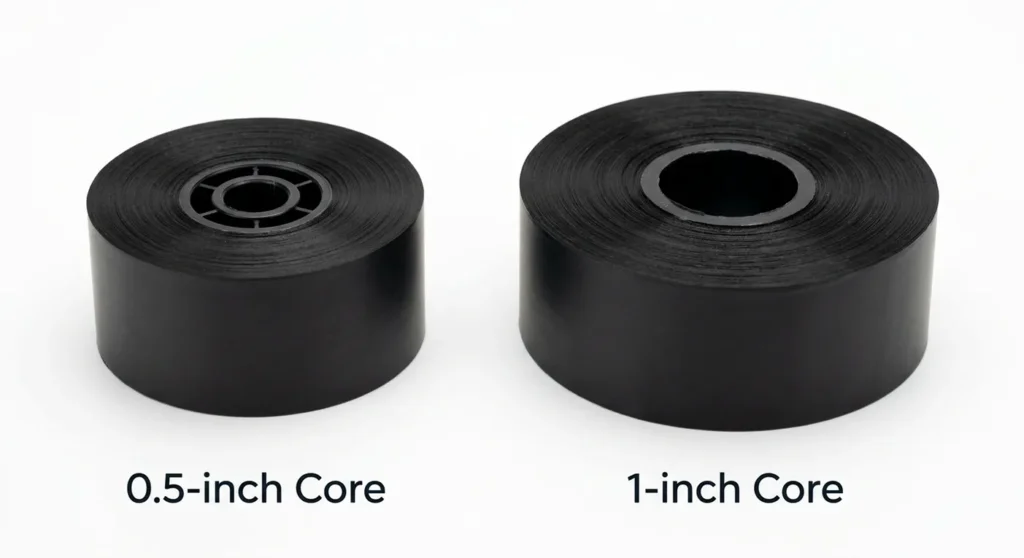
Most people buy the wrong thermal labels. Not because they chose the wrong size. Because they chose the right size with the wrong core, the wrong material, or the wrong adhesive for their printer. The label does not fit. Or it fits but does not print. Or it prints but peels off in the freezer.

Thermal Label Sizes and Types: 4×6, Address, Barcode and Clear Labels Guide Read More »

Side-by-side comparison of a Thermal printer (narrow, monochrome) and an Inkjet label printer (wide, full-color).

Can Thermal Label Printers Print in Color? Direct Thermal vs Color Options

Standard thermal label printers do not print in color. They produce black-only output. The heat-reaction process behind direct thermal printing and the single-ribbon design of thermal transfer printing do not support the CMYK color model that full-color printing requires. Several methods give you limited or full color output from thermal-based workflows. We cover all of

Can Thermal Label Printers Print in Color? Direct Thermal vs Color Options Read More »

An exploded view of a thermal transfer printer's path: Printhead -> Ink Ribbon -> Label Media.

How Thermal Label Printers Work: Direct Thermal vs Thermal Transfer Explained

Thermal label printers produce crisp, scannable labels without a single drop of ink. They don’t use cartridges, toner, and ribbons in the basic version. Just heat, applied with precision to the right spots on a label surface. That sounds like a magic trick. It is not. The mechanism is grounded in straightforward chemistry, and understanding

How Thermal Label Printers Work: Direct Thermal vs Thermal Transfer Explained Read More »

A side-by-side comparison of a small plastic desktop label printer and a large, heavy-duty metal industrial Zebra printer in a warehouse setting.

Best High-Volume Thermal Label Printers for Warehouses and Logistics

If your warehouse prints 500 or more labels every single day, you already know the pain: desktop printers jam, overheat, and fall behind the line. The right industrial thermal label printer runs 24 hours a day, seven days a week, without blinking. The wrong one costs you in downtime, reprints, and missed shipments. This guide

Best High-Volume Thermal Label Printers for Warehouses and Logistics Read More »

Rollo X1040: Best for Wireless Printing and Open Label Formats

Best Thermal Printers for Shipping Labels: Rollo vs DYMO vs Zebra Compared

The Rollo X1040 is the best thermal printer for shipping labels for most Etsy, Shopify, eBay, and Amazon sellers in 2026. It prints one 4×6 label per second at 150mm/s, connects via dual-band Wi-Fi, Bluetooth, and USB without driver installation, and accepts any open-format third-party label roll at $0.02 to $0.05 per label. The DYMO

Best Thermal Printers for Shipping Labels: Rollo vs DYMO vs Zebra Compared Read More »

Visual showing time savings: peeling a thermal label vs. cutting and taping an inkjet label.

Why Shipping Labels Use Thermal Printers: The Practical and Cost Reasons

Shipping labels use thermal printers for six reasons: the output does not smear or run when wet, the cost per label is $0.02 to $0.05 versus $0.15 to $0.30 for inkjet, print speeds reach 2 to 8 inches per second with no warm-up time, barcodes scan reliably at USPS, UPS, FedEx, and DHL sorting facilities,

Why Shipping Labels Use Thermal Printers: The Practical and Cost Reasons Read More »

Comparison showing a messy inkjet cartridge versus a clean thermal label roll.

Do Thermal Label Printers Use Ink? What You Need to Buy Before Printing

Direct thermal label printers use no ink, toner, and ribbon. The only consumable is the label roll itself. Thermal transfer label printers use a solid wax or resin ribbon, not liquid ink. The ribbon melts onto the label surface when heated. Neither type uses liquid ink cartridges of any kind. If your printer is labeled

Do Thermal Label Printers Use Ink? What You Need to Buy Before Printing Read More »

Comparison of Zebra ZD221, ZD421, and ZD621 models.

Zebra Thermal Label Printers: Full Guide to Models, Labels, and Setup for Small Sellers and Business Users

Zebra makes three desktop label printer lines relevant to small business and online seller use in 2026: the ZD411 (2-inch), the ZD421 (4-inch, mid-range), and the ZD621 (4-inch, performance). The ZSB Series has been discontinued as confirmed by Barcode Factory, and the recommended replacements are the ZD421 and ZD411. For industrial operations printing 5,000 or

Zebra Thermal Label Printers: Full Guide to Models, Labels, and Setup for Small Sellers and Business Users Read More »

Diagram comparing Direct Thermal (no ribbon) vs Thermal Transfer (ribbon) printing mechanics.

Direct Thermal vs Thermal Transfer Label Printers: What Is the Difference and Which One Do You Actually Need

Direct thermal printing uses heat to activate a chemical coating built into the label surface. No ribbon, no ink, no toner. Thermal transfer printing uses heat to melt ink from a separate ribbon onto the label. Direct thermal labels last 6 to 12 months before fading under normal conditions. Thermal transfer labels last 2 to

Direct Thermal vs Thermal Transfer Label Printers: What Is the Difference and Which One Do You Actually Need Read More »