

Best High-Volume Thermal Label Printers for Warehouses and Logistics

If your warehouse prints 500 or more labels every single day, you already know the pain: desktop printers jam, overheat, and fall behind the line. The right industrial thermal label printer runs 24 hours a day, seven days a week, without blinking. The wrong one costs you in downtime, reprints, and missed shipments.

This guide covers the best industrial thermal label printers for warehouses and logistics operations in 2026. Every recommendation includes real specs, use-case fit, and a clear reason why it belongs on this list.

What Makes a Thermal Label Printer Industrial Grade for Warehouse Use?

The word “industrial” gets thrown around loosely. Here is what it actually means for a warehouse label printer.

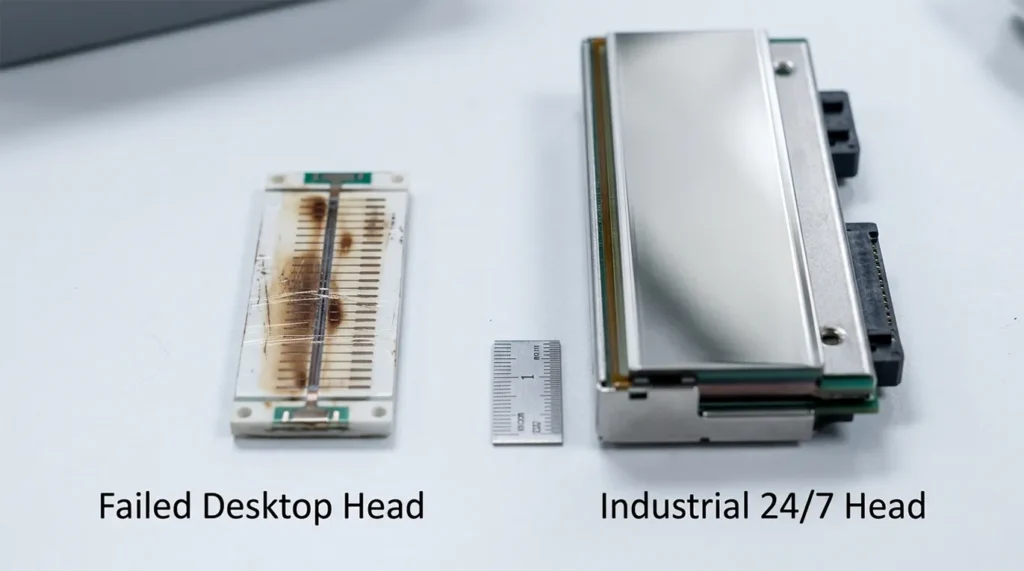
An industrial-grade unit has an all-metal frame — not plastic, not hybrid. It carries a 24/7 continuous duty rating, meaning it is engineered to run across multiple shifts without thermal throttling or mechanical fatigue. Print speed sits at 6 inches per second (IPS) or faster. Ribbon capacity starts at 300 meters and goes up to 600 meters on heavy-duty models, so your team spends less time swapping consumables and more time printing.

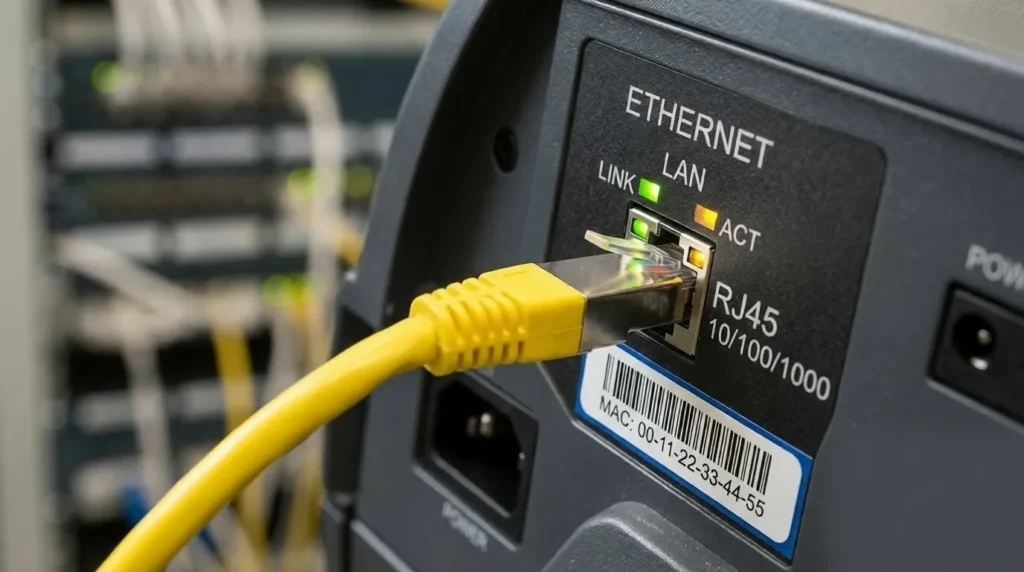
Connectivity matters too. Industrial printers connect via Ethernet, not just USB, because a USB-only printer cannot integrate with a Warehouse Management System (WMS) across a networked facility. Most enterprise models also support Wi-Fi, Bluetooth, and serial ports for legacy infrastructure.

How is an industrial printer different from a desktop model?

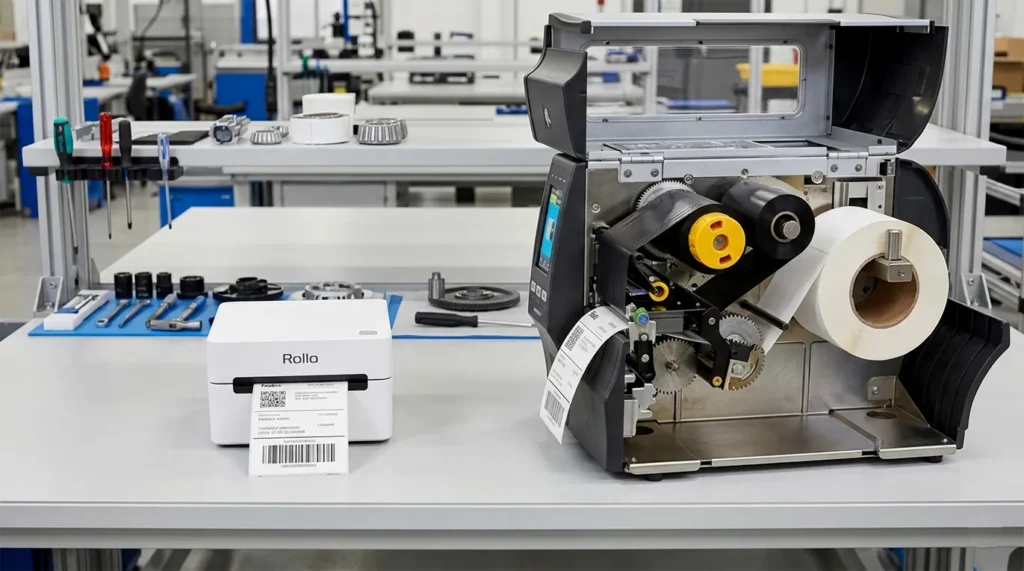
Desktop thermal label printers like the Rollo, DYMO LabelWriter, or Zebra ZD420 use plastic housings, run at 2 to 4 IPS, and connect primarily through USB. They work well for small e-commerce operations shipping 50 to 150 labels a day. Put one of them on a warehouse dock printing 2,000 labels per shift, and the printhead wears out in months, not years.

Industrial printers like the Zebra ZT411 or Honeywell PM43 are built around die-cast aluminum or steel print mechanisms, accept ribbon rolls up to 600 meters, and carry printheads rated for tens of millions of linear inches of printing. The upfront cost is higher. The total cost of ownership across three years is not.

Labels Per Day You Need to Justify an Industrial Printer

This is the question that most buying guides refuse to answer with a number. Here is a straightforward framework.

  • Under 200 labels per day: A desktop printer covers your needs. Rollo, DYMO LabelWriter 550, or Zebra ZD421 at the lower configuration tier will serve a small e-commerce seller or retail stockroom without issue.
  • 200 to 500 labels per day: You are in the mid-range zone. The Zebra ZD421 with Ethernet, or the iDPRT iX4P at entry-level industrial, handles this volume reliably. You will start hitting the limits of a desktop unit’s duty cycle at the high end of this range.
  • 500+ labels per day, multi-shift operation: This is industrial territory. Desktop printers were not designed for this volume. At this level, you need a machine rated for at least 10,000 labels per month, and most true industrial models like the Zebra ZT421 handle that comfortably without degraded performance.
  • 5,000+ labels per day, 24/7 operation: You need the premium tier: Zebra ZT610, Zebra ZT620, or Honeywell PX940. These run continuously in distribution centers, pharmaceutical packaging lines, and large 3PL facilities without maintenance downtime.

The rule is simple. If downtime costs you more per hour than the price difference between a desktop and an industrial unit, buy the industrial unit.

Direct Thermal vs Thermal Transfer: Which Does High-Volume Warehousing Need?

For most warehouse and logistics applications, thermal transfer is the right choice. Here is why.
Direct thermal printers use heat-sensitive media. The label itself darkens when the printhead applies heat — no ribbon required. Labels print fast and cheap per unit. The problem is durability. Direct thermal labels fade when exposed to heat, sunlight, and chemical contact. A shipping label sitting on a pallet in a hot trailer or a cold storage facility for two weeks can become unreadable.

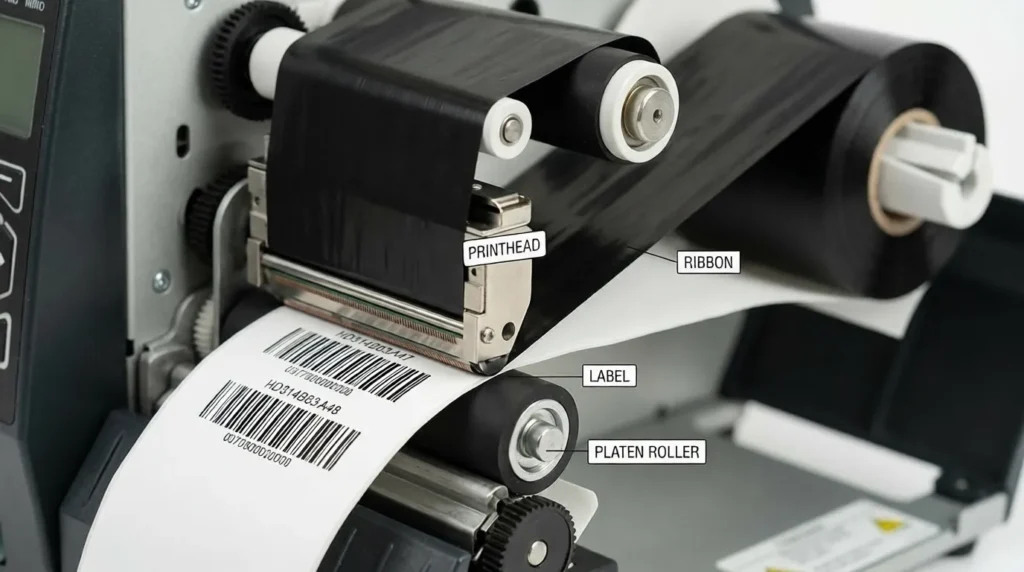
Thermal transfer printers use a ribbon such as wax, wax-resin, or resin, to bond ink onto the label surface. The result is a label that resists fading, moisture, abrasion, and chemical exposure. For inventory labels on bin locations, pallet ID tags, compliance labels, and asset tracking, thermal transfer is the only sensible option.

According to Global Market Insights, thermal transfer printing accounted for approximately $9.5 billion in revenue in 2025 and represents around 55% of all industrial label output globally. The industry settled on thermal transfer for warehouse applications for a reason.

Which ribbon type does a warehouse need?

Wax ribbons work for everyday paper labels in controlled environments. Wax-resin ribbons are the standard for warehouse barcode labels as they handle moderate heat, moisture, and handling. Resin ribbons are reserved for extreme conditions: outdoor labels, chemical drums, cold chain applications where labels face temperature swings from -40°F to 150°F.

For most warehouse and logistics operations printing on paper-based label stock, wax-resin ribbons deliver the right balance of durability and cost per label.

The Best High-Volume Thermal Label Printers for Warehouses in 2026

These five models cover the full range of warehouse and logistics use cases, from mid-volume fulfillment centers to mission-critical 24/7 distribution hubs.

1. Zebra ZT411 - Best Mid-to-Large Warehouse Workhorse

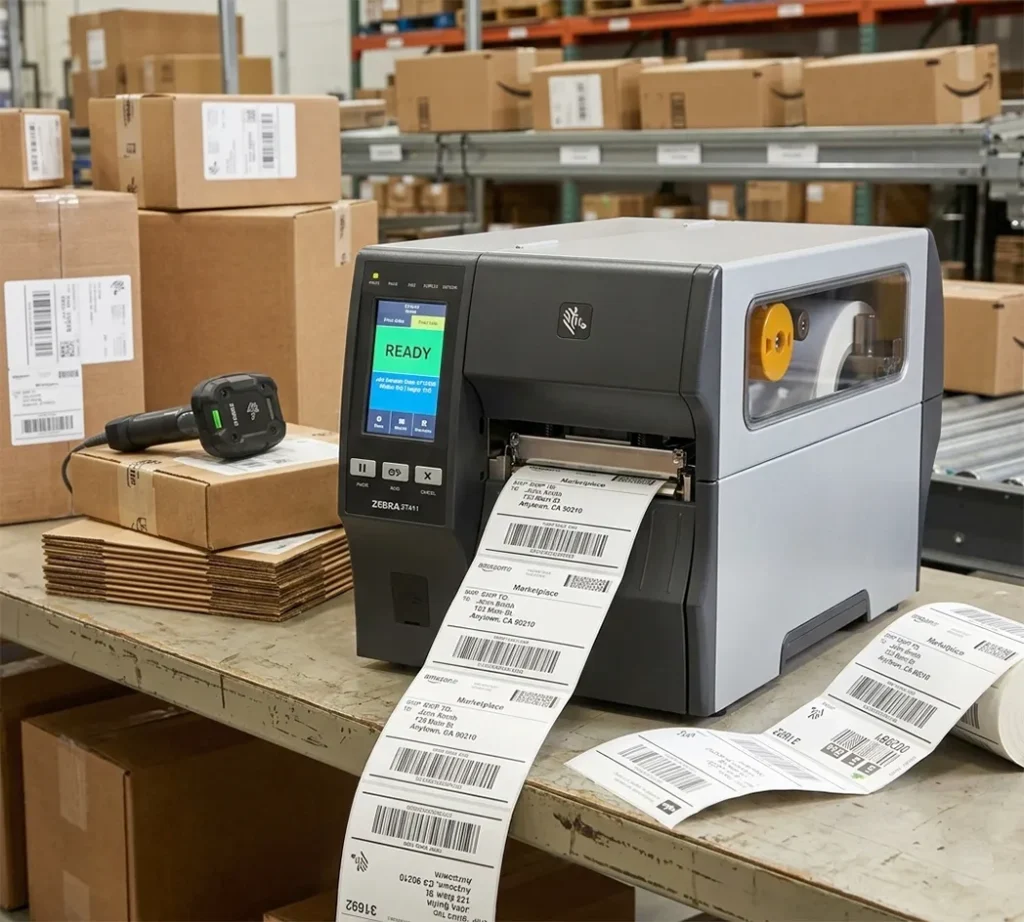
The ZT411 is the most widely deployed industrial label printer in warehouse operations today, and the specs justify the reputation. It prints at 14 IPS at 203 DPI, fast enough for high-throughput shipping stations. DPI options go up to 600 DPI on the 4-inch model, which covers micro-labels and 2D DataMatrix barcodes for pharmaceutical or electronics tracking.

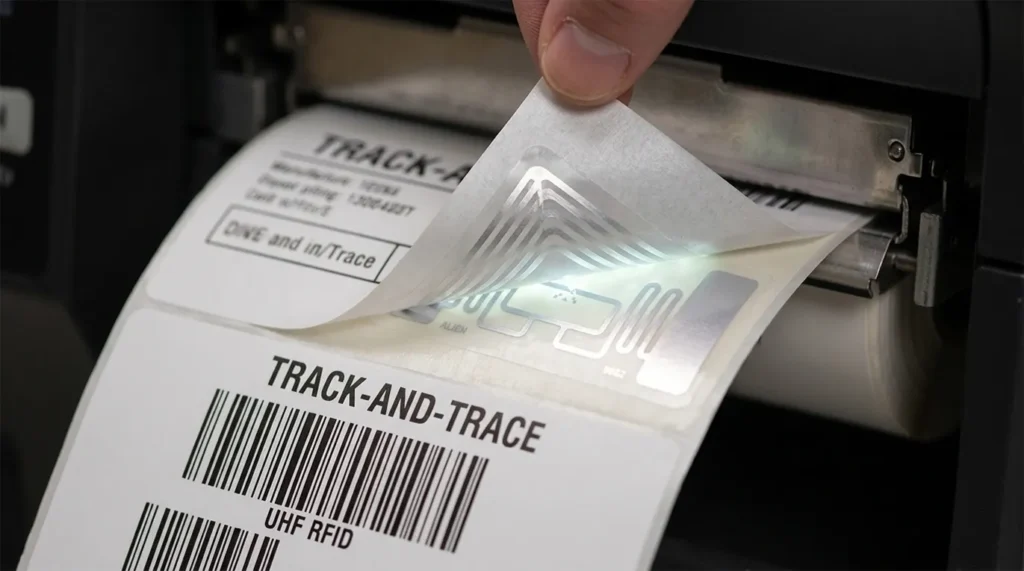
The all-metal ZT4-Series chassis handles multi-shift use without complaint. Connectivity covers USB, Ethernet, Bluetooth, and Wi-Fi, with dual USB Host ports for connecting a scanner and keyboard simultaneously. RFID encoding is available as a factory-installed or field-installable option, which matters for operations moving toward track-and-trace or retail compliance mandates.

Zebra’s Print DNA software ecosystem manages the ZT411 across a networked fleet — remote diagnostics, configuration replication via USB memory stick, and firmware updates without touching each unit. For operations running 10 or more printers across a facility, that saves real time.

ZT411 Specs

  • Print speed: up to 14 IPS (203 DPI)
  • Resolution: 203, 300, 600 DPI (600 DPI on 4-inch model only)
  • Print width: 4 inches
  • Connectivity: USB, Ethernet, Bluetooth, Wi-Fi, Serial
  • Duty cycle: Rated for 24/7 continuous operation
  • RFID: Optional UHF RFID print-and-encode

Best For

  • Mid-to-large warehouses running 500 to 5,000 labels per day on Zebra WMS stacks
  • e-commerce fulfillment centers with multiple shipping stations
  • Operations considering RFID migration

Limitation

  • At $900 to $1,200 street price, it is overkill for operations printing fewer than 200 labels per day.

For operations that primarily print 4×6 shipping labels and want a direct carrier-speed comparison across models, our guide to thermal label printers for shipping labels, compared by print speed and carrier compatibility covers that use case in depth.

2. Zebra ZT610 - Best for 24/7/365 Mission-Critical Operations

The ZT610 is what you buy when failure is not an option. It is the direct successor to Zebra’s legendary Xi Series, the benchmark for industrial label printing across manufacturing, pharma, and large distribution centers.

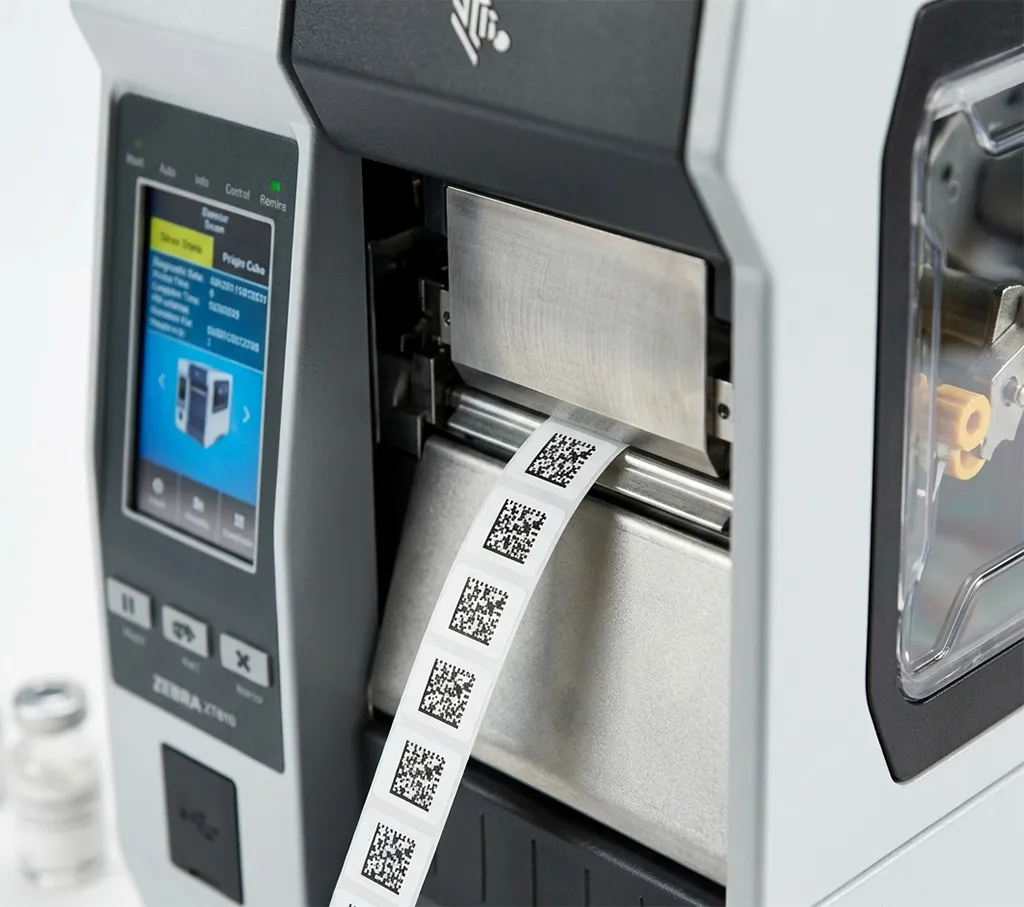
It prints at 12 IPS at 203 DPI with a resolution option of 600 DPI, which allows micro-labels as small as 3 millimeters in height — relevant for electronics component labeling, pharmaceutical serialization, and GS1-128 compliance labels where barcode density is critical. The 4.3-inch full-color touchscreen gives operators instant status visibility across a noisy, busy floor.

The ZT610 sits in Zebra’s ZT600 Series, which means it qualifies for Zebra OneCare service plans. OneCare covers printhead replacement, accidental damage, and next-business-day repair — a meaningful factor when printer downtime at a busy dock costs $500 to $2,000 per hour in labor and missed shipment windows.

ZT610 Specs

  • Print speed: up to 12 IPS (203 DPI)
  • Resolution: 203, 300, 600 DPI
  • Print width: 4 inches (ZT620 is 6-inch wide-format)
  • Connectivity: USB, Ethernet, Bluetooth, Wi-Fi, Serial
  • Display: 4.3-inch full-color touchscreen
  • Duty cycle: 24/7/365 rated

Best for

  • Pharmaceutical packaging lines
  • Cold chain logistics
  • Compliance-heavy operations (FDA, OSHA, GS1), and
  • Any facility where a printer going down costs more per hour than the annual cost of an OneCare plan.

Cons

3. Honeywell PM43 - Best for SAP and Oracle WMS Environments

Honeywell’s industrial printing division — which absorbed Datamax-O’Neil and Intermec — produces the PM43 specifically for enterprise logistics environments. Its strengths are WMS compatibility and drop-in deployment.

The PM43 supports Honeywell’s Fingerprint and Direct Protocol (DPL) programming languages, which integrate natively with SAP, Oracle WMS, and Manhattan Associates without additional middleware. If your facility runs one of those platforms and currently uses Intermec printers, the PM43 is a direct upgrade that does not require reprogramming your WMS.

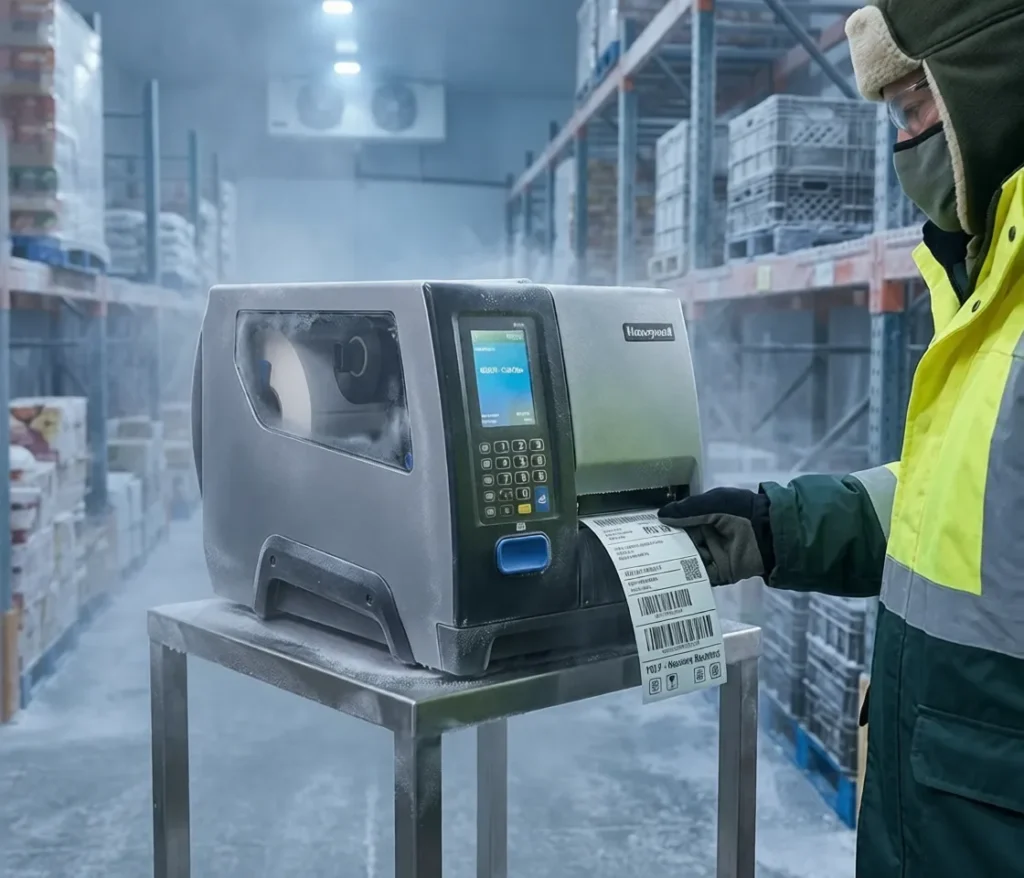
Build quality meets IP-rated standards for dust and liquid ingress — relevant for cold storage facilities, automotive production floors, and distribution centers where printers face humidity, forklift vibration, and temperature swings daily.

PM43 Specs

  • Print speed: up to 12 IPS
  • Resolution: 203, 300 DPI
  • Print width: 4 inches (PM43c is a compact variant)
  • Connectivity: USB, Ethernet, Bluetooth, Wi-Fi, Serial
  • Languages: Fingerprint, DPL, ZPL II emulation
  • Build: IP-rated dust and liquid resistance

Best For

  • Facilities already running SAP, Oracle, or Manhattan Associates WMS;
  • Operations migrating from Intermec hardware without WMS reconfiguration;
  • Cold storage and automotive environments requiring IP-rated ingress protection.

Cons

4. TSC MX240P - Best Value Alternative for Zebra ZPL Environments

The TSC MX240P is the best option for operations that need industrial-grade performance but cannot justify Zebra’s premium price point. It uses ZPL II emulation, which means it works inside any existing Zebra WMS or ERP setup without reprogramming the host system.

TSC is the fastest-growing barcode printer manufacturer globally, according to industry analysts, and the MX240P is built for continuous high-speed operation across manufacturing and distribution environments. It prints at competitive speeds, handles wide ribbon rolls, and carries a 3-year warranty on most configurations i.e. longer than Zebra’s standard warranty at the base tier.

MX240P Specs

  • Print speed: up to 14 IPS
  • Resolution: 203, 300, 600 DPI
  • Print width: 4 inches
  • Connectivity: USB, Ethernet, Wi-Fi, Serial
    Command
  • language: ZPL II compatible, TSPL
  • Warranty: 3 years standard

Best For

  • Zebra WMS environments where hardware cost is a constraint;
  • Manufacturing and distribution centers printing at high volume who want to avoid brand lock-in;
  • Operations evaluating TSC as a Zebra alternative.

Limitation

  • Zebra’s Print DNA fleet management ecosystem does not extend to TSC hardware, so remote management requires a third-party solution or manual configuration.

5. SATO CL4NX Plus - Best for 3PL and RFID Track-and-Trace Operations

SATO has built a reputation in 3PL, retail compliance, and pharmaceutical logistics for a reason. The CL4NX Plus supports UHF RFID print-and-encode, a feature that matters as more major retailers like Walmart, Target, and Amazon, mandate RFID compliance labels from their supplier networks.

The CL4NX Plus handles multiple printer command languages: ZPL, DPL, and SATO’s own SBPL, which gives integrators flexibility when connecting to diverse WMS and ERP environments. Total cost of ownership is strong: SATO publishes lower printhead replacement costs than Zebra on comparable duty cycles, and the CL6NX Plus extends to 6-inch wide-format for pallet labels.

CL4NX Plus Specs

  • Print speed: up to 10 IPS
  • Resolution: 203, 305, 609 DPI
  • Print width: 4 inches (CL6NX Plus is 6-inch)
  • Connectivity: USB, Ethernet, Bluetooth, Wi-Fi
  • Languages: ZPL, DPL, SBPL
  • RFID: UHF RFID print-and-encode

Best For

  • Third-party logistics providers managing multiple client compliance requirements;
  • Operations facing Walmart or Amazon RFID mandates;
  • Pharmaceutical serialization and cold chain environments where label TCO matters.

Cons

Total Cost of Ownership: Industrial vs Desktop Over Three Years

Desktop printer (e.g., Zebra ZD421 with Ethernet)
  • Upfront cost: approximately $400
  • Printhead lifespan at 500 labels/day: 12 to 18 months before degradation
  • Printhead replacement: approximately $80 to $120 per replacement
  • Three-year printhead cost: 2 to 3 replacements = $160 to $360
  • Downtime risk: High — desktop units are not rated for continuous multi-shift use
  • Three-year total: approximately $560 to $760 in hardware and consumables, plus downtime costs
Industrial printer (e.g., Zebra ZT411)
  • Upfront cost: approximately $950 to $1,200
  • Printhead lifespan at 500 labels/day: 3 to 5 years under normal use
  • Printhead replacement: 0 to 1 replacements in three years
  • Zebra OneCare plan (optional): $150 to $250 per year, covers printhead replacement
  • Three-year total: approximately $950 to $1,200 hardware + $0 to $750 OneCare = $950 to $1,950, but with near-zero unplanned downtime

Verdict On Selection

At 500 labels per day, the industrial printer breaks even on three-year cost compared to a desktop unit in approximately 18 to 24 months. At 1,000+ labels per day, it breaks even faster because desktop units fail sooner and more often.

The decision is not about upfront price. It is about what downtime costs your operation per hour.

Do Industrial Thermal Label Printers Integrate with WMS and ERP Systems?

Yes, but the integration depends on which printer command language the hardware uses, and whether your WMS supports it natively.

ZPL (Zebra Programming Language) is the industry standard. Every major WMS such as SAP Extended Warehouse Management, Oracle WMS Cloud, Manhattan Associates, and Blue Yonder, sends print jobs in ZPL. Any Zebra printer reads ZPL natively. The TSC MX240P and Brother TJ-series printers use ZPL II emulation, which means they accept ZPL commands too. Switching from Zebra to TSC in a ZPL environment does not require reprogramming the WMS.
Honeywell Fingerprint and DPL are native to Honeywell and Datamax-O’Neil hardware. They connect cleanly to SAP and Oracle without middleware. If your facility runs Honeywell/Intermec printers today, the PM43 is a seamless replacement that preserves your existing WMS configuration.

SATO SBPL adds a third option for environments running SATO-native label templates and integration scripts.

For a detailed breakdown of how ZPL and EPL differ and which printers support each command language, our explainer on ZPL and EPL label formats and which thermal printers support each walks through the full picture before you talk to your IT team.

Connectivity path for WMS integration:

  1. Connect the printer to your facility network via Ethernet (not USB — WMS systems send print jobs over the network, not USB)
  2. Assign a static IP address to the printer in the same subnet as your WMS server
  3. Configure the WMS print queue to target that IP and port (port 9100 is the standard raw print port for ZPL)
  4. Test with a sample ZPL label template from your WMS

Most enterprise WMS platforms have a printer configuration wizard that handles steps 3 and 4. The physical setup in steps 1 and 2 is where facilities get stuck — Ethernet connectivity is non-negotiable.

Which Industrial Printer Handles Cold Storage, Pharma, and Harsh Environments?

Not every industrial printer is built for every environment. Here is the match.

Cold storage and frozen food logistics: The iDPRT iX4P and Honeywell PM43 both operate reliably in cold storage conditions. Labels in these environments need resin ribbons on synthetic label stock — standard paper labels crack and lose adhesion below freezing. The PM43’s IP-rated housing handles condensation from temperature cycling between dock and freezer.
Pharmaceutical serialization and FDA compliance: The Zebra ZT610 is the choice here. At 600 DPI, it prints 2D DataMatrix codes at the density required by FDA Drug Supply Chain Security Act (DSCSA) serialization requirements. The Honeywell PX940 adds built-in barcode verification — the printer scans every barcode immediately after printing and flags failed reads before the label goes on a product. That feature alone justifies the PX940’s premium for pharma lines where a misread barcode means a recall.

Outdoor and chemical exposure: Labels on chemical drums, outdoor equipment, or metal assets need resin ribbons on polyester or polypropylene label stock. The SATO CL4NX Plus handles this media type, as does the Zebra ZT411. Brady Corporation specializes specifically in OSHA-compliant safety and chemical labeling printers for facilities where GHS (Globally Harmonized System) compliance labels must survive chemical splash, UV exposure, and abrasion.

Automotive and manufacturing floors: Dust, metal particles, and vibration are the enemies. Honeywell’s PM45 and the Zebra ZT600 Series both carry the mechanical resilience for production floor environments. The Zebra ZT411’s all-metal ZT4-Series chassis is rated for these conditions and is used extensively in Tier 1 automotive supplier facilities.

Frequently Asked Questions

What is the fastest industrial thermal label printer available in 2026?

The Zebra ZT411 and TSC MX240P both reach 14 IPS at 203 DPI. At 300 DPI, speed drops to 10 to 12 IPS on most models, and at 600 DPI it falls further. If raw throughput at standard resolution is the priority, the ZT411 and MX240P lead the field at their price points.

What print speed do I need for a high-volume warehouse?

For operations printing 500 to 2,000 labels per day in batch mode, 6 to 10 IPS is sufficient. For continuous high-speed printing at dock stations processing hundreds of shipments per hour, 12 to 14 IPS prevents the printer from becoming the bottleneck. Match the speed to your actual peak throughput, not your average daily volume.

What is the difference between the Zebra ZT411 and ZT610?

The ZT411 is the mid-range industrial model: 14 IPS at 203 DPI, 4-inch print width, robust for most warehouse applications. The ZT610 is the premium tier: slightly lower top speed at 12 IPS but with 600 DPI precision for micro-labels, a 4.3-inch color touchscreen, and a chassis rated for more extreme 24/7 duty. The ZT610 also qualifies for broader Zebra OneCare coverage tiers.

Choose the ZT411 for standard warehouse shipping and inventory labeling. Choose the ZT610 when you need compliance precision or zero-downtime continuity.

Is the Zebra ZT411 compatible with SAP?

Yes. The ZT411 uses ZPL, which SAP Extended Warehouse Management supports natively. The SAP print queue sends ZPL commands directly to the printer over Ethernet via port 9100 — no middleware required. Honeywell Fingerprint printers also integrate with SAP, but through a different language stack.

How long do industrial thermal printheads last?

At moderate to heavy use (500 to 1,000 labels per day on standard 4×6 label stock with wax-resin ribbon), an industrial printhead typically lasts 3 to 5 years before print quality degrades enough to require replacement. Using the correct ribbon-to-media combination such as resin ribbon on synthetic stock, or wax-resin on paper, extends printhead life significantly.

Running a thermal transfer ribbon that is too soft for your media type accelerates wear. Zebra and Honeywell both publish printhead life specifications in linear inches, which you can convert to estimated years based on your daily label length.

Can a warehouse use direct thermal instead of thermal transfer to save money?

For short-lived shipping labels (delivered and discarded within 7 days), direct thermal is viable and saves the ribbon cost. USPS, UPS, and FedEx shipping labels all work on direct thermal stock. For inventory labels on bin locations, pallet IDs, asset tags, or any label that needs to stay readable for 30 days or longer, thermal transfer is the correct choice.

Direct thermal labels fade under fluorescent lighting over time, crack in cold storage, and smear under heat. The ribbon cost for thermal transfer, typically $0.002 to $0.01 per label, is negligible compared to the cost of reprinting degraded labels or failing a WMS scan.

How to Choose the Right Industrial Thermal Label Printer for Your Operation

Run through these four questions before buying.

1. What is your daily label volume?
Under 500/day: mid-range industrial (Zebra ZD421, iDPRT iX4P). Over 500/day multi-shift: true industrial (ZT411, PM43, MX240P). Over 5,000/day continuous: premium industrial (ZT610, ZT620, PX940).

2. What WMS or ERP does your facility run?
Zebra WMS or ZPL-based system: choose Zebra or a ZPL II-compatible alternative (TSC). SAP or Oracle: Zebra ZT411 or Honeywell PM43 both work; Honeywell is smoother if you are already on their ecosystem. Multiple WMS environments (3PL): SATO CL4NX Plus with its multi-language support handles mixed environments cleanly.

3. What environment does the printer operate in?
Standard warehouse dock: ZT411 or MX240P. Cold storage or chemical exposure: Honeywell PM43 or iDPRT iX4P with IP-rated housing. Pharma or FDA-regulated lines: ZT610 or Honeywell PX940 with barcode verification. Outdoor or extreme conditions: Brady Corporation specialist units with resin ribbon systems.

4. Do you need RFID?
If you supply Walmart, Target, or Amazon Vendor Central, RFID compliance is either already required or incoming. The Zebra ZT411 RFID, Bixolon XT5-40NR, and SATO CL4NX Plus all support UHF RFID print-and-encode. Plan for it now rather than replacing hardware in 18 months.
For operations comparing print technologies before committing to a hardware purchase, our breakdown of direct thermal vs thermal transfer printers and which one fits your label type gives a complete side-by-side analysis of costs, durability, and use-case fit. And if you are choosing Zebra hardware, our guide to Zebra direct thermal labels including compatible roll sizes and label materials covers everything you need to know about sourcing the right label stock for your model.

Affiliate Disclosure: GadgetsChamp earns a commission on purchases made through links on this page, at no extra cost to you. We recommend only products we have researched thoroughly.