
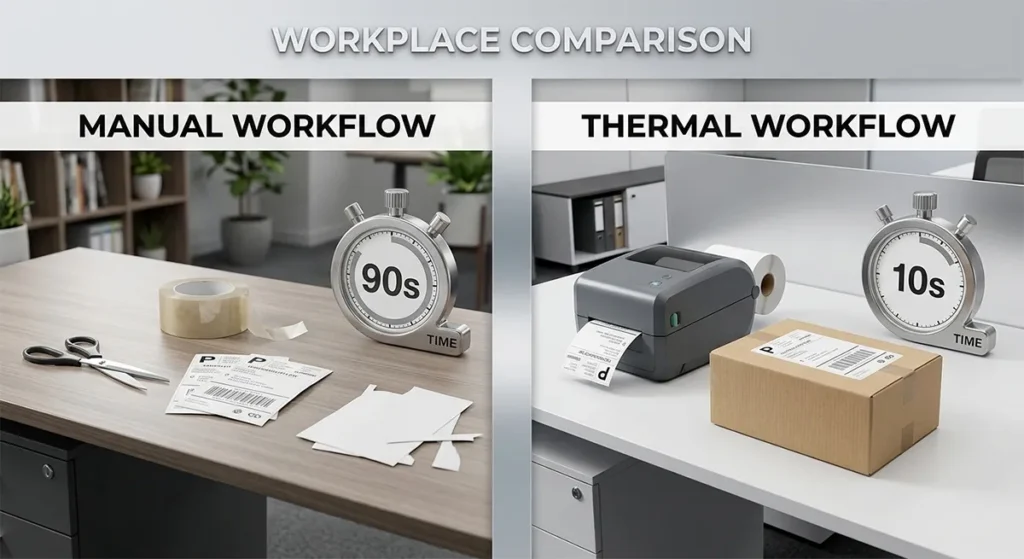
Shipping labels use thermal printers for six reasons: the output does not smear or run when wet, the cost per label is $0.02 to $0.05 versus $0.15 to $0.30 for inkjet, print speeds reach 2 to 8 inches per second with no warm-up time, barcodes scan reliably at USPS, UPS, FedEx, and DHL sorting facilities, peel-and-stick label rolls eliminate the cut-and-tape step required with A4 sheet labels, and thermal printers require almost no maintenance because they have no ink cartridges, no nozzles to unclog, and fewer moving parts overall. Every major carrier, every shipping platform, and every high-volume seller uses thermal printing for the same set of reasons. This page explains each one with the numbers behind it.
If you have already decided thermal is right for your workflow and want to pick a model, see our comparison of the best thermal label printers tested on print speed, label cost, and platform compatibility.
Reason 1: Thermal Labels Do Not Smear, Run, or Fade in Transit
This is the reason carriers care about most.
Inkjet ink is water-based. One drop of rain, one wet conveyor belt, one humid sorting facility, and the barcode on an inkjet-printed label runs into an unreadable blur. UPS specifically warns that inkjet ink runs when wet, making barcodes unscannable. A package with an unreadable barcode gets pulled from the sorting line manually. That means delays, additional fees, and in some cases, return to sender.
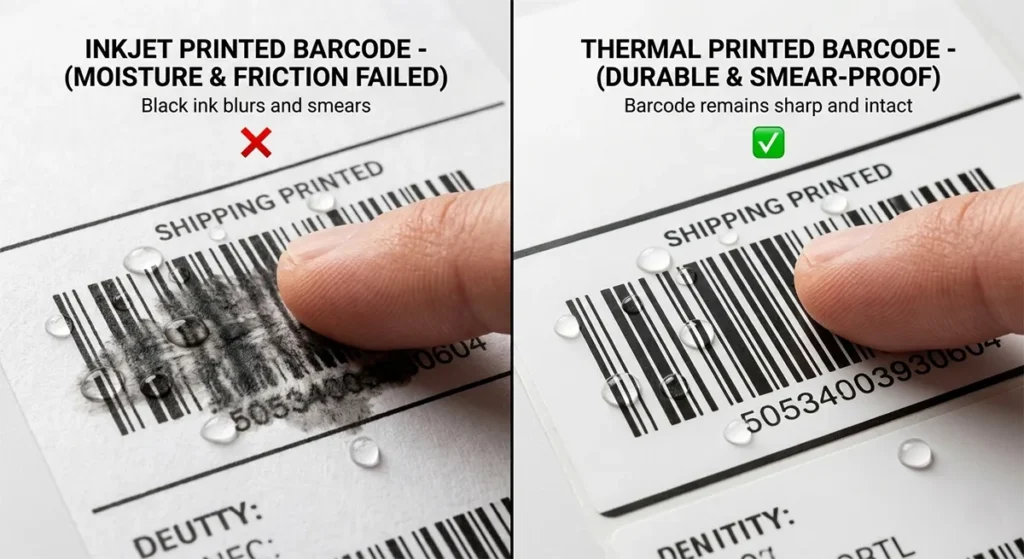
Thermal printing works differently at a fundamental level. The image is not ink sitting on top of the paper surface. It is a chemical reaction inside the label material itself. The leuco dye coating embedded in the label turns black when the printhead applies heat above 60°C to 90°C. Once that reaction happens, the image is part of the paper. You can run a thermal label under a tap and it will remain intact and scannable. That is not a feature designed for convenience. It is what makes thermal the only viable option for labels that travel through rain, humidity, freezing temperatures, and industrial sorting machinery.
Why Inkjet Labels Fail at Carrier Sorting Facilities
Carrier sorting facilities are not climate-controlled environments. Packages move through outdoor loading docks, humid warehouses, delivery vehicles with no temperature regulation, and automated conveyor systems that handle thousands of packages per hour. Inkjet labels suffer from ink bleeding, uneven coverage, and smudging that causes 15 to 20 percent scan failures, leading to package delays and manual intervention costs. Thermal labels, by contrast, maintain sharp edges and consistent density that deliver 99.8 percent first-scan success rates.
For an Etsy or Shopify seller shipping 50 packages a month, a 15 percent scan failure rate means roughly 7 or 8 packages per month flagged for manual processing. At scale, that number becomes a serious operational problem.
Reason 2: The Cost Per Label Is Significantly Lower Than Inkjet
Most sellers focus on the printer purchase price. The label cost is what actually matters long-term.
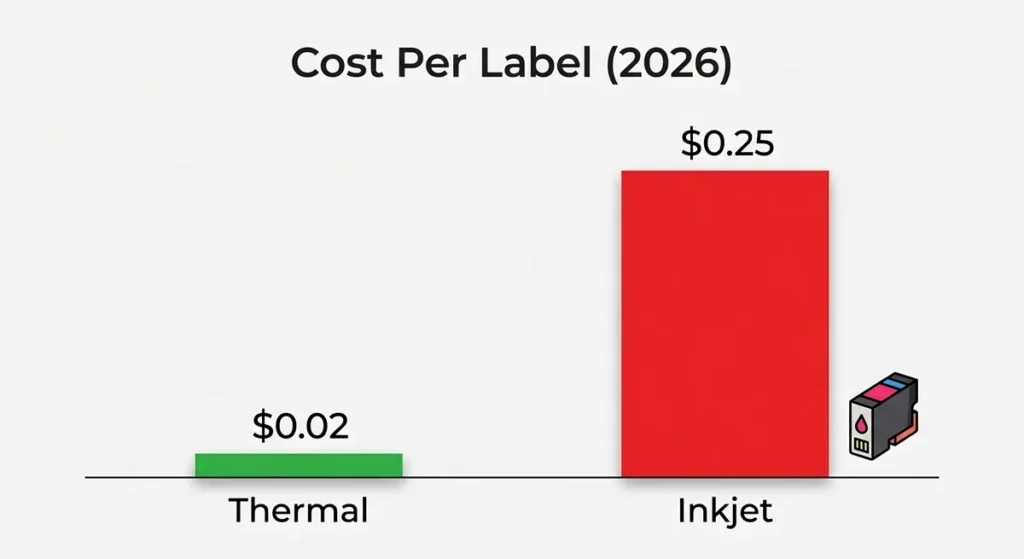
Thermal label cost per label ranges from $0.02 to $0.05 for standard 4×6 labels when buying open-format rolls from third-party suppliers. Inkjet printing tells a very different story. Inkjet costs run $0.15 to $0.30 per label when factoring in ink and label sheet costs. That is a 3 to 6 times difference in per-label cost, and it compounds fast.
What the Annual Savings Actually Look Like
Over a year of printing 100 labels per day, you spend approximately $1,460 on thermal labels versus $2,100 or more with inkjet printing including ink costs. That is a $640 annual difference at 100 labels per day. At lower volumes, sellers shipping 20 packages per month spend approximately $100 per year on inkjet ink and labels combined, while a thermal printer at $200 upfront pays for itself within 2 years at that same volume. When inkjet costs scale up, inkjet costs balloon to $500 to $600 per year for higher-volume operations, while thermal costs remain steady at approximately $50 to $100 per year in label rolls.
The math is straightforward. Using an inkjet for shipping labels is acceptable only if you ship fewer than 5 to 10 packages per month. Beyond that threshold, the cost difference justifies a thermal printer purchase within weeks or months of switching.
The Hidden Inkjet Cost: Ink Waste
Inkjet printers use ink even when they are not printing. Every cleaning cycle, every nozzle purge, and every start-up routine consumes ink. A printer that sits idle for a week runs a cleaning cycle when powered on, which wastes ink before printing a single label. Thermal printers have no equivalent waste mechanism. The only consumable consumed is the label that gets printed.
Reason 3: Thermal Printers Print Faster With No Warm-Up
Speed matters at shipping volume.
Many thermal printers offer print speeds between 2 and 8 inches per second, far faster than typical inkjets. You can print over 72 high-clarity labels per minute. Inkjet printers designed for home and office use typically produce one page every 6 to 30 seconds under real-world conditions, not the optimistic speeds quoted in marketing specs. Inkjet print speed for a single 4×6 label runs 30 to 45 seconds per label versus 6 inches per second for thermal.
Thermal printers print a standard 4×6 shipping label in under 10 seconds, continuously, without warming up. There is no fuser unit to bring to temperature, no printhead to prime, and no ink to dry before the label can be applied. Print, peel, apply. That is the full workflow.
Batch Printing Without Interruption
Thermal printers use roll-fed labels, allowing uninterrupted printing of dozens of labels without reloading. Inkjets typically rely on cut-sheet labels, requiring manual input after every few prints, a bottleneck during peak seasons. During a sales event, holiday rush, or promotion where 50 to 100 orders come in over a few hours, the difference between batch printing on a roll and manually feeding A4 sheets into an inkjet is measured in hours per week.
Reason 4: Barcode Output Meets Carrier Scanning Standards Consistently
Every shipping carrier requires barcodes that scan reliably at automated sorting facilities.
The GS1-128 barcode format used by USPS, UPS, FedEx, and DHL requires a minimum 203 DPI print resolution to maintain scannable bar widths. Every current thermal label printer from Rollo, DYMO, Zebra, and Brother prints at 203 DPI as a baseline. The output is sharp, consistent, and dimensionally accurate on every label in a batch because the print process does not vary with ink viscosity, humidity, or nozzle condition.
Inkjet barcodes have a specific failure mode that thermal barcodes do not. Ink spreads slightly as it is absorbed into label paper, a phenomenon called dot gain. At 203 DPI, even minor dot gain affects the width ratio between bars and spaces in a barcode. Direct thermal printers produce fast, crisp barcodes that scan consistently, making them the top choice for shipping, inventory, and point-of-sale labels. Laser printers handle barcodes better than inkjet, but laser costs $0.10 to $0.20 per label in toner versus $0.02 to $0.05 for thermal, and laser requires A4 sheet labels with manual cutting.
Reason 5: Label Rolls Eliminate the Cut-and-Tape Step
This one is underestimated by sellers who have never used a thermal printer.
Printing a shipping label on an inkjet means printing onto an A4 adhesive label sheet, cutting the label to size, and either taping it to the package or using the adhesive backing. That process takes 45 to 90 seconds per package depending on the seller’s workflow. On a thermal printer, the label prints directly to a 4×6 peel-and-stick roll, comes out pre-cut to size, and applies directly to the package in under 10 seconds total.
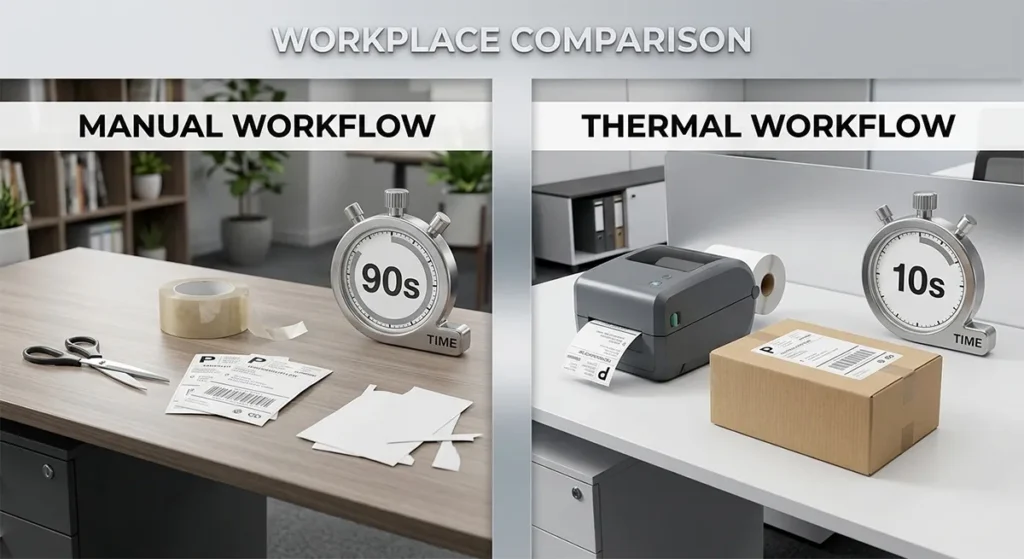
Even minor shifts in label positioning from manual feeding can cause scanners to fail at carrier facilities, leading to delays or additional fees. Label rolls on thermal printers feed consistently through a calibrated mechanism that places every barcode in exactly the same position on every label. There is no alignment step, no cutting, and no variation from one label to the next.
At 30 shipments per day, eliminating a 60-second manual step saves 30 minutes of fulfillment time daily. Over a 5-day shipping week, that is 2.5 hours per week recovered from a task that adds no value to the customer experience.
Reason 6: Thermal Printers Require Almost No Maintenance
Inkjet printers have nozzles that clog when they sit idle. They have cartridges that run dry mid-batch. They have printheads that degrade and require cleaning cycles that consume ink. They have alignment sensors that drift over time, causing sheet misfeeds and wasted label stock.
Thermal printers have fewer moving parts, no printheads to clog, no ink to dry out between uses, and no cartridges to replace on a schedule. The thermal printhead is a heating element, not a liquid delivery mechanism. It does not clog. It does not dry out when the printer sits unused for a week. A good thermal printhead lasts up to 10 years with proper care. Proper care means wiping the printhead with an isopropyl alcohol cleaning card every time you change a label roll. That takes 30 seconds.
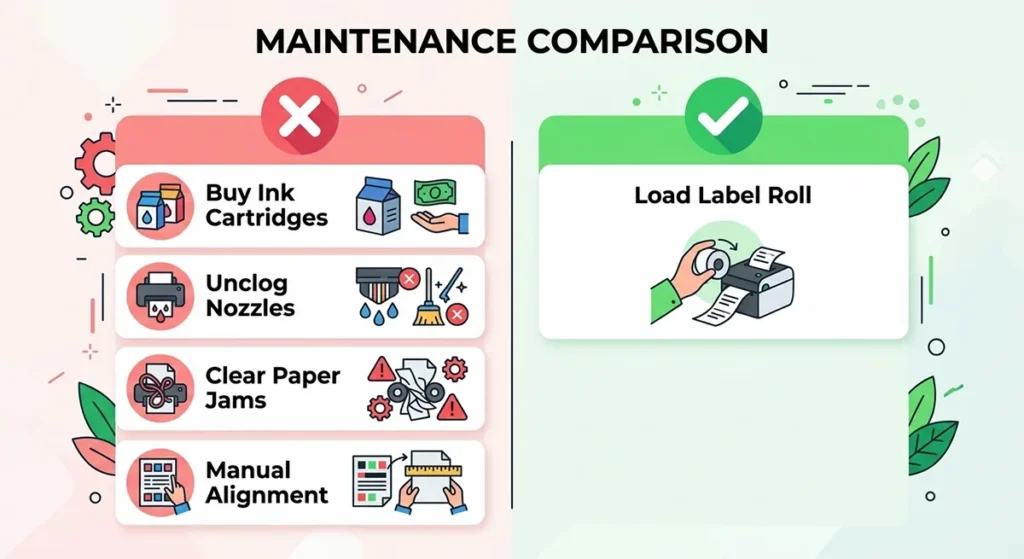
Inkjet printers require frequent maintenance including cartridge replacements, alignment checks, and are susceptible to jams and ink clogs, creating a higher hassle factor in bulk shipping. Thermal printers rarely jam because the label roll feeds through a simple mechanism with no sheet separation required. When a thermal printer does jam, clearing it typically takes under 60 seconds.
When a Thermal Printer Is Not the Right Choice
Thermal printing has three specific limitations worth stating directly.
- You ship fewer than 10 packages per month. At very low volume, an inkjet printer you already own costs less to use than buying a dedicated thermal printer. The break-even point is approximately 10 to 20 shipments per month depending on your current ink costs.
- You need color labels for branding. Standard direct thermal printers print in black only. If your shipping labels include a color logo, branded artwork, or color-coded product categories, thermal is not the right tool. Inkjet with vinyl label stock handles color label output that thermal cannot.
- You need one printer for labels and documents. Thermal printers print on thermal label stock only. Regular paper produces no output on a direct thermal printer. If you want one device for shipping labels, documents, and reports, an inkjet or laser handles both. Many sellers run both: a thermal printer for labels and an inkjet or laser for everything else.
For a detailed comparison of print methods including when thermal transfer outperforms direct thermal for specific label applications, see our direct thermal vs thermal transfer guide.
Are Thermal Printers Good for Shipping Labels?
Yes. For any seller shipping more than 20 packages per month, a thermal label printer produces better output at lower cost with less maintenance than any inkjet or laser alternative. The waterproof output, lower cost per label, faster print speed, consistent barcode quality, and roll-fed workflow combine to make thermal the industry standard for a practical set of reasons that apply equally whether you ship 30 packages or 3,000.
For sellers under 10 packages per month, an existing inkjet printer works acceptably. The switch to thermal becomes clearly worthwhile somewhere between 10 and 20 shipments per month for most sellers, and the financial case for thermal only strengthens as volume grows.
Once you are ready to choose a specific model, see our guide to the best thermal label printers for Etsy and Shopify sellers compared by print speed, label cost, and platform compatibility.
For a full breakdown of which thermal printers work with Etsy, Shopify, Amazon, USPS, UPS, and FedEx natively, see our thermal label printer platform compatibility guide.
Frequently Asked Questions
Why do shipping labels use thermal printers instead of inkjet?
Thermal printers produce waterproof, smear-proof labels at $0.02 to $0.05 each with no ink cost. Inkjet labels run when wet, which causes barcode scan failures at carrier sorting facilities. Thermal output costs 3 to 6 times less per label than inkjet, prints in under 10 seconds per label with no warm-up, and requires almost no maintenance. UPS specifically warns against using inkjet-printed labels because moisture makes inkjet barcodes unscannable in transit.
Can I use an inkjet printer for shipping labels?
Yes, but only at very low volume. Inkjet is acceptable for sellers shipping fewer than 5 to 10 packages per month. Beyond that, the per-label cost, moisture vulnerability, alignment issues, and maintenance requirements make inkjet significantly more expensive and less reliable than a dedicated thermal printer.
How much do thermal labels cost compared to inkjet?
Thermal labels cost $0.02 to $0.05 per label for standard 4×6 rolls from third-party suppliers. Inkjet printing costs $0.15 to $0.30 per label when factoring in ink and label sheet costs. At 100 labels per day, the annual difference is approximately $640 in favor of thermal.
Do thermal labels smear or fade in transit?
No. Direct thermal labels are a chemical reaction inside the label material, not liquid ink on the surface. They are waterproof and smudge-proof. They can get wet, handled roughly, and run through automated sorting machinery without the image degrading. The one condition that causes direct thermal labels to darken is sustained ambient heat above 60°C, which is not encountered in standard shipping conditions. For labels going into freezers or outdoor storage, thermal transfer with a resin ribbon on synthetic stock is the appropriate choice.
Do I need ink for a thermal label printer?
No. Direct thermal printers use no ink, toner, ribbon, or any liquid consumable. The only ongoing cost is the label roll itself. For a full explanation of what thermal printers need to operate and what your real running costs look like, see our guide on whether thermal label printers use ink.
Affiliate Disclosure: GadgetsChamp participates in the Amazon Associates program. If you buy through a link on this page, we earn a small commission at no extra cost to you. Kamran Asghar wrote this guide based on verified manufacturer data, independent cost analysis, and direct experience using thermal label printers for Etsy and Shopify fulfillment. No brand paid for placement here.
This article was written by Kamran Asghar, founder of GadgetsChamp. Cost figures and performance data verified from SmartLabelPrint’s thermal vs inkjet vs laser comparison, CLOSO’s thermal vs inkjet cost analysis, Atoship’s thermal vs inkjet comparison, LabelValue’s direct thermal vs inkjet guide, and SureSafe Supplies’ thermal label setup guide. Last updated: March 2026.