Thermal Label Printers and Printing Guides for Etsy, Shopify, and Small Business Sellers
Choosing a thermal label printer gets complicated fast. Print speed, label compatibility, cost per label, and software integration all vary highly across brands like Rollo, DYMO, Zebra, and Brother. A printer that works perfectly for Shopify shipping labels might jam on Etsy 4×6 sticker sheets.
Read best thermal label printer reviews for Etsy and Shopify sellers, compared by print speed and label cost
GadgetsChamp covers thermal label printers and small seller printing from one angle: what actually works when you are printing 50 to 500 labels a day. We compare print resolution, label roll compatibility, setup time, and cost-per-label across the models that show up most on Amazon and small business forums.
Every guide on this page is written for sellers who need reliable output, low running costs, and a printer that does not require a IT background to set up.
Find What You Need
Our printer content is organized by use case. Start with the section that matches your setup.
If you are choosing a thermal label printer
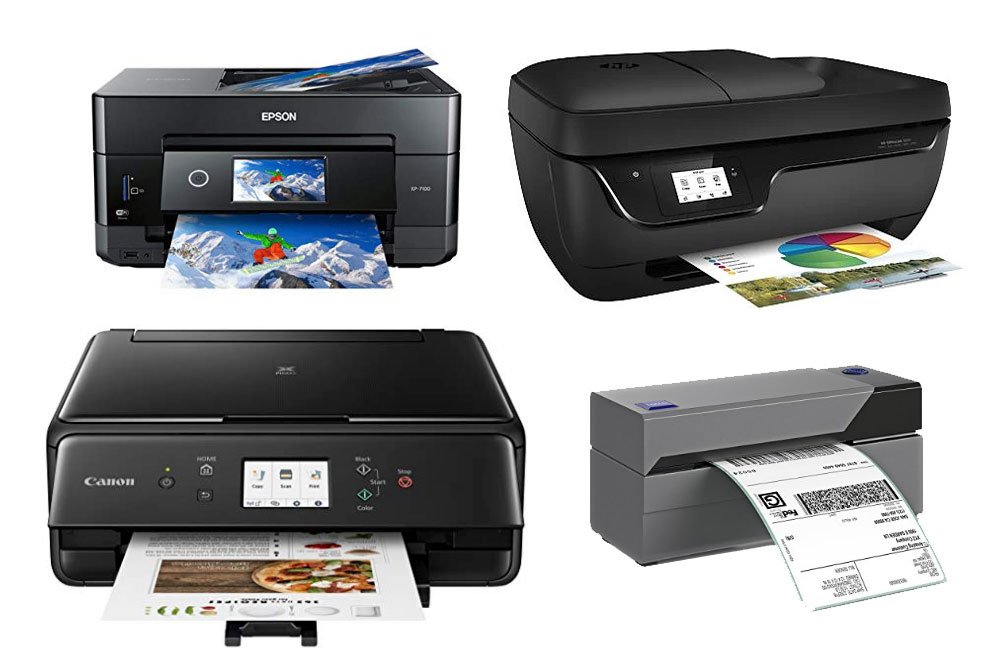
Our buying guides compare the top thermal label printers by print speed, label size support, and cost per label. We cover 4×6 shipping label printers for high-volume sellers and smaller desktop models for low-volume Etsy shops.
Browse thermal label printer comparisons, tested for Etsy, Shopify, and eBay shipping workflows →
If you print stickers or custom labels
Our sticker printing guides cover the printers that handle vinyl, glossy, and matte sticker sheets without color bleed or misalignment. We also cover waterproofing methods, cut compatibility with Cricut and Silhouette, and cost-per-sheet breakdowns.
Read tested sticker printer guides covering vinyl compatibility, waterproofing methods, and print quality benchmarks →
If you sell on Etsy or Shopify and need to lower costs
Our pricing and cost guides break down the true cost of printing labels and stickers, including ink yield, paper cost, and platform fees. We also cover how to calculate your cost-per-label before committing to a printer model.
See our Etsy sticker pricing formula and cost-per-label calculator guides →
If your printer is giving you problems
Our troubleshooting guides cover the most common issues with thermal label printers: label misalignment, connectivity failures, driver errors on Mac and Windows, and label feed jams. Each guide walks through the fix step by step.
Find printer troubleshooting guides for label alignment, driver issues, and connectivity problems →
FAQs
What is the best thermal label printer for Etsy sellers in 2026?
The Rollo X1040 and DYMO LabelWriter 4XL are the two most used thermal label printers among Etsy sellers. The Rollo X1040 prints 4×6 labels at 150mm per second with direct USB and Wi-Fi connectivity. The DYMO 4XL runs at 53 labels per minute and integrates directly with Etsy’s shipping label system. Your choice depends on whether you need Wi-Fi printing and how many labels you print per day.
Do thermal label printers need ink?
No. Thermal label printers use heat to activate dye already embedded in the label material. There is no ink cartridge, toner, or ribbon to replace. Your only ongoing cost is the label rolls themselves, which typically run between $0.02 and $0.08 per label depending on label size and supplier.
What label sizes do thermal printers support?
Most thermal label printers support 4×6 inch labels as their standard size, which covers the majority of shipping label formats used by USPS, UPS, FedEx, and carrier integrations on Etsy and Shopify. Some models also support 2×1, 3×2, and 4×4 inch label sizes for product tags and custom stickers. Always check label roll compatibility before buying a printer.