
I have reviewed every major desktop thermal label printer that sells in meaningful volume. Most buying guides list eight options and call all of them “great for different users.” That is not a recommendation. This article picks one winner, explains exactly why it wins, and tells you when to buy something cheaper instead.
Affiliate disclosure: GadgetsChamp earns a commission on qualifying purchases at no extra cost to you.
The Rollo X1040 is the best desktop thermal label printer for most home-based sellers. It prints at 150mm/s, accepts any open-format label roll at $0.02 to $0.05 per label, connects via AirPrint and dual-band Wi-Fi without installing drivers, and costs $200. That is the answer if you want the short version. Read on for when to buy something cheaper, and when to avoid the brands that lock you into expensive proprietary labels.
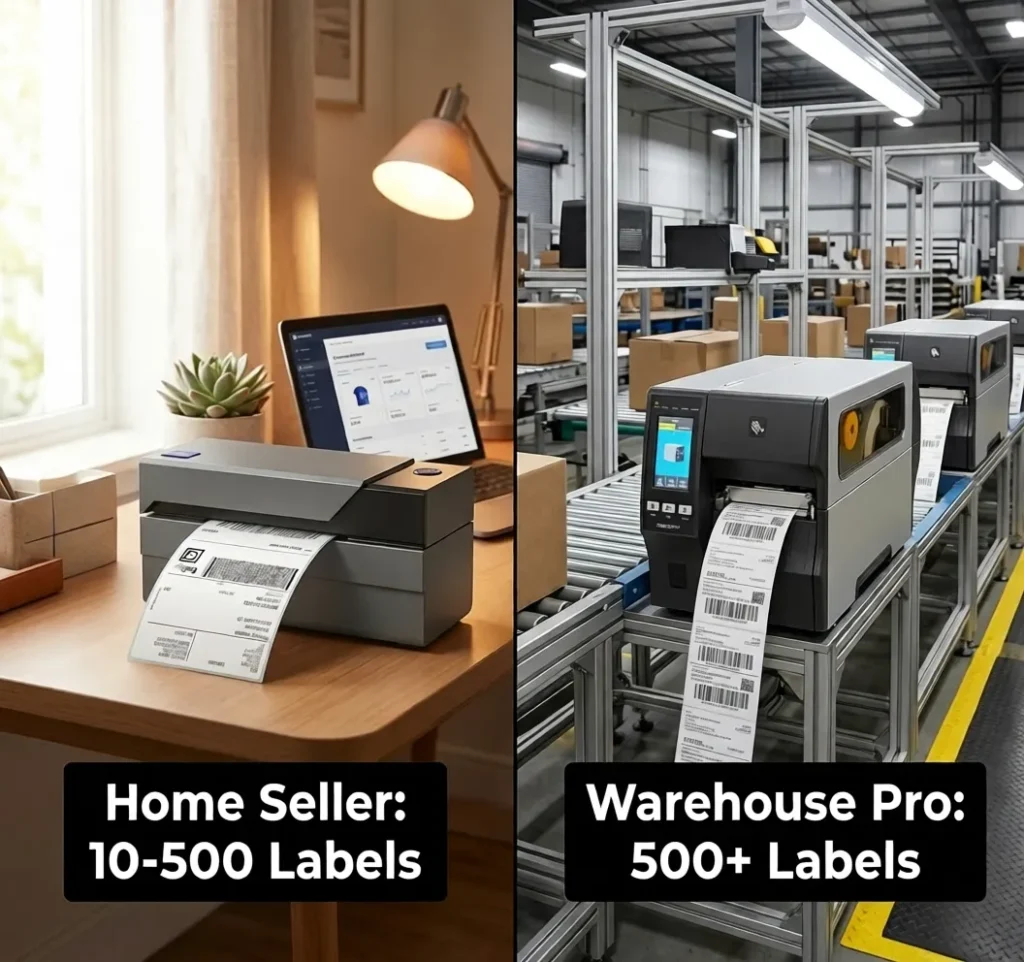
Quick Comparison
| Model | Speed | DPI | Connectivity | Label Format | Price | Best For |
|---|---|---|---|---|---|---|
| Rollo X1040 | 150mm/s | 203 | Wi-Fi, BT, USB-C | Open | ~$200 Check Current Price | Most home sellers |
| MUNBYN ITPP941 | 150mm/s | 203 | USB only | Open | ~$100-130 Check on Amazon | Fixed-station budget |
| MUNBYN RW403B | 150mm/s | 203 | BT + USB | Open | ~$100-120 | Bluetooth mobile |
| Polono PL60 | 127mm/s | 203 | USB only | Open | ~$80 Check Current Price | Lowest total cost |
| DYMO LabelWriter 5XL | ~100mm/s | 300 | USB | Proprietary | ~$209 Check Current Price | Nobody (see cost math) |
| Brother QL-1110NWB | 101mm/s | 300 | Wi-Fi, BT, USB | Proprietary DK | ~$200 Check on Amazon | AirPrint + 300 DPI |
| Zebra ZD421 | 152mm/s | 203/300 | USB + optional Wi-Fi/BT | Open | ~$450-695 Check Current Price | High-volume small biz |
| Zebra ZD220 | 127mm/s | 203 | USB | Open | ~$150-200 Check Current Price | Reliable workhorse |
For a complete overview of the thermal label printer market across every use case and price tier, our guide to the best thermal label printers across every category from shipping to barcode to industrial covers the full landscape before you narrow to a desktop model.
1. Rollo X1040: Best Desktop Thermal Label Printer for Most Sellers
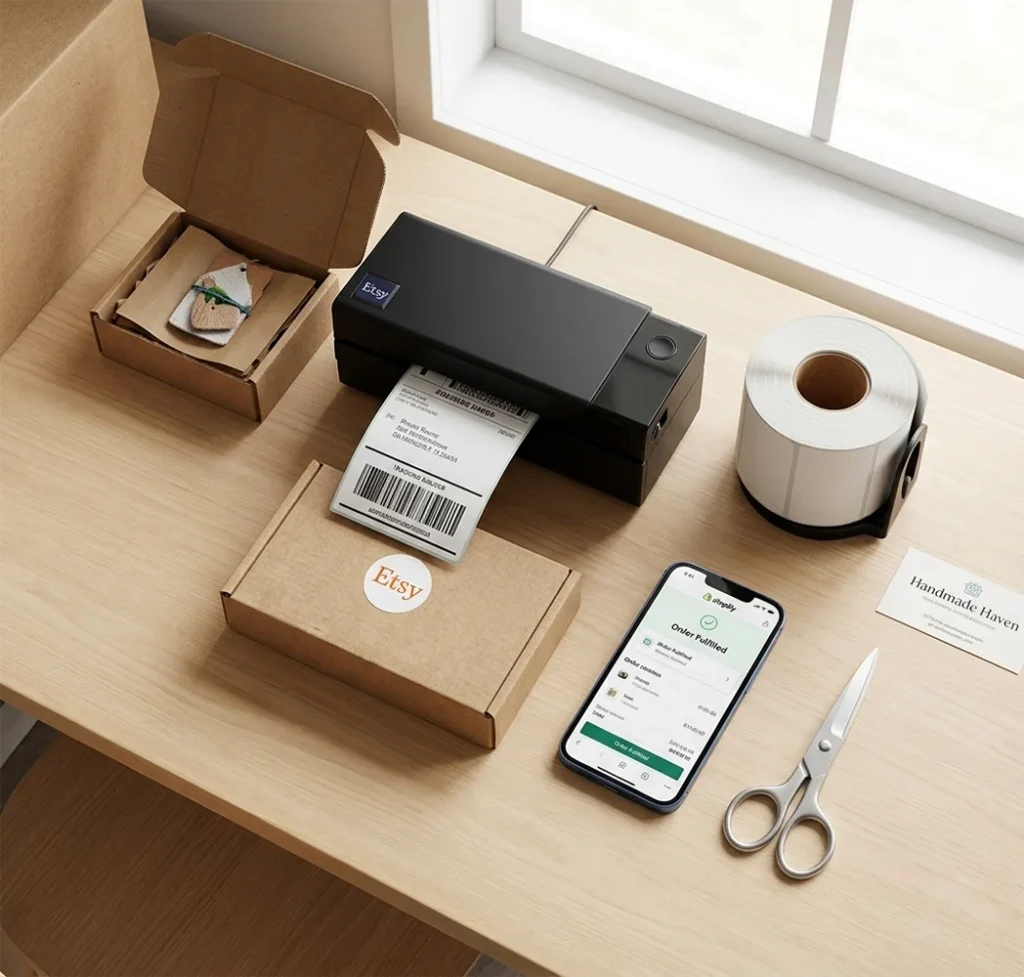
Print speed: 150mm/s (approximately 60 labels per minute at 4×6)
Resolution: 203 DPI
Connectivity: Dual-band Wi-Fi 802.11ac, Bluetooth 5.0, USB-C
Label width: 1.57 to 4.1 inches
Label format: Open format, any standard direct thermal roll
Printhead rating: 650,000 labels
Price: ~$200 See current Rollo X1040 price on Amazon
Rollo pumps out up to 60 four-by-six-inch labels per minute and connects to Mac, Windows, iPhone, iPad, Android, Chromebook, and Linux without installing a single driver. The AirPrint certification means your iPhone sends labels directly to the printer from the Etsy app, the Shopify app, or the iOS share sheet. No Bluetooth pairing. No third-party app required.
The free Rollo Ship software auto-imports orders from Shopify, Amazon, eBay, Etsy, and Walmart, then compares USPS and UPS rates and prints the batch. No ShipStation subscription. No add-on software. This alone saves sellers $30 to $50 per month compared to building a similar workflow on a MUNBYN or Zebra setup.
Setup takes under 10 minutes. Rollo connects driverless on every platform, while competing models from MUNBYN require a driver install on macOS that users routinely report taking 20 minutes or longer with troubleshooting. That gap matters when you open the box on a Sunday evening before a Monday morning ship deadline.
Where the Rollo X1040 Loses
203 DPI is the ceiling. For sellers printing small logos on product labels or tiny QR codes under 1 inch, 300 DPI produces sharper output. MUNBYN’s RW401AP and the Brother QL-1110NWB offer 300 DPI at a comparable price. The Rollo Ship software is only valuable if you ship parcels; product labelers who need barcode inventory templates get more from MUNBYN’s template library.
Who it is for: Etsy, Shopify, eBay, and Amazon FBM sellers printing 10 to 500 shipping labels per day from any device. Who should skip it: Sellers who print under 50 labels per day and do not need wireless. The Polono PL60 at $80 does that job for $120 less.
If your primary use case is shipping parcels and you want a comparison focused specifically on carrier compatibility, platform integration, and label cost by volume, our guide to the best thermal printers for shipping labels compared by carrier compatibility and print speed covers that ground in detail.
2. Best Budget Desktop Thermal Label Printers Under $100
Polono PL60: Lowest Total Cost
Print speed: 127mm/s
Resolution: 203 DPI
Connectivity: USB only
Label format: Open format
Price: ~$80 See current Polono PL60 price on Amazon
The Polono PL60 costs $80, accepts any open-format label roll at $0.03 per label, and works with every major shipping platform via USB. Print speed sits at 127mm/s versus Rollo’s 150mm/s. On a 100-label batch, that gap is under 20 seconds. At low daily volumes, the Polono PL60’s three-year total cost beats the Rollo X1040 by approximately $120 in hardware alone, before factoring in identical label costs.
No wireless. No Bluetooth. USB only, single computer. That is the trade-off.
Who it is for: Home sellers printing under 100 labels per day from a fixed desktop computer who want the lowest upfront and running cost. Who should skip it: Anyone who prints from a phone or needs wireless.
MUNBYN ITPP941: Budget Speed Match
Print speed: 150mm/s
Resolution: 203 DPI
Connectivity: USB only
Price: ~$100-130 See current MUNBYN ITPP941 price on Amazon
The MUNBYN ITPP941 matches Rollo’s 150mm/s print speed at the Polono’s price point. The ROHM printhead from Japan delivers consistent output across long print runs. macOS requires a driver install, which adds 15 to 20 minutes to setup versus Rollo’s plug-and-print. For Windows-primary setups, the driver install is straightforward. The ITPP941 includes MUNBYN’s DAC auto-calibration chip, which eliminates label misalignment on nearly every print without manual adjustment.
Who it is for: Windows users who want Rollo-level speed at $100 to $130 without wireless.
3. Best Wireless Desktop Thermal Label Printer
Not all wireless is equal. The connection type determines which devices print to the printer and whether an app is required.
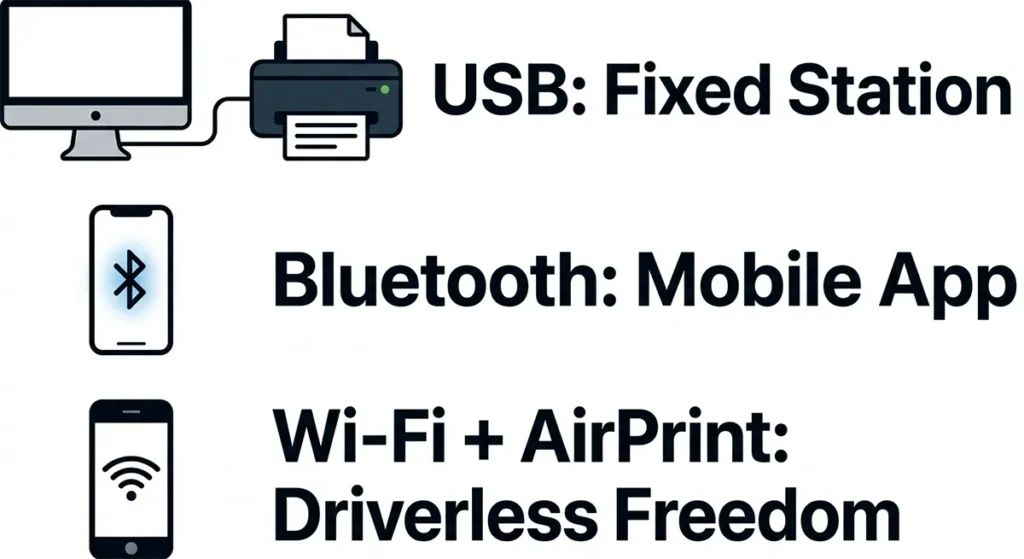
USB: One computer, tethered. Reliable. No pairing. Right for a single fixed packing station that never needs to print from a phone.
Bluetooth: Pairs directly to a phone or tablet. No network required. Needs the manufacturer’s app on most models. Range stops at approximately 30 feet. Right for a phone-first seller who does not have a dedicated computer at the packing station.
Wi-Fi with AirPrint: Joins the home network. Every device on the same network prints to it. iPhone prints directly without an app or driver. Right for sellers who print from multiple devices, switch between phone and computer, or share the printer with a second person.
| Connectivity | Best Model | Phone App Required | iPhone Native? |
|---|---|---|---|
| USB only | Polono PL60 or MUNBYN ITPP941 | No | No (USB only) |
| Bluetooth | MUNBYN RW403B | Yes (MUNBYN Print) | Via app |
| Wi-Fi + AirPrint | Rollo X1040 | No | Yes, native |
| Wi-Fi + AirPrint | Brother QL-1110NWB | No | Yes, native |
The Rollo X1040 covers USB-C, Bluetooth 5.0, and dual-band Wi-Fi with AirPrint in one printer. No other desktop thermal label printer under $250 covers all three. The Brother QL-1110NWB also supports AirPrint but uses proprietary DK cassettes at $0.15 to $0.20 per label (see Section 5 for the cost math).
See current Rollo X1040 price on Amazon
4. Best Desktop Thermal Printer for Small Business at Higher Volume
The pick: Zebra ZD421
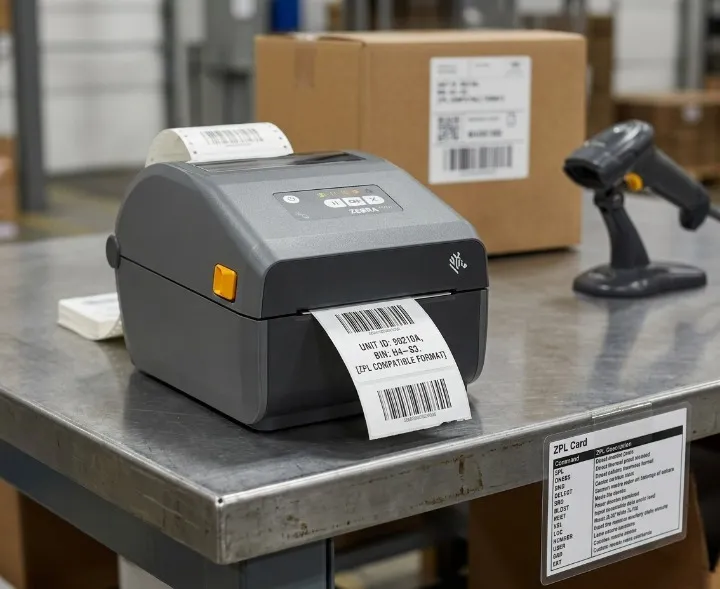
Print speed: 6 IPS (152mm/s) at 203 DPI; 4 IPS at 300 DPI
Resolution: 203 or 300 DPI
Connectivity: USB + optional Ethernet, Wi-Fi 802.11ac, Bluetooth 4.1
Label format: Open format (DT and TT modes)
Price: ~$450-695 See current Zebra ZD421 price on Amazon
The Zebra ZD421 is not for a home seller printing 50 shipping labels a day. At $450 to $695, buying a ZD421 for Etsy order fulfillment wastes $250 to $495 on features designed for warehouse WMS integration. Shopify notes the ZD421 prints roughly 180 4×6 labels in three minutes at 203 DPI, which is the same throughput as the Rollo X1040.
The ZD421 earns its price in three situations:
- you print more than 500 labels per day across multiple shifts,
- you need thermal transfer mode for synthetic labels. The ZD421’s thermal transfer mode matters only if your labels need to survive more than six months; for a full breakdown of what separates direct thermal from thermal transfer and when each is the right choice, read our guide on direct thermal vs thermal transfer printing and which method your printer uses.
- or you run WMS software that requires ZPL command language.
For Amazon FBA prep centers, product barcode labeling operations, and small businesses that have outgrown desktop-level printers, the ZD421 is the correct tool. For everyone else, it is not.
Who it is for: Small businesses printing 200+ labels per day across multiple stations, FBA prep operations, and any seller needing thermal transfer capability for durable product labels. Who should skip it: Home sellers, Etsy sellers, and anyone printing under 200 labels per day.
For industrial-scale operations beyond the ZD421, our comparison of high-volume industrial thermal label printers for warehouses printing 500 or more labels per day covers Zebra ZT411, Honeywell PM43, and TSC MX240P.
The Proprietary Tax: What DYMO and Brother Actually Cost
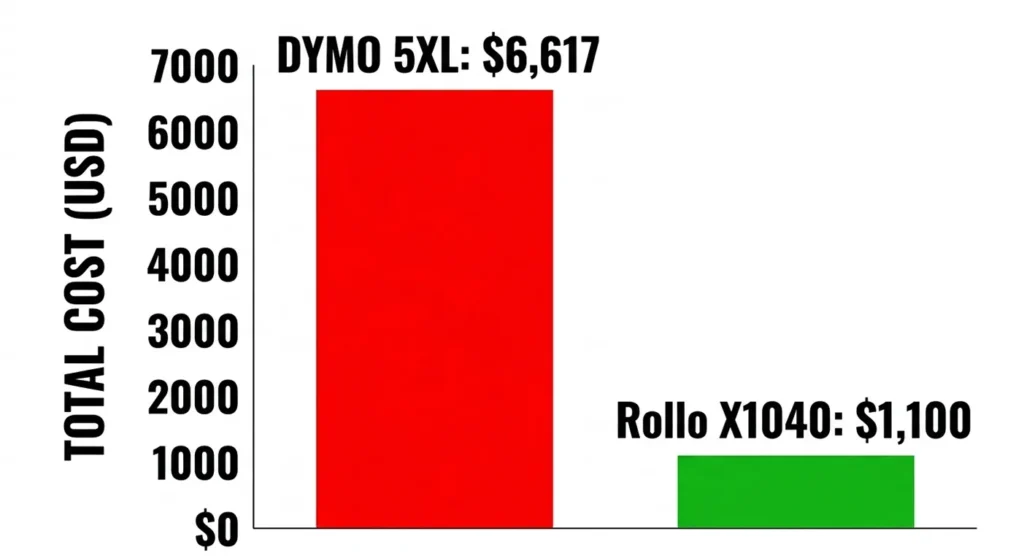
Three-year total cost at 10,000 labels per year (approximately 30 labels per day):
DYMO LabelWriter 5XL:
- Printer: $209
- Labels: $0.2136 per label on proprietary DK rolls
- Year 1: $209 + (10,000 × $0.2136) = $2,345
- Years 2 and 3: $2,136 per year
- Three-year total: $6,617
Brother QL-1110NWB:
- Printer: ~$200
- DK cassettes average approximately $0.175 per label
- Year 1: $200 + (10,000 × $0.175) = $1,950
- Three-year total: ~$5,150
Rollo X1040 with open-format labels:
- Printer: $200
- Labels: $0.03 per label (generic 4×6 rolls)
- Year 1: $200 + (10,000 × $0.03) = $500
- Three-year total: ~$1,100
The DYMO 5XL costs $5,517 more than the Rollo X1040 over three years at 30 labels per day. The printer price difference is $9.
The DYMO 5XL produces 300 DPI output, which looks slightly sharper than the Rollo’s 203 DPI for fine text and logos. If that extra sharpness is worth $5,517 over three years, buy the DYMO. For standard shipping labels where the barcode scans correctly at 203 DPI every time, the sharpness difference costs you nothing and gains you nothing.
Can Thermal Printers Use Regular Paper? The Regular Paper Trap
No. Thermal printers do not work on regular copy paper.
Standard office paper has no thermochromic coating. A thermal printer’s printhead applies heat to the paper surface. Regular paper does not react to heat the way thermal label stock does. The label exits completely blank.
Thermal printers require thermally coated label media. The coating contains a leuco dye and acid developer compound that reacts to heat and darkens to form text or a barcode. Without that coating, no output is possible regardless of printer settings, darkness levels, or firmware versions.
This misconception appears frequently in searches because buyers assume a thermal printer works like an inkjet, just using heat instead of ink. The mechanism is different. Thermal paper is not a type of regular paper. It is a specifically manufactured product with a chemical coating that costs $0.02 to $0.05 per label on generic rolls.
Regular paper users who want to print shipping labels without buying label stock have two options: an inkjet printer with standard label sheets, or a thermal printer with the correct thermal label media. Thermal printers do not bridge this gap.
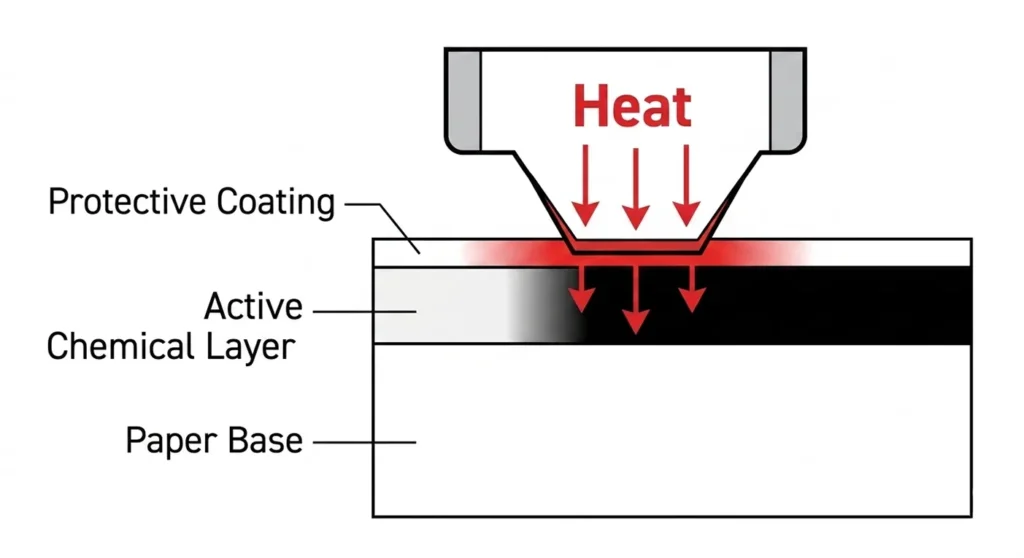
For the full explanation of how thermal printing works at the mechanism level, our guide on how thermal label printers work and why they do not print on regular paper covers the chemistry and the consequence in plain language.
Desktop Thermal Label Printers for Sale: Refurbished Options
Buyers searching “desktop thermal label printers for sale” frequently want refurbished hardware at a lower entry price. Three models hold their value and reliability through refurbishment:
Zebra GK420d (refurbished): $100 to $200 on eBay and Barcodes Inc. The GK420d is the predecessor to the ZD421 and one of the most reliable desktop thermal printers ever manufactured. USB and optional Ethernet. 203 DPI. 4-inch width. Windows primary. Thousands of units in service across small warehouses and e-commerce operations. Zebra parts and printheads remain available and affordable.
Zebra ZD220 (new, budget): $150 to $200 new. Entry-level Zebra. USB only. 5 IPS. 203 DPI. No frills. Built for reliability over features. The right pick for a buyer who wants Zebra’s build quality and reliability without the ZD421’s price.
Zebra ZD421 (refurbished): $200 to $350 on eBay from certified refurbishers. The ZD421 at $200 to $350 refurbished is the correct price for a small business needing ZPL integration without paying $450 to $695 new.
Refurbished Rollo and MUNBYN units are less common and carry more risk because printhead condition is harder to verify on consumer-tier hardware. Zebra’s commercial-grade construction makes the refurbished condition easier to assess and the hardware more predictable post-purchase.
For full label roll compatibility specs across all Zebra desktop models, our guide on thermal label sizes, materials, and core specs that fit each desktop printer covers every width, core size, and substrate combination.
Frequently Asked Questions
What is the best desktop thermal label printer?
The Rollo X1040 is the best desktop thermal label printer for most home-based sellers. It prints at 150mm/s, accepts open-format labels at $0.03 per label, connects via AirPrint and dual-band Wi-Fi without drivers, and costs $200. For sellers printing under 100 labels per day from a single computer, the Polono PL60 at $80 delivers the same label output at a lower total cost.
Do thermal label printers need ink?
No. Direct thermal printers use heat-sensitive paper that darkens when the printhead applies heat. No ink cartridges. No toner. No ribbons on direct thermal models. The only consumable is the label roll. Thermal transfer printers add a ribbon but still use no liquid ink. First-time buyers often search for ink cartridges for their thermal printer and cannot find them; our guide on whether thermal label printers use ink, toner, or ribbons and what your real running costs are explains exactly what each printer type consumes and what you will spend month to month.
Can I print from my iPhone to a desktop thermal label printer?
Yes, with the right printer. The Rollo X1040 and Brother QL-1110NWB both support AirPrint, which lets any iPhone or iPad on the same Wi-Fi network print without an app. MUNBYN Bluetooth models require the MUNBYN Print app. DYMO requires a workaround because the LabelWriter 5XL lacks native iOS driver support.
What is the difference between a desktop and industrial thermal printer?
Desktop thermal printers handle 10 to 500 labels per day, use 1-inch core label rolls with a maximum 5-inch outer diameter, and connect via USB, Bluetooth, or Wi-Fi. Industrial thermal printers handle 500 or more labels per day, run 24/7 across multiple shifts, use 3-inch core rolls with up to 8-inch outer diameter, and connect via Ethernet to WMS systems. The Rollo X1040 and MUNBYN ITPP941 are desktop printers. The Zebra ZT411 and Honeywell PM43 are industrial printers.
Is the Zebra ZD421 worth buying for a home seller?
No. The ZD421 costs $450 to $695. A home seller printing under 200 labels per day produces identical shipping label output on a Rollo X1040 at $200. The ZD421’s advantages are ZPL WMS integration, commercial duty cycle, and thermal transfer capability for synthetic label substrates. None of those features benefit a home-based Etsy or Shopify seller.
What is the cheapest desktop thermal label printer?
The Polono PL60 at $80 is the cheapest desktop thermal label printer with open-format label compatibility. The MUNBYN ITPP941 at $80 to $100 matches that price with a faster print speed of 150mm/s versus the Polono’s 127mm/s. Both accept generic label rolls at $0.03 per label.
The Decision: Which Desktop Label Printer Suits your Situation
Three scenarios. Three printers. No hedging.
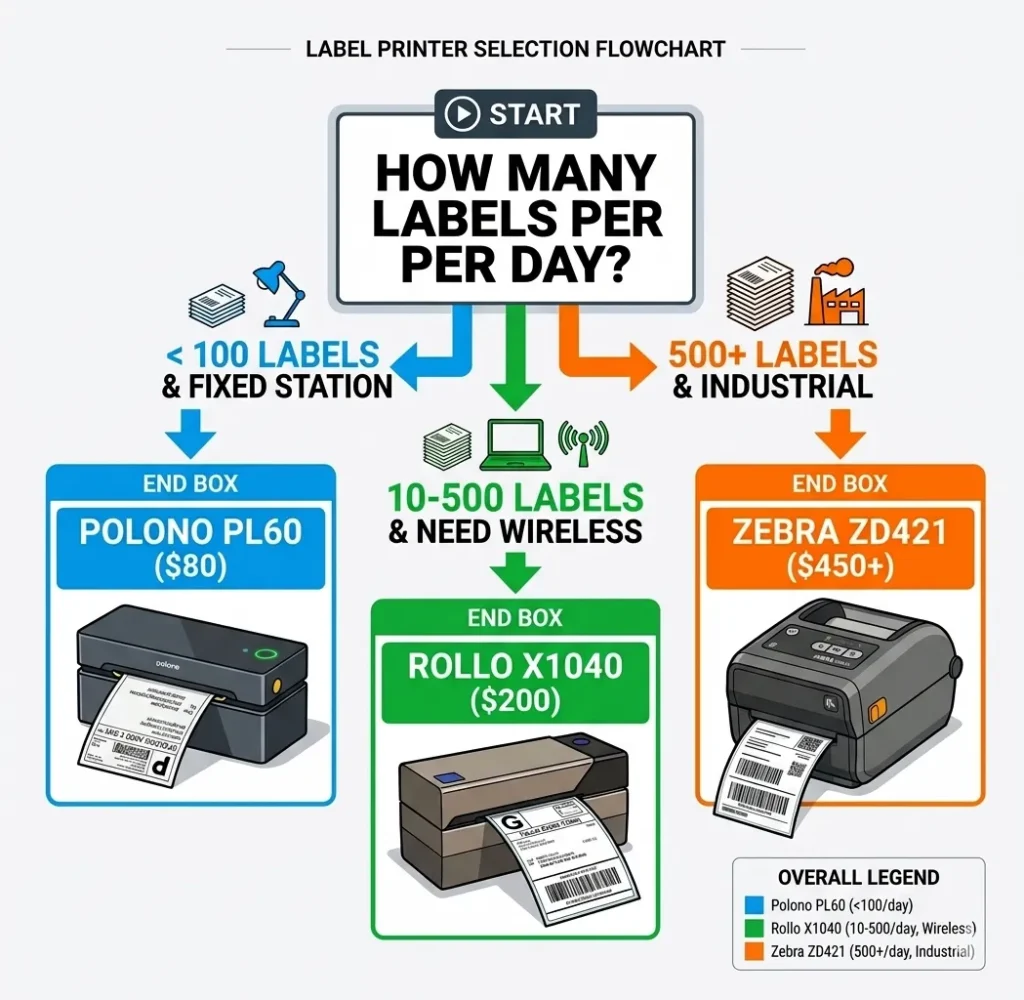
You ship 10 to 500 orders per day from home and want wireless from your phone or multiple devices: Rollo X1040. $200. AirPrint. Dual-band Wi-Fi. Open labels at $0.03 per label. Setup in 10 minutes on any platform. The three-year cost at 30 labels per day is approximately $1,100. The DYMO 5XL costs $6,617 at that same volume. Buy the Rollo.
You ship under 100 orders per day from a single fixed desktop computer and want the lowest possible upfront cost: Buy Polono PL60 at $80 or MUNBYN ITPP941 at $80 to $100. Open labels. USB only. Both handle every major shipping platform. Neither needs wireless. For a Windows user who never prints from a phone, these are the correct tools.
You run a small business printing 200+ labels per day with WMS integration or product labeling needs that require thermal transfer on synthetic substrates: Buy Zebra ZD421. Accept the $450 to $695 price. The features you are paying for are real and the Rollo cannot replicate them at any price point.
For label roll buying guidance after you pick your printer, our complete guide on 4×6 thermal label printers and which ones accept open-format label rolls covers compatible label brands, roll specs, and cost-per-label data for every model on this list.
About the Author
Kamran Asghar Founder, GadgetsChamp.com
Kamran Asghar founded GadgetsChamp to cut through the noise in consumer tech buying guides. He covers thermal label printers, smartwatches, and wearable health technology with a focus on real-world specs, total cost of ownership, and honest verdicts. He does not list ten products and call all of them great. He picks one, explains exactly why, and tells you where it falls short.
His work on thermal label printing has covered label compatibility, ribbon chemistry, WMS integration, and the total cost gap between open-format and proprietary label systems. His smartwatch coverage focuses on battery life, health sensor accuracy, and the difference between a device that tracks data and one that measures it.