
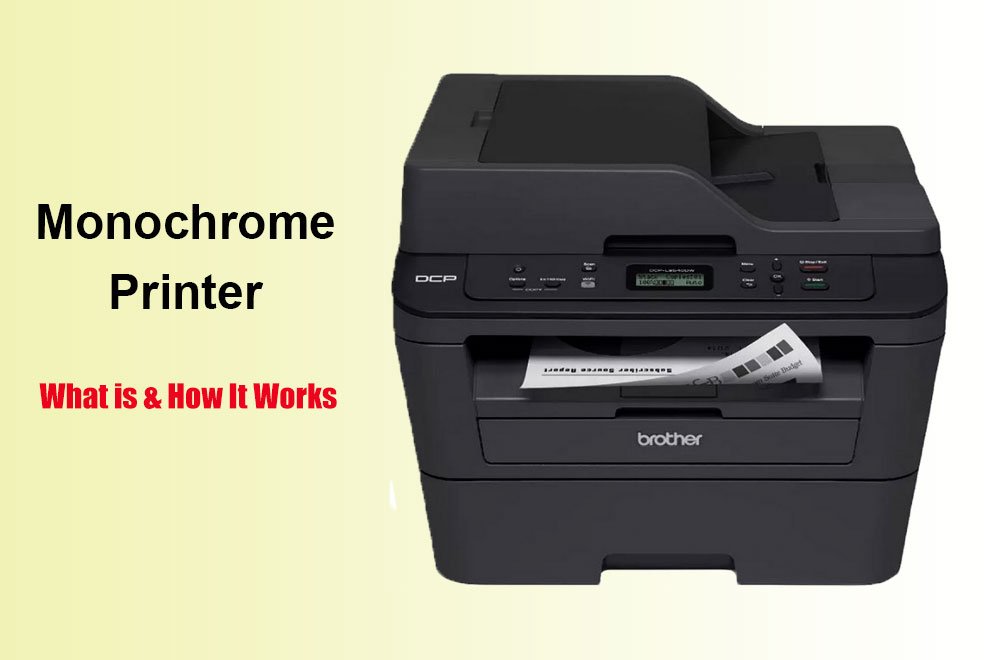
Quick Answer: A monochrome printer is a printer that outputs text and images in black and white only. It uses a single black toner cartridge or ink cartridge. Monochrome printers can be either laser or inkjet. They cost 2 to 5 cents per page to operate, which is roughly one-third the cost of color inkjet printing.
The Brother MFC-L2820DW is the best monochrome all-in-one printer for small offices. The Brother HL-L2460DW is the top budget pick for print-only needs. The HP LaserJet MFP M234dw offers the most compact footprint for home desks. If you own a Mac, start with the laser printers we recommend for Mac users that support AirPrint out of the box.
This post contains affiliate links. We earn a commission when you buy through our links, at no extra cost to you.
What Is a Monochrome Printer?
A monochrome printer produces documents using only black ink or toner. The word mono means one, and chrome refers to color. A monochrome printer prints in exactly one color: black.
This is different from a grayscale printer, which can produce shades of gray by varying ink density. A true monochrome printer outputs solid black text and line art. Some models simulate gray tones through dithering patterns, but they cannot produce the smooth tonal range of a grayscale or color printer.
Monochrome printers fall into two technology categories:
Monochrome laser printers use dry toner powder. A laser beam draws the image onto a charged drum. Toner adheres to the charged areas. Heat and pressure fuse the toner to the paper. This produces sharp, smudge-resistant text that resists water and fading.
Monochrome inkjet printers spray liquid black ink through microscopic nozzles onto paper. These are rare in the consumer market but common in specialized applications like wide-format technical drawings or continuous-feed receipt printing.
Most buyers looking for a monochrome printer in 2026 want a monochrome laser printer. Laser technology dominates this category because of speed, cost per page, and reliability.
Monochrome Printer vs. Laser Printer vs. Color Printer
| Feature | Monochrome Laser | Color Laser | Color Inkjet |
|---|---|---|---|
| Ink/Toner | 1 black toner | 4 toners (CMYK) | 4+ ink cartridges |
| Cost per page (black) | 2–5 cents | 2–5 cents | 5–10 cents |
| Cost per page (color) | N/A | 12–15 cents | 15–25 cents |
| Text quality | Excellent | Excellent | Good |
| Photo quality | Poor | Fair | Excellent |
| Print speed | 30–40 ppm | 25–35 ppm | 5–15 ppm |
| Clogging risk | None | None | High if idle |
| Best for | Documents, forms | Business graphics | Photos, creative work |
If you need to print on discs, monochrome lasers cannot help. See our guide to inkjet printers for CD DVD printing instead.
A monochrome printer is not the same as a laser printer. All monochrome laser printers are laser printers, but not all laser printers are monochrome. Color laser printers use four toner cartridges — cyan, magenta, yellow, and black — to produce full-color output.
Conversely, not all monochrome printers are lasers. Monochrome inkjet printers exist, though they are niche products. For most home and office buyers, “monochrome printer” and “monochrome laser printer” are functionally synonymous because laser technology owns this segment.
How Does a Monochrome Laser Printer Work?
A monochrome laser printer operates through six steps:
- Charging: A photosensitive drum receives a uniform negative electrical charge.
- Exposure: A laser beam discharges specific points on the drum, creating an electrostatic image.
- Developing: Toner powder — made of plastic particles and carbon black — adheres to the discharged areas.
- Transferring: The drum rolls against paper, transferring the toner image.
- Fusing: Heated rollers melt the toner into the paper fibers at approximately 200°C.
- Cleaning: A blade removes leftover toner, and the drum recharges for the next page.
This process produces text with crisp edges and deep blacks. Businesses printing barcode labels should understand direct thermal vs thermal transfer before choosing a label printer. The toner sits on top of the paper surface, creating a slight raised texture you can feel. Unlike inkjet ink, toner does not soak into the paper, which is why laser output resists water and smudging.
The drum unit and toner cartridge may be separate or combined. In Brother printers like the HL-L2460DW, the drum and toner are separate units. Read our breakdown of how long a printer drum lasts to plan your maintenance budget. The drum lasts 15,000 pages while the toner cartridge gets replaced every 1,200 to 3,000 pages depending on capacity.
Can a Monochrome Printer Print in Color?
No. A monochrome printer cannot print in color. It contains only black toner or ink. If you send a color document to a monochrome printer, the printer driver converts colors to shades of gray or solid black.
Some users ask whether swapping the black cartridge for a colored one would work. The answer is no. Monochrome printers have a single toner slot and firmware that recognizes only black cartridges. Inserting a color cartridge causes an error or prevents printing entirely.
If you need occasional color, you have three options:
- Buy a color printer for photos and graphics, and keep a monochrome printer for documents.
- Use a print shop for one-off color jobs. Office supply stores charge roughly 25–50 cents per color page.
- Buy a color laser or inkjet if color makes up more than 10 percent of your printing volume.
Consumer Reports data shows that typical households rarely print graphics and almost never print photos, but they print large volumes of black text. This is why a monochrome laser is often the best home printer choice.
Can a Monochrome Printer Scan in Color?
Yes, if it is an all-in-one (AIO) or multifunction printer (MFP). The scanning mechanism in a monochrome AIO uses a color image sensor. When you place a color photo on the flatbed, the scanner captures the full color image and saves it as a color PDF or JPEG.
The printer then outputs the document in black and white. The scanner and the printer are independent systems. PCMag confirms this: “One common misunderstanding about mono laser AIOs is that their scanning ability is also limited to monochrome. In truth…the scanners on any AIO today can scan in color.”
This matters for home offices that digitize receipts, photos, or artwork. You get color scanning and archiving without paying for color printing capability.
Cost Per Page: Monochrome vs. Color
The main reason people choose monochrome over color is cost per page, and that gap is bigger than most people assume. Our cost-per-page calculator lets you see the exact dollar difference for your own print volume instead of taking that on faith.
Cost per page is the single most important metric when choosing a printer. Here is how monochrome printers compare:
Monochrome laser: 2 to 5 cents per black page. High-yield toner cartridges drop this to 2.4 cents, as they can print thousands of pages for $30–$50
Color inkjet: 5 to 10 cents per black page, 15 to 25 cents per color page. Standard color ink cartridges usually cost $30–60 and produce just a few hundred pages.
Color laser: 2 to 5 cents per black page, 12 to 15 cents per color page. The upfront cost is much higher, making color laser suitable only for businesses with steady volume.
For a household printing 100 pages per month, a monochrome laser saves $60 to $240 per year compared to a color inkjet. The savings grow with volume.
Who Should Buy a Monochrome Printer?
Buy a monochrome printer if you match any of these profiles:
Home office workers who print contracts, invoices, and reports. Monochrome lasers produce professional text faster and cheaper than any color alternative.
Students who print assignments, lecture notes, and research papers. Teachers who need color for worksheets should see our color printers for classrooms guide. The low cost per page keeps textbook money in your pocket.
Small business owners who need receipts, shipping labels, and tax documents. Monochrome AIOs with ADFs handle multi-page scanning and copying.
Anyone who prints infrequently. Laser toner does not dry out or clog. An inkjet left idle for a month often needs expensive cleaning cycles. A monochrome laser starts printing immediately after weeks of sitting.
Do not buy a monochrome printer if you print photos, marketing materials, or color charts regularly. For creative projects, see our picks for the best printers for stickers and vinyl work. The output will be gray, flat, and unsuitable for client presentations.
Best Monochrome Printers (2026)
Brother MFC-L2820DW: Best Monochrome All-in-One
RTINGS names the Brother MFC-L2820DW the best black-and-white printer they have tested. Consumer Reports confirms very good text quality and reasonably fast output at 5 pages in 18 seconds.

- BEST FOR SMALL OFFICES – Combining space-saving efficiency and premium monochrome (black & white) print quality with aff…
- EFFICIENT PRINTING & SCANNING – Produces black & white documents quickly with print speeds up to 36 ppm(2) and scan spee…
- FLEXIBLE CONNECTION OPTIONS – Securely connect to multiple devices with built-in dual-band wireless (2.4GHz / 5GHz), Eth…
It includes an ADF for scanning stacks of paper, built-in fax, and wireless connectivity. The scanner captures color images even though the printer outputs black and white. For small offices that need scanning and copying without color printing costs, this is the top pick.
Specifications
- Type: Monochrome laser AIO (print, scan, copy, fax)
- Speed: Up to 34 ppm
- Toner: Brother TN-830 (1,133 pages), TN-830XL (3,000 pages)
- Cost Per Page: ~5.4 cents with standard cartridge; drops with high-yield
- Approx. Price: ~$279
Brother HL-L2460DW: Best Budget Monochrome Printer
PCMag calls the HL-L2460DW “the most value of any of these printers” in its class. It is a print-only machine with no scanner, which keeps the price low and the footprint small.
The high-yield TN-830XL twin pack drops the cost per page to 2.4 cents — a 40% savings over the standard cartridge. RTINGS notes it is an outstanding choice for set-and-forget printing because laser toner never clogs.

- BEST FOR HOME OFFICES & SMALL TEAMS – Engineered for consistent, premium print quality, the Brother HL-L2460DW Monochrom…
- COMPACT, CONNECTED, EXCEPTIONALLY EFFICIENT– Connect with built-in dual-band wireless (2.4GHz/5GHz), Ethernet, or to a s…
- BROTHER MOBILE CONNECT APP – Manage your wireless printer remotely and print from your mobile device anytime, from almos…
After unboxing, follow our guide to set up a printer on macOS without driver headaches.
Specifications
- Type: Monochrome laser (print only)
- Speed: Up to 37 ppm
- Toner: Brother TN-830 (1,200 pages), TN-830XL (3,000 pages), TN-830V (3,300 pages)
- Cost Per Page: ~2.4 cents with high-yield twin pack
- Approx. Price: ~$175
HP LaserJet MFP M234dw: Best Compact Monochrome AIO
Trusted Reviews measured the M234dw at 27.3 pages per minute on a 50-page document — impressive for the price. Consumer Reports estimates the standard toner at 6 cents per page, which is higher than Brother’s high-yield options but acceptable for light volume.

- The HP LaserJet MFP M234dw offers high-speed two-sided precision laser printing and scan/copy functionality, plus smart …
- Perfect for small teams printing, scanning and copying professional-quality black & white documents and reports. Perfect…
- FASTEST TWO-SIDED PRINTING IN ITS CLASS – Up to 30 black-and-white pages per minute single-sided, up to 19 black-and-whi…
The M234dw is smaller and lighter than most office MFPs. It includes AirPrint for iPhone and iPad users, plus a scanner that captures color at 600 dpi. The trade-off is a 150-sheet paper tray and no ADF.
Specifications
Type: Monochrome laser AIO (print, scan, copy)
Speed: Up to 29 ppm; 27.3 ppm in real-world 50-page tests
Toner: HP 134A (1,092 pages), HP 134X (2,400 pages)
Cost Per Page: ~6 cents with standard cartridge
Approx. Price: ~$239
FAQs
What is the difference between a LaserJet printer and a monochrome printer?
LaserJet is HP’s brand name for laser printers. A LaserJet can be either monochrome (black only) or color. A monochrome printer can be either laser or inkjet, though laser technology dominates this category. Not all laser printers are monochrome, and not all monochrome printers are lasers.
Are monochrome printers worth it?
Yes, if you print mostly text documents. Monochrome laser printers cost 2 to 5 cents per page, print at 30+ pages per minute, and never clog. Consumer Reports recommends a black-and-white laser as the best option for typical home use.
What is the best monochrome printer for home use?
The Brother MFC-L2820DW is the best monochrome all-in-one for home offices that need scanning and copying. The Brother HL-L2460DW is the best budget pick for print-only needs. Both offer low running costs and reliable wireless printing.
Can I use a monochrome printer for shipping labels?
Yes. Monochrome laser printers excel at shipping labels, barcodes, and text-based stickers. For thermal shipping labels that require no ink at all, see our dedicated thermal label printer guides. For businesses shipping daily, our thermal label printer guides cover models that print without toner or ink.
How long does toner last in a monochrome printer?
Toner is dry powder with no expiration date in the cartridge. A standard Brother TN-830 yields about 1,200 pages. High-yield options reach 3,000 to 3,300 pages. At 100 pages per month, a standard cartridge lasts about one year.
Final Verdict
A monochrome printer is a black-and-white printing machine that uses a single black toner or ink cartridge. Most buyers want a monochrome laser printer for its speed, low cost per page, and zero maintenance between print jobs.
The Brother MFC-L2820DW is the best all-in-one monochrome printer for small offices. The Brother HL-L2460DW is the best budget option for homes that only need printing. The HP LaserJet MFP M234dw fits tight desk spaces that still need scanning.
If you print text documents, invoices, schoolwork, or shipping labels, a monochrome printer saves money and time compared to any color alternative. If you need photos or color graphics, buy a color printer or use a print shop for occasional jobs.
Ready to buy? Click any Amazon link above to check current pricing and availability.
About the Author
Kamran Asghar is the founder of GadgetsChamp and a hardware reviewer with over a decade of experience testing printers, smartwatches, and office peripherals. He has evaluated monochrome printers from Brother, HP, Canon, and Pantum across real-world home office workloads. His work focuses on total cost of ownership and practical reliability, not marketing claims.
GadgetsChamp participates in the Amazon Services LLC Associates Program. We earn commissions on qualifying purchases made through our affiliate links. This does not affect our editorial independence or the price you pay.