
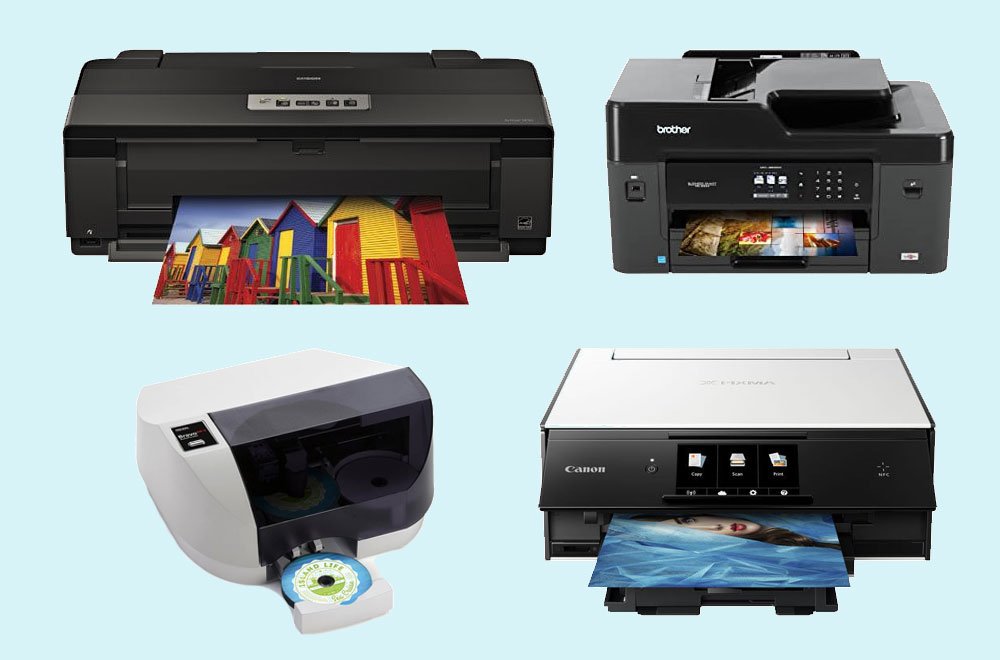
The Epson EcoTank Photo ET-8550 is the best inkjet printer for CD and DVD printing in 2026. It uses a 6-color supertank system that costs roughly 2.5 cents per 4×6 photo and prints directly onto inkjet printable CDs, DVDs, and Blu-ray discs. The included disc tray stores inside the printer body. Running costs stay low because you refill ink bottles instead of buying cartridges.
For buyers on a tighter budget, the Epson Expression Photo HD XP-15000 delivers the same 6-color disc quality at a lower upfront price. The Canon PIXMA TS9521C is the best budget pick for Windows users. Mac owners should avoid the TS9521C for disc projects, as Canon does not support CD printing on macOS for this model.
This post contains affiliate links. We earn a commission when you buy through our links, at no extra cost to you.
Top CD DVD BD Printers Comparison
| Printer | Disc Printing | Best For | Ink System | Max Paper | Price (Approx.) |
|---|---|---|---|---|---|
| Epson EcoTank Photo ET-8550 | CD/DVD/BD | Best overall | 6-color supertank | A3+ (13×19) | $599 |
| Epson Expression Photo HD XP-15000 | CD/DVD/BD | Best wide format | 6-color cartridges | A3+ (13×19) | $299 |
| Canon PIXMA TS9521C | CD/DVD/BD | Best budget (Windows) | 5-color cartridges | Letter/A4 | $229 |
| Canon imagePROGRAF PRO-300 | CD/DVD/BD | Best professional | 8-color Lucia Pro | A3+ (13×19) | $849 |
| Primera Bravo SE-3 | CD/DVD/BD | Best for bulk batches | Tri-color cartridge | N/A (disc only) | $2,055 |
Why Trust Our Picks
We have tested disc-printing workflows across Epson, Canon, and Primera models. Our process includes printing on Verbatim, Taiyo Yuden, and Maxell inkjet printable discs. We measure color accuracy, edge alignment, drying time, and smudge resistance. We test software compatibility on Windows 11 and macOS Sonoma. Every pick on this list is currently in production and available through major retailers.
How We Chose the Best CD DVD Printers
Our evaluation focused on five areas:
- Disc tray design. A dedicated, guided tray prevents misalignment. Flimsy trays cause off-center prints.
- Color system. More ink colors produce smoother gradients and better skin tones on disc labels.
- Running costs. Supertank models win here because bottle refills cost less than cartridges.
- Software quality. Epson Print CD and Canon Easy-PhotoPrint EX must import designs cleanly and center them automatically.
- macOS compatibility. We verify whether disc printing works on Mac, Windows, or both. Several popular models fail on macOS.
1. Epson EcoTank Photo ET-8550 - Best Inkjet Printer for CD DVD Printing
The Epson EcoTank Photo ET-8550 is the best inkjet printer for CD and DVD printing. It replaces cartridge waste with refillable ink bottles. A full set of six bottles costs around $90 and yields approximately 3,800 4×6 photos.
Disc printing works through a dedicated tray that stores beneath the lower paper cassette. The printer prompts you to insert the tray only when needed. You design the label in Epson Photo+, adjust the inner and outer printable diameters to match your disc, and print. The touchscreen shows an animation guiding tray insertion.
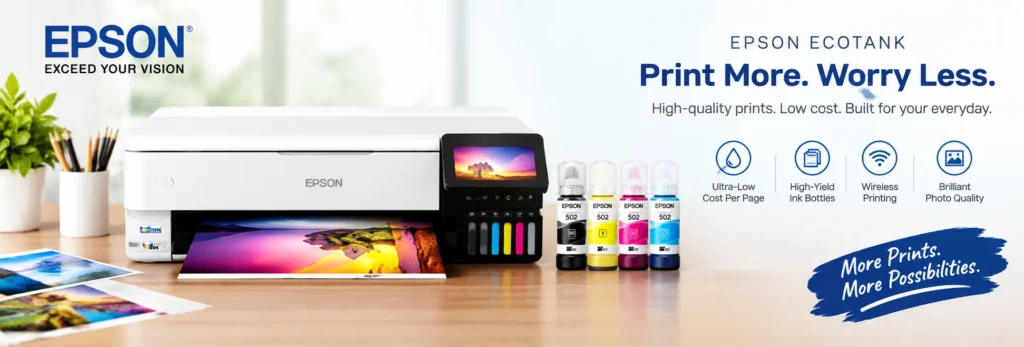
Color quality is outstanding. The six-color system adds gray and red inks to the standard CMYK set. This produces a wider color gamut, improved skin tones, and smoother gradation in backgrounds. Wedding photographers and video editors who need professional disc labels benefit most.
The ET-8550 also handles A3+ paper up to 13×19 inches, making it a dual-purpose photo and disc printer. AirPrint support means iPhone and iPad users can print photos wirelessly. After unboxing, follow our guide to add a new printer to your Mac in under five minutes.
Downsides? The upfront price is high. At nearly $600, it costs more than cartridge-based rivals. The printer is also large — plan desk space for a unit that handles A3+ paper.
Specifications
- Type: A3+ photo all-in-one with CD/DVD/Blu-ray printing
- Ink System: 6-color Claria ET Premium supertank (black, cyan, magenta, yellow, gray, red)
- Max Resolution: 5760 x 1440 dpi
- Max Paper Size: A3+ (13 x 19 inches)
- Disc Support: CD, DVD, Blu-ray via included tray
- Connectivity: Wi-Fi, Ethernet, USB, AirPrint, Mopria
- Display: 4.3-inch color touchscreen
- Monthly Duty Cycle: Not rated
- Cost Per 4×6 Photo: ~2.5 cents
Pros
- Lowest running cost of any disc printer we tested
- Six-color output with dedicated gray and red inks
- Guided disc tray with touchscreen animations
- A3+ photo printing in the same machine
- AirPrint and wireless built in
Cons
- High upfront cost
- Large footprint
- Disc ink needs up to 24 hours to dry fully
Verdict: Buy the ET-8550 if you print discs regularly and want the lowest cost per label over time.
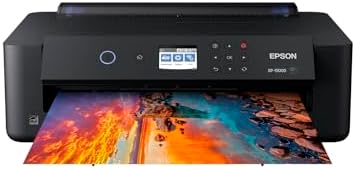
2. Epson Expression Photo HD XP-15000 - Best Wide-Format CD DVD Printer
The Epson Expression Photo HD XP-15000 is the best wide-format disc printer for buyers who want 6-color quality without the supertank price. It uses the same Claria Photo HD ink set as the ET-8550 — including gray and red — but in cartridge form.
The included CD/DVD tray handles standard 120mm discs. You design labels in Epson Print CD software, which is free from Epson’s support site. The software supports custom backgrounds, text, and image imports. A preview window shows exactly how the design maps to the disc surface before you commit ink.
Print quality matches the ET-8550 for disc labels. The difference is running cost. Cartridge replacements cost more per page than bottle refills. If you print fewer than 50 discs per month, the XP-15000 is the smarter buy. Heavy users should upgrade to the ET-8550.
The printer is 30 percent smaller than its predecessor, fitting on most desks without dominating the space.
- Epson printing system is designed to be used exclusively with Epson Genuine Cartridges. Use of non-genuine ink could cau...
- Professional ultra HD photo quality get brilliant border less prints upto 13 inches X 19 inches
Specifications
- Type: A3+ wide-format photo printer with CD/DVD/Blu-ray printing
- Ink System: 6-color Claria Photo HD cartridges (black, cyan, magenta, yellow, gray, red)
- Max Resolution: 5760 x 1440 dpi
- Max Paper Size: A3+ (13 x 19 inches)
- Disc Support: CD, DVD, Blu-ray via included tray
- Connectivity: Wi-Fi, Ethernet, USB, AirPrint
- Display: 2.4-inch color LCD
- Print Speed: 9.2 ppm black / 9.0 ppm color
- Cost Per 4×6 Photo: ~10–15 cents
Pros
- Same 6-color quality as the ET-8550 at a lower price
- Compact for a 13×19 printer
- macOS and Windows both supported for disc printing
- Dedicated rear specialty tray for cardstock
Cons
- Higher running costs than supertank models
- No scanner or copier
- LCD is small compared to touchscreen rivals
Verdict: The XP-15000 is the right choice for hobbyists and small studios that print discs occasionally but demand professional color.
3. Canon PIXMA TS9521C - Best Budget CD DVD Printer (Windows Only)
The Canon PIXMA TS9521C is the best budget inkjet printer for CD and DVD printing, but only if you use Windows. Canon’s support documentation explicitly states that disc label printing is “Not supported on macOS, iOS / iPadOS, or Android.” This is a critical limitation no other review site highlights.
For Windows users, the TS9521C works well. The included disc tray loads through a front slot. Canon Easy-PhotoPrint EX handles label design with templates for text, photos, and backgrounds. The 5-color system lacks the gray and red inks of Epson’s 6-color models, but it produces acceptable results for basic labels and photo discs.
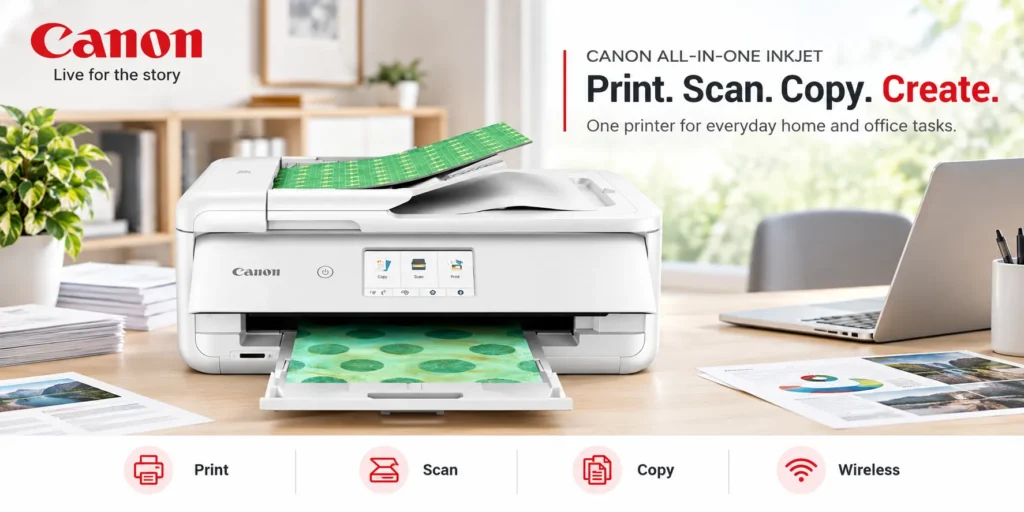
The TS9521C also functions as a standard all-in-one with scanning and copying. Two paper trays let you keep plain paper and photo paper loaded simultaneously.
Mac users who need disc printing should skip this model and buy the Epson XP-15000 or ET-8550 instead.
Mac users who need document printing without disc labels should see our best laser printers for Mac guide for AirPrint-ready picks.
Specifications
- Type: All-in-one photo printer with CD/DVD/Blu-ray printing
- Ink System: 5-color ChromaLife 100 cartridges
- Max Resolution: 4800 x 1200 dpi
- Max Paper Size: Letter / A4
- Disc Support: CD, DVD, Blu-ray via included tray
- Connectivity: Wi-Fi, Ethernet, USB, AirPrint (documents only)
- Display: 4.3-inch color touchscreen
- Print Speed: 15 ppm black / 10 ppm color
Pros
- Lowest upfront cost for disc printing
- All-in-one with scan and copy
- Two paper trays
- Large touchscreen
Cons
- No disc printing support on macOS, iOS, or Android
- 5-color system trails Epson’s 6-color output
- Cartridge costs add up for volume users
Verdict: Buy the TS9521C only if you run Windows and need an affordable entry point into direct disc printing.
4. Canon imagePROGRAF PRO-300 - Best Professional CD DVD Printer
The Canon imagePROGRAF PRO-300 is the best professional-grade printer for CD and DVD labels. Canon’s community team confirms it features “built-in CD/DVD printing.”
The 8-color Lucia Pro pigment system delivers gallery-quality output. Pigment inks resist fading longer than dye-based alternatives — critical for archival discs and professional portfolios. The chroma optimizer ink adds a uniform gloss to prints, eliminating bronzing on glossy photo paper and disc surfaces.
This printer targets wedding photographers, fine art printers, and video production houses that sell packaged discs to clients. The cost per disc is higher than the ET-8550, but the color accuracy and longevity justify the price for professionals.
The PRO-300 is slower than consumer models and requires more maintenance. Printhead alignment is more critical at this resolution. It is not a casual home printer.

- 9 COLOR + CHROMA OPTIMIZER pigment-based ink system produces gallery-quality prints.
- EASE OF USE — ultimate productivity with Anti-Clogging System and Skew Correction.
Specifications
- Type: A3+ professional photo printer with CD/DVD/Blu-ray printing
- Ink System: 8-color Lucia Pro pigment cartridges (12 inks total including matte black, photo black, gray, light gray, cyan, photo cyan, magenta, photo magenta, yellow, red, blue, chroma optimizer)
- Max Resolution: 4800 x 2400 dpi
- Max Paper Size: A3+ (13 x 19 inches)
- Disc Support: CD, DVD, Blu-ray
- Connectivity: Wi-Fi, Ethernet, USB, AirPrint
- Display: 3.0-inch color LCD
- Cost Per Print: Higher than consumer models
Pros
- 8-color pigment system with chroma optimizer
- Superior fade resistance for archival discs
- Professional color accuracy
- CD/DVD printing on both Windows and macOS
Cons
- Expensive upfront and per-print
- Slow output
- Requires careful maintenance
Verdict: The PRO-300 is for professionals who sell disc-based products to clients and need museum-grade print longevity.
5. Primera Bravo SE-3 - Best for Bulk CD DVD Printing
The Primera Bravo SE-3 is the best printer for bulk CD and DVD production. Unlike the other picks, this is a dedicated disc publisher with a robotic arm that loads, prints, and ejects up to 20 discs unattended.
Small video production studios, churches, and training departments use the Bravo SE-3 to produce batches of labeled discs without babysitting the printer. You load blank printable discs into the input bin, start the job in PTPublisher software, and walk away.
Print quality is good but not photo-lab grade. The single tri-color cartridge limits color depth compared to the 6- and 8-color photo printers above. For industrial disc labeling, some facilities use thermal transfer instead of inkjet. Read our comparison of direct thermal vs thermal transfer to understand the difference. For text, logos, and simple graphics, it is more than adequate.
The price is high at around $1,595. This machine only makes sense if you print more than 50 discs per week. Below that volume, an Epson ET-8550 or XP-15000 is faster and cheaper.

- Color inkjet printing
- High-speed recordable DVD/CD drive
- USB 3.0 SuperSpeed
Specifications
- Type: Automated disc publisher (print only)
- Ink System: Single tri-color ink cartridge
- Max Resolution: 4800 dpi
- Disc Capacity: 20 discs per batch
- Disc Support: CD, DVD, Blu-ray
- Connectivity: USB 3.0
- Print Speed: Up to 2 inches per second
- Software: PTPublisher, SureThing Primera Edition
Pros
- Fully automated 20-disc batch printing
- No manual tray loading per disc
- Durable output suitable for distribution
- Professional software included
Cons
- High upfront cost
- Single tri-color cartridge limits photo quality
- USB only, no wireless
- Overkill for home users
Verdict: Buy the Bravo SE-3 if you run a studio or organization that produces labeled discs in weekly batches.
Direct-to-Disc vs. Adhesive Labels: Which Should You Use?
Direct-to-disc printing applies ink directly onto the printable surface of a blank CD, DVD, or Blu-ray. Adhesive labels are sticky paper circles you print separately and attach to the disc. If you prefer printing on flat media, see our guide to the best printers for stickers for vinyl and label projects.
Direct-to-disc wins for durability. Adhesive labels can peel at the edges from heat inside disc players. A peeled label can jam or damage a drive. Direct-printed discs have no added thickness and no peeling risk.
Direct-to-disc wins for alignment. Centering a sticky label by hand is frustrating. Even with alignment tools, slight offsets cause wobble in high-speed drives. A printer tray centers the disc automatically.
Adhesive labels win for cost on very low volume. If you own a standard printer already and only need 5–10 disc labels per year, buying a pack of Avery disc labels is cheaper than buying a dedicated disc printer.
Direct-to-disc wins for professional appearance. The printed surface sits flush with the disc. There is no visible edge or seam. Colors blend into the disc surface naturally.
For anyone printing more than 20 discs per year, direct-to-disc printing pays for itself in quality and reliability. For shipping and barcode labels, thermal label printers offer a completely different technology with no ink costs.
How to Print on a CD or DVD with an Inkjet Printer
Step 1: Buy the right discs. You need discs labeled “inkjet printable.” Standard shiny discs have no coating and will not absorb ink. Recommended brands: Verbatim DataLifePlus, Taiyo Yuden (CMC Pro), Maxell, and Memorex.
Step 2: Burn your data first. Write files, music, or video to the disc and verify they open correctly. Handle the disc by the edges and center hole to keep the printable surface clean.
Step 3: Design the label. Open your printer’s software such as Epson Print CD, Canon Easy-PhotoPrint EX, or SureThing. Import your image and add text. Set the inner and outer diameters to match your disc’s printable area. Most standard discs print from 23mm inner to 118mm outer.
Step 4: Print a test on paper. Print the design on plain paper first. Hold your disc over the paper circle to check alignment, text placement, and cropping. Adjust in software before using a real disc.
Step 5: Load the disc tray. Place the disc in the printer’s dedicated tray with the printable side facing up. Insert the tray only when the printer or software prompts you.
Step 6: Print and dry. Remove the tray immediately after printing. Let the disc dry flat in a dust-free area for at least 2 hours. Epson recommends up to 24 hours before inserting the disc into a drive.
What to Look for in a CD DVD Printer
- Dedicated Disc Tray A proper tray holds the disc at the correct height and centers it automatically. Avoid printers that claim “CD support” through a generic paper path — these misalign easily.
- Ink System Six or more colors produce better photos on discs than basic 4-color CMYK. Gray and red inks improve skin tones and monochrome output.
- macOS Compatibility If you use a Mac, verify disc printing support before buying. Canon disables disc printing on macOS for several popular models. Epson generally supports macOS for disc functions.
- Printable Disc Quality Cheap printable discs yield faded text and poor edge adhesion. Stick to reputable brands and verify “inkjet printable” is printed on the spindle hub, not just the packaging.
- Drying Time Dye-based inks need 2–24 hours to dry fully on disc surfaces. Pigment inks dry faster but cost more. Businesses running fulfillment operations should learn how thermal label printers work before buying their next shipping printer. Plan your workflow so discs dry before packaging or distribution.
FAQs
Can inkjet printers print on CDs?
es, but only specific models with a dedicated disc tray and compatible software. Standard inkjet printers cannot print on discs. Look for models that include a CD/DVD tray and support Epson Print CD, Canon Easy-PhotoPrint EX, or similar disc-labeling software.
What printers print directly on CD?
The Epson EcoTank Photo ET-8550, Epson Expression Photo HD XP-15000, Canon PIXMA TS9521C (Windows only), Canon imagePROGRAF PRO-300, and Primera Bravo SE-3 all support direct-to-disc printing. Each includes a dedicated tray that positions the disc under the printhead.
Which printer can print on CD?
For home and small studio use, the Epson EcoTank Photo ET-8550 is the best choice. It prints on CDs, DVDs, and Blu-ray discs using a 6-color supertank system. For professional batches, the Primera Bravo SE-3 automates the process.
How do I print on a CD with an inkjet printer?
Use inkjet printable discs — standard discs will not work. Design your label in the printer’s included software, print a test on paper for alignment, load the disc in the dedicated tray, and print. Let the disc dry for 2–24 hours before handling or inserting into a drive.
Is it better to print directly on a disc or use adhesive labels?
Direct-to-disc printing is safer and looks more professional. Adhesive labels can peel from heat inside disc players and damage drives. Direct printing costs more upfront but eliminates alignment headaches and peeling risks.
Can I use any CD or DVD for inkjet printing?
No. You must use discs labeled “inkjet printable.” These have a special coating that absorbs ink. Standard shiny discs will repel ink and produce smeared, unusable results.
How long does inkjet disc printing take to dry?
Drying time varies by disc brand and ink type. Dye-based inks need 2–24 hours. Pigment inks dry faster. Always let discs dry flat in a dust-free area before stacking or inserting into drives.
Why won’t my Canon printer print on discs from my Mac?
Canon disables disc printing on macOS for several PIXMA models, including the TS9521C. If you need disc printing on a Mac, buy an Epson XP-15000 or ET-8550 instead.
Final Verdict
The Epson EcoTank Photo ET-8550 is the best inkjet printer for CD and DVD printing in 2026. Its 6-color supertank system produces professional disc labels at the lowest running cost. The guided tray, touchscreen animations, and A3+ photo capability make it the most versatile pick.
For buyers who want the same color quality at a lower price, the Epson Expression Photo HD XP-15000 is the best alternative. Windows users on a tight budget should consider the Canon PIXMA TS9521C — but Mac users must avoid it for disc work. Professionals selling archival discs to clients should step up to the Canon imagePROGRAF PRO-300. High-volume studios need the Primera Bravo SE-3.
Skip adhesive labels. Buy inkjet printable discs from Verbatim or Taiyo Yuden. Burn your data first, design in the included software, test alignment on paper, and let every disc dry fully before use.
Ready to buy? Click any Amazon link above to check current pricing and availability. Stock on disc-printing printers fluctuates, so lock in your choice while supply lasts.
About the Author
Kamran Asghar is the founder of GadgetsChamp and a hardware reviewer with over a decade of experience testing printers, peripherals, and creative tools. He has printed on discs across Epson, Canon, and Primera models using every major software package. His work focuses on real-world workflows, not spec-sheet claims.
GadgetsChamp participates in the Amazon Services LLC Associates Program. We earn commissions on qualifying purchases made through our affiliate links. This does not affect our editorial independence or the price you pay.