
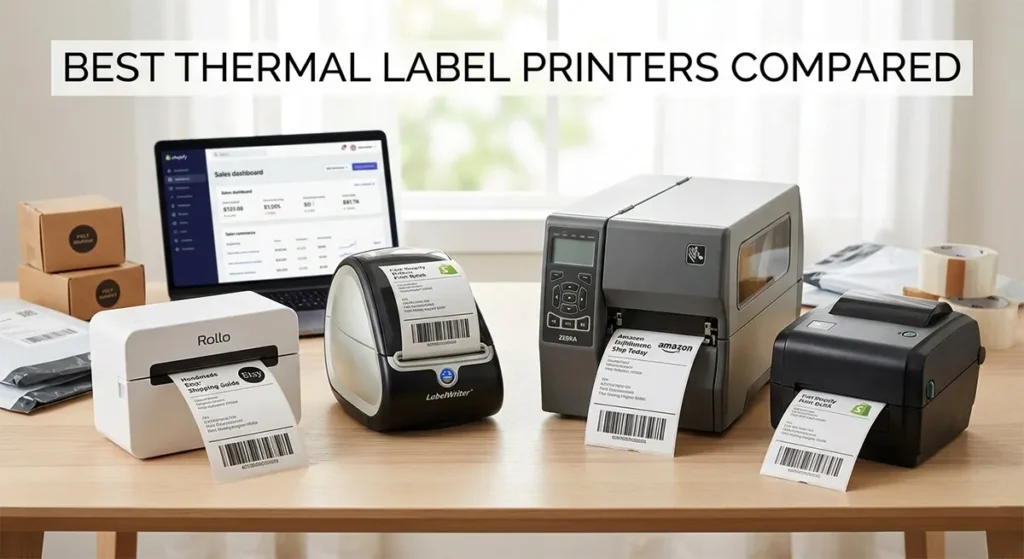
The best thermal label printer for most Etsy and Shopify sellers in 2026 is the Rollo X1040. It prints at 150mm per second, accepts any third-party 4×6 direct thermal label roll, and connects via dual-band Wi-Fi, Bluetooth, and USB without requiring drivers. For sellers who need the simplest setup and print fewer than 30 labels a day, the DYMO LabelWriter 5XL works from a single USB-connected computer with no configuration.
High-volume operations printing 200 or more labels daily should look at the Zebra ZD421, which supports ZPL label formats and runs under sustained use without failure. The Brother QL-1110NWB is the only model here that handles both 4×6 shipping labels and smaller product label sizes from one printer.
Most review sites give every printer a 9 out of 10 and stop there. This guide does not. Here is exactly how we arrived at those picks, what each printer gets wrong, and which one fits your specific selling workflow.
Quick Comparison: Best Thermal Label Printers at a Glance
| Printer | Best For | Print Speed | Resolution | Connectivity | Label Format | Cost Per Label | Price |
|---|---|---|---|---|---|---|---|
| Rollo X1040 | Most Etsy and Shopify sellers | 150mm/s | 203 DPI | Wi-Fi, Bluetooth, USB, AirPrint | Open format, any third-party roll | $0.02 to $0.05 | Check on Amazon → |
| DYMO LabelWriter 5XL | Low-volume sellers, simple setup | 53 labels/min | 300 DPI | USB, Ethernet only | DYMO Authentic rolls only | $0.15 to $0.21 | Check on Amazon → |
| Zebra ZD421 | High-volume, warehouse, ShipStation users | 6 inches/sec (152mm/s) | 203 or 300 DPI | USB, Ethernet, optional Wi-Fi and Bluetooth | Open format, ZPL and EPL supported | $0.02 to $0.05 | Check on Amazon → |
| Brother QL-1110NWB | Mixed label sizes, Shopify sellers | 69 address labels/min | 300 DPI | Wi-Fi, Bluetooth, Ethernet, USB | Brother DK rolls (genuine) | $0.10 to $0.18 | Check on Amazon → |
What Actually Matters When You Choose a Thermal Label Printer
Sellers waste money in two ways. They buy on price alone and get a printer that jams every 50 labels. Or they buy the most popular name without checking whether it works with their specific platform.
Before you look at any printer, check four things.
Print Speed: mm/s Is the Number That Matters
Manufacturers often quote labels per minute, which sounds impressive but depends on label size. The raw print speed in millimeters per second is the honest number. The Rollo X1040 prints at 150mm per second, which works out to roughly one 4×6 label per second. That is your baseline for comparison.
For sellers printing 20 to 30 labels a day, speed barely matters. For sellers batch printing 150 labels every morning before carrier pickup, a 50mm/s difference adds up fast.
Label Compatibility: Open Format vs Proprietary Rolls
This is the spec most buyers miss entirely. Some printers accept any standard direct thermal label roll from any supplier. Others require you to buy labels only from that brand, at that brand’s prices.
The DYMO LabelWriter 5XL uses RFID technology on its label roll cores, which means the printer only works with genuine DYMO-branded labels. Third-party labels do not work. That matters a lot when you price out your annual label cost.
Connectivity: USB-Only vs Wireless
If your shipping station is a laptop that moves around, USB-only printers create friction. Wi-Fi and Bluetooth connectivity let you print from your phone while packing, from a tablet across the room, or from multiple computers on the same network.
Platform Integration: Does It Work With Your Selling Platform?
The DYMO LabelWriter 5XL prints 4×6 shipping labels for UPS, DHL, FedEx, and USPS directly from eBay, Amazon, Etsy, Poshmark, and others. But not every printer on this list has that level of native integration. We will flag any gaps under each model.
Which Thermal Label Printer Is Best for Etsy and Shopify Sellers in 2026?
The Rollo X1040 is the best thermal label printer for most Etsy and Shopify sellers in 2026. It prints fast, accepts third-party label rolls, connects wirelessly to any device without drivers, and works with every major shipping carrier and selling platform. If you sell on one platform and print fewer than 30 labels a day, the DYMO LabelWriter 5XL is simpler to set up. If you need durability for a high-volume operation, the Zebra ZD421 is built for that.
Here is the full breakdown.
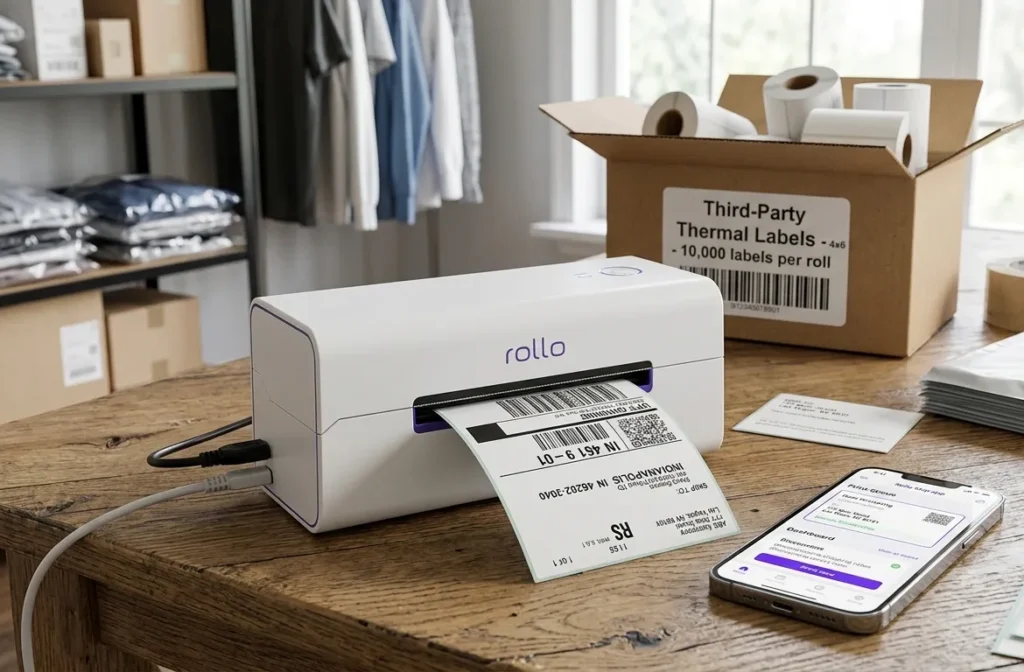
1. Rollo X1040: Best for Wireless Printing and Open Label Formats
The Rollo X1040 is the printer most Etsy and Shopify sellers land on after going through at least one bad experience with a cheaper model.
Specifications
- Print speed: 150mm per second (one 4×6 label per second)
- Resolution: 203 DPI
- Print method: Direct thermal (no ink, no toner, no ribbon)
- Label width range: 1.57 inches to 4.1 inches
- Connectivity: Dual-band Wi-Fi (2.4GHz and 5GHz), Bluetooth, USB, AirPrint
- Label compatibility: Open format, works with any standard direct thermal roll
- OS support: iPhone, iPad, Android, Mac, Windows, Chromebook, Linux
- Driver requirement: None
Why It Works for Sellers
The Rollo X1040 accepts any ecommerce platform through the free Rollo Ship app, which also provides access to discounted shipping rates without paying for a separate platform like ShipStation.
The open label format is the feature that saves you money year over year. Third-party 4×6 direct thermal rolls cost roughly $0.02 to $0.05 per label from suppliers on Amazon. Compare that to proprietary label rolls from brands with locked ecosystems, and the difference at 10,000 labels per year is significant.
The X1040 supports both 2.4GHz and 5GHz Wi-Fi frequencies, with the 5GHz offering faster data rates and the 2.4GHz offering better range through walls. For most home-based sellers, the 2.4GHz band works fine. The initial connection is done via Bluetooth using the Rollo app, and after that all printing goes over Wi-Fi.
One thing worth knowing: wireless printing on the X1040 averaged a spool time of about 3.6 seconds per label in independent testing, and per-label print times over Wi-Fi averaged around 1.6 seconds. That is fast enough for any Etsy or Shopify seller workflow.
Where It Falls Short
The Rollo X1040 does not have an Ethernet port on the standard model. If your workspace uses a wired network only, check that before buying. Some sellers also report occasional Wi-Fi reconnection issues after router restarts, though most say it resolves itself quickly.
Verdict On Rollo X1040
Best for: Etsy, Shopify, eBay, Amazon, Poshmark, and multi-platform sellers who want wireless printing with no driver headaches and the lowest possible label cost.
2. DYMO LabelWriter 5XL: Easiest Setup, Highest Label Cost
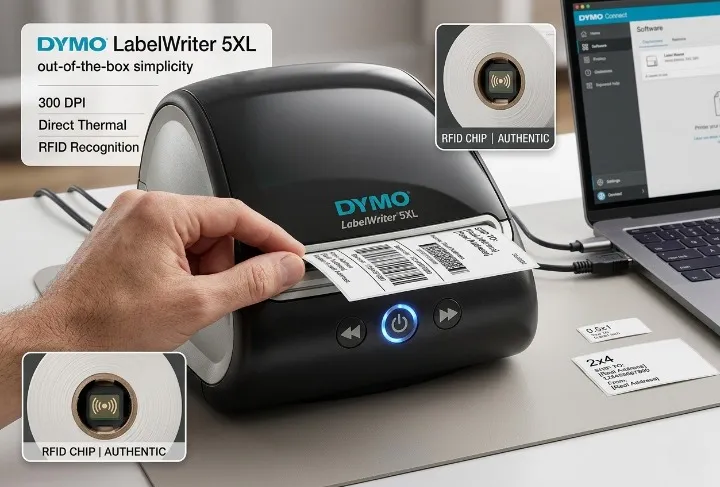
The DYMO LabelWriter 5XL has one clear advantage: out-of-the-box simplicity. You plug it in, install the DYMO Connect software, and it works. No Wi-Fi setup, no app configuration, no label calibration.
Specifications
- Print speed: 53 labels per minute
- Resolution: 300 DPI
- Print method: Direct thermal
- Label sizes: 30+ sizes from 0.5×1 inch up to 4×6 inch
- Connectivity: USB and Ethernet (no Wi-Fi, no Bluetooth)
- Label compatibility: DYMO Authentic labels only (RFID chip required)
- OS support: Windows 8.1 and later, Mac 10.14 and later
Why Some Sellers Choose It
The 5XL prints at 300 DPI resolution and handles over 30 different label sizes, ranging from a tiny half-inch by one-inch up to four by six inches. The 300 DPI output is noticeably sharper than the 203 DPI on the Rollo X1040, which matters if you print small text, detailed barcodes, or product labels where scan accuracy is critical.
The Automatic Label Recognition feature displays the label size, type, and quantity remaining on the roll. It is a small convenience that saves you from running out of labels mid-batch without realizing it.
Where It Falls Short
No wireless printing from mobile devices. No third-party label compatibility. Higher ongoing label cost than any open-format printer on this list.
The Proprietary Label Problem
This is the part most buyers miss until they are already locked in.
The 5XL’s Automatic Label Recognition works through an RFID chip on the label roll core, which means the printer will only accept DYMO-branded labels. Previous DYMO labels from older models do not work. Third-party label rolls do not work.
DYMO-branded 4×6 shipping labels cost significantly more per label than open-format rolls. If you print 500 labels a month, that cost difference adds up to real money over a year. Before you buy the 5XL, price out 12 months of label rolls at DYMO’s prices and compare that to a year of third-party rolls for an open-format printer.
The other limitation: no Wi-Fi and no Bluetooth. The 5XL connects via USB or Ethernet only. Ethernet works if your printer lives in a fixed location next to your router, but USB printing from a laptop is the reality for most home sellers.
Verdict on DYMO LabelWriter 5XL
Best for: Low-volume sellers who print fewer than 30 labels a day, want dead-simple setup, and print from a single Windows or Mac computer in a fixed location.
3. Zebra ZD421: Best for High-Volume and Durability
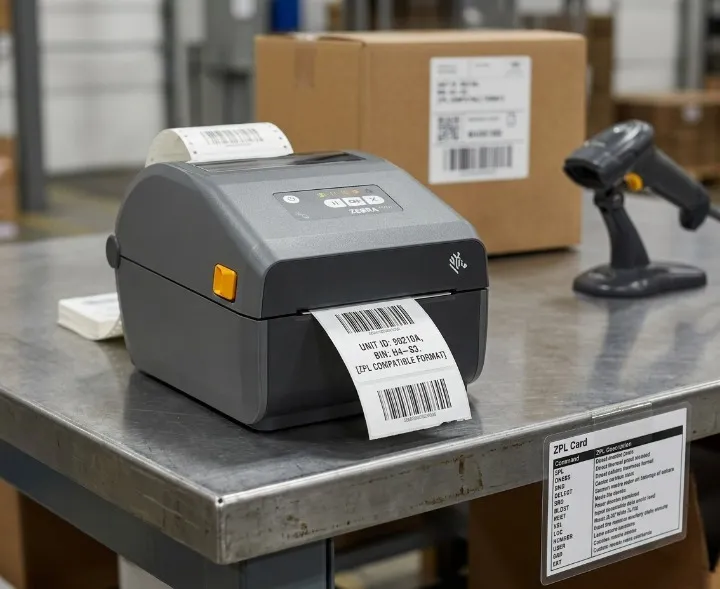
The Zebra ZD421 is not marketed at Etsy sellers. It is a professional-grade desktop printer built for warehouses, logistics operations, and businesses printing thousands of labels per week. But sellers who have outgrown the Rollo or DYMO and need something that runs without complaint under daily pressure consistently end up here.
Specifications
- Print speed: 6 inches per second (203 DPI), 4 inches per second (300 DPI)
- Resolution: 203 DPI or 300 DPI (model dependent)
- Print method: Direct thermal (ZD421d) or thermal transfer (ZD421t)
- Max print width: 4.09 inches
- Connectivity: USB, USB Host, Ethernet, optional 802.11ac Wi-Fi, Bluetooth 4.1
- Label compatibility: Open format, works with Zebra and third-party media
- Label languages: ZPL and EPL supported
Why High-Volume Sellers Choose It
The ZD421’s architecture is 30% more powerful than the ZD420 Series and 700% more powerful than the GK Series, and it supports both EPL and ZPL printer languages for compatibility with legacy label formats and applications.
ZPL support matters if you use ShipStation, EasyPost, or any enterprise shipping software. Most shipping platforms generate ZPL-format labels natively, and the ZD421 reads them without needing format conversion or special driver workarounds.
The movable media sensor is a practical feature that does not get enough attention. The ZD421’s movable media sensor lets you use virtually any media, providing flexibility across a variety of label use cases. Custom label sizes, odd core diameters, fanfold stock — the ZD421 handles them without recalibration headaches.
The Cost and Complexity Tradeoff
The ZD421 costs significantly more upfront than the Rollo X1040. Wi-Fi connectivity is optional and field-upgradeable, meaning the base model ships with USB and USB Host only. You pay extra for the wireless radio module. If you need Ethernet, that configuration is available but also adds cost.
Setup requires more steps than the plug-and-print experience of the Rollo or DYMO. For sellers who have never used ZPL or EPL label formats, there is a short learning curve.
For more information on ZPL and EPL label formats and which printers support each, see our guide to ZPL and EPL label formats for thermal printers.
Verdict On Zebra ZD421
Best for: Sellers printing 200 or more labels per day, warehouse operations, businesses using ShipStation or EasyPost with ZPL label output, and anyone who needs a printer that runs under sustained heavy use without failing.
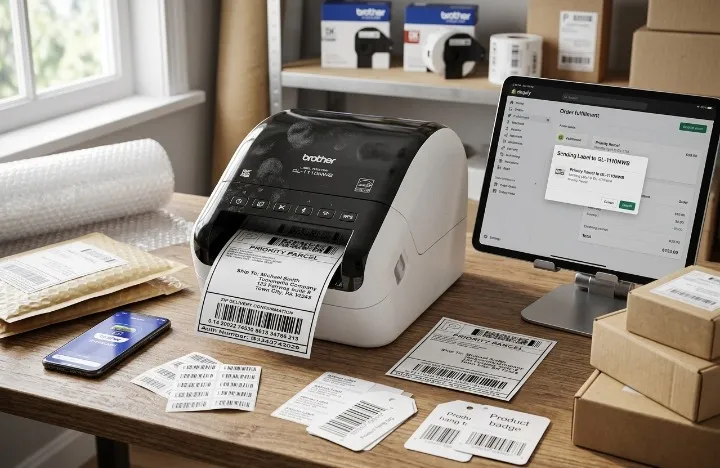
4. Brother QL-1110NWB: Best for Mixed Label Sizes
Most thermal label printers do one thing well: 4×6 shipping labels. The Brother QL-1110NWB does that, but it also handles smaller label sizes without switching printers. If you print shipping labels and also need product tags, address labels, name badges, or barcode labels in smaller formats, this is the one to consider.
Specifications
- Print speed: 69 standard address labels per minute at 300 DPI
- Resolution: 300 x 300 DPI
- Print method: Direct thermal
- Max label width: 4.1 inches (handles standard 4×6 DK shipping labels)
- Connectivity: Wireless 802.11b/g/n, Ethernet, Bluetooth, USB
- Label compatibility: Brother DK rolls (proprietary, similar lock-in to DYMO)
- OS support: Windows, Mac, Linux, iOS (AirPrint and iPrint&Label app), Android
- Auto cutter: Yes, cuts between labels automatically
Why Sellers With Mixed Label Needs Choose It
The automatic crop function lets online sellers print product and other barcode labels from A4/Letter size label sheet templates on Windows, and the printer handles labels up to 4 inches wide at up to 69 standard address labels per minute at 300 DPI.
The Brother QL-1110NWB is listed directly in the Shopify Hardware Store with direct Shopify integration, allowing sellers to print shipping labels for orders from the Shopify POS app or Shopify admin. That level of official integration is worth noting for Shopify sellers who want a printer that is officially supported rather than community-tested.
The auto cutter eliminates the tear-and-separate step that adds time to high-volume batch printing. Labels come out individually cut and ready to apply. For sellers who print labels one at a time throughout the day, that is a real convenience.
The Label Lock-In Issue
Like DYMO, Brother requires genuine DK rolls for consistent performance and warranty coverage. Using non-genuine Brother replacement labels may damage the QL-1110NWB and may not be covered under warranty. Third-party DK-compatible rolls exist on Amazon, but Brother does not officially support them.
Verdict on Brother QL-1110NWB
Best for: Sellers who need both 4×6 shipping labels and smaller product or barcode labels from one printer, Shopify sellers who want official hardware store support, and anyone who prints across multiple label sizes regularly.
How Much Do Thermal Labels Actually Cost Per Print?
The printer price is a one-time cost. The label cost is a cost you pay forever.
Here is a straightforward comparison based on label roll prices available on Amazon in March 2026:
| Printer | Label Type | Approx. Cost Per Label | Annual Cost at 10,000 Labels |
|---|---|---|---|
| Rollo X1040 | Open-format, third-party rolls | ~$0.02 to $0.05 | ~$200 to $500 |
| DYMO LabelWriter 5XL | DYMO Authentic 4×6 rolls only | ~$0.15 to $0.21 | ~$1,500 to $2,100 |
| Zebra ZD421 | Open-format, third-party rolls | ~$0.02 to $0.05 | ~$200 to $500 |
| Brother QL-1110NWB | Brother DK rolls (genuine) | ~$0.10 to $0.18 | ~$1,000 to $1,800 |
Note: Label costs vary by supplier and order quantity. These figures are estimates based on publicly listed prices in March 2026. Your actual cost depends on where you buy and how much you order at once.
The takeaway is simple. If you print at any meaningful volume, the DYMO and Brother label lock-in costs more over 12 months than the price difference between a Rollo X1040 and a cheaper printer would justify.
Does This Printer Work With Your Selling Platform?
Platform compatibility is where sellers get surprised after buying. Here is what we know based on each manufacturer’s published integration support.
| Platform | Rollo X1040 | DYMO 5XL | Zebra ZD421 | Brother QL-1110NWB |
|---|---|---|---|---|
| Etsy | Yes (Rollo Ship) | Yes (native) | Via ShipStation | Limited |
| Shopify | Yes (Rollo Ship) | Yes | Via ShipStation | Yes (official) |
| Amazon FBA | Yes | Yes | Yes | Limited |
| eBay | Yes | Yes | Via ShipStation | Limited |
| USPS | Yes | Yes | Yes | Yes |
| UPS | Yes | Yes | Yes | Yes |
| FedEx | Yes | Yes | Yes | Yes |
| Mobile printing | Yes (all OS) | No | Optional (Wi-Fi add-on) | Yes |
For sellers using ShipStation, the Zebra ZD421 with ZPL output is the most reliable pairing. For sellers using Etsy or Shopify’s native label printing, the Rollo X1040 or DYMO 5XL cover both without additional software.
For a full breakdown of which thermal label printers work with UPS, FedEx, and USPS direct thermal label rolls, see our thermal label printer platform compatibility guide.
Direct Thermal vs Thermal Transfer: Which Do You Need?
Every printer on this list uses direct thermal printing, which means heat activates dye embedded in the label material itself. No ink, no toner, no ribbon. The label prints when heat from the print head touches the paper.
Thermal transfer printing uses a heated ribbon to transfer pigment onto the label. The output lasts longer and resists fading from heat, UV light, and moisture.
For shipping labels that go on a package and arrive within a week, direct thermal is all you need. The label fades after 6 to 12 months in storage, but by then the package has long been delivered.
If you print product labels that sit on a shelf for months, freezer labels for food products, or labels that face outdoor exposure, thermal transfer is the right choice.
The Zebra ZD421 is available in both a direct thermal model (ZD421d) and a thermal transfer model (ZD421t), which is why it appears in both use cases. All other printers on this list are direct thermal only.
For a full side-by-side comparison of both print methods and which label types require which, see our direct thermal vs thermal transfer guide.
Do Thermal Label Printers Use Ink?
No. Direct thermal printers use no ink, toner, or ribbon. The only consumable is the label roll itself. That is the entire reason Etsy and Shopify sellers switch to thermal printers from inkjet — inkjet ink for a shipping operation costs $300 to $500 per year at moderate volume, before you factor in wasted labels from misfeeds and smearing.
Thermal transfer printers use a ribbon instead of ink. If you buy the Zebra ZD421t (thermal transfer model), you will need to purchase replacement ribbon rolls. The direct thermal model (ZD421d) needs no consumables beyond labels.
For a full explanation of what thermal printers need to operate and what your true running costs are, see our guide on whether thermal label printers use ink.
Which Thermal Label Printer Should You Buy?
Here is the decision, broken down by situation.
Buy the Rollo X1040 if: You sell on Etsy, Shopify, eBay, or Amazon and want wireless printing from any device with the lowest possible label cost. This is the right choice for most small and medium sellers.
Buy the DYMO LabelWriter 5XL if: You print fewer than 30 labels a day, work from a single fixed computer, want the simplest possible setup, and are not bothered by the higher ongoing label cost.
Buy the Zebra ZD421 if: You print 200 or more labels per day, use ShipStation or EasyPost with ZPL output, need a printer that holds up under sustained daily use, or run a warehouse operation with mixed label requirements.
Buy the Brother QL-1110NWB if: You regularly print both 4×6 shipping labels and smaller product labels or barcode labels from one device, or you are a Shopify seller who wants a printer with official Shopify Hardware Store support.
Frequently Asked Questions
What is the best thermal label printer for Etsy sellers in 2026?
The Rollo X1040 is the most-recommended thermal label printer among Etsy sellers in 2026. It prints at 150mm per second, accepts third-party label rolls at a fraction of branded label costs, connects wirelessly to any device without drivers, and integrates directly with Etsy through the free Rollo Ship app. The DYMO LabelWriter 5XL is a simpler choice for very low-volume sellers who print from a single computer.
Do thermal label printers need ink?
No. Direct thermal printers require no ink, toner, or ribbon. The label material itself contains heat-activated dye that produces the printed image when the print head applies heat. Your only recurring cost is the label rolls. Thermal transfer printers use a separate ribbon to print, but none of the direct thermal models on this list require one.
Can thermal label printers print in color?
Standard direct thermal printers print in black and white only. The heat-activated dye in most label materials produces black output. Color thermal label printing exists but requires specialized label stock and is significantly more expensive per label. For standard shipping labels, barcode labels, and product tags, black and white direct thermal output is what every seller on Etsy, Shopify, eBay, and Amazon uses. For more on this, see our guide to color thermal label printing.
Why do shipping carriers use thermal printers for labels?
Shipping carriers use thermal printers because the output is permanent, does not smear, does not require ink to dry, and produces barcode-quality output that scans reliably under any lighting condition. An inkjet-printed label can smear if it gets wet during transit. A direct thermal label does not. For a full explanation of the practical and cost reasons behind the industry standard, see our guide on why shipping labels use thermal printers.
What label size do I need for shipping?
4×6 inches is the standard shipping label size for USPS, UPS, FedEx, and DHL in the United States. Every printer on this list prints 4×6 labels. Some also handle smaller sizes for product tags, address labels, and barcode labels. For a full breakdown of thermal label sizes and roll formats, see our thermal label sizes and types guide.
This article was written by Kamran Asghar, founder of GadgetsChamp. Specs were verified from manufacturer product pages including Rollo, DYMO, Zebra, and Brother. Independent review sources used include Seller Journal and Smith Corona. Last updated: March 2026.