
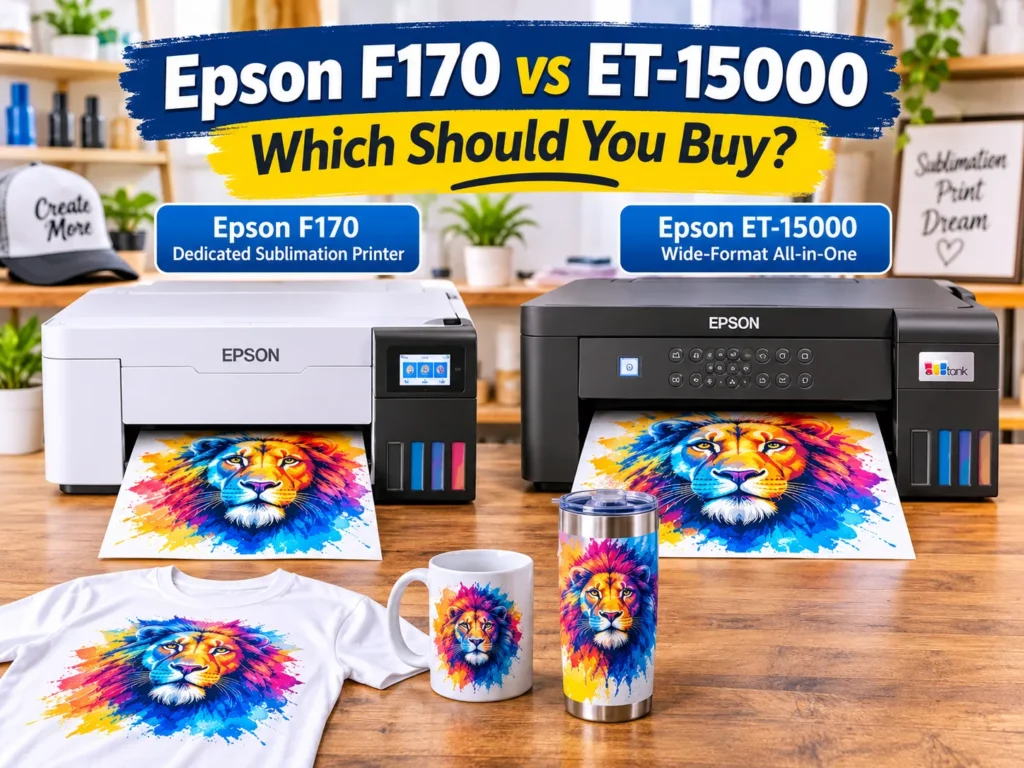
The Epson F170 vs ET-15000 comparison comes down to one decision: dedicated sublimation or wider printing through conversion. The F170 is ready for sublimation with Epson T49M ink. The ET-15000 supports larger 13 × 19-inch media, but needs third-party sublimation ink. Choose the F170 for simplicity or the ET-15000 when wider designs justify the extra setup.
Affiliate Disclosure: As an Amazon Associate, GadgetsChamp earns from qualifying purchases. We may earn a commission from links in this article at no extra cost to you. Our recommendations remain independent.
Epson F170 vs ET-15000: Key Differences
The biggest difference is not resolution or tank capacity. It is how Epson designed each printer to work.
The SureColor F170 is a dedicated dye-sublimation printer. The EcoTank ET-15000 is an inkjet all-in-one that you can convert for sublimation using compatible third-party ink.
| Specification | Epson F170 | Epson ET-15000 |
|---|---|---|
| Printer category | Dedicated dye-sublimation | Standard inkjet all-in-one |
| Sublimation-ready | Yes | No, requires conversion |
| Original ink | Epson T49M | Standard Epson EcoTank ink |
| Sublimation ink | Genuine Epson T49M | Third-party sublimation ink |
| Maximum paper width | 8.5 inches | 13 inches |
| Maximum paper size | 8.5 × 47.2 inches | 13 × 19 inches |
| Printhead | PrecisionCore MicroTFP | PrecisionCore |
| Maximum resolution | 1200 × 600 dpi | 4800 × 1200 dpi |
| Paper capacity | 150 sheets | 250-sheet front tray, 20-sheet rear feed |
| Warranty | 1 year | 2 years with registration |
| Scanner and copier | No | Yes |
| Fax | No | Yes |
| Price | Check Price on Amazon | Check Price on Amazon |
Sources: Epson’s official F170 specification sheet and ET-15000 product documentation. Specifications refer to US models.
Dedicated Sublimation vs EcoTank Conversion
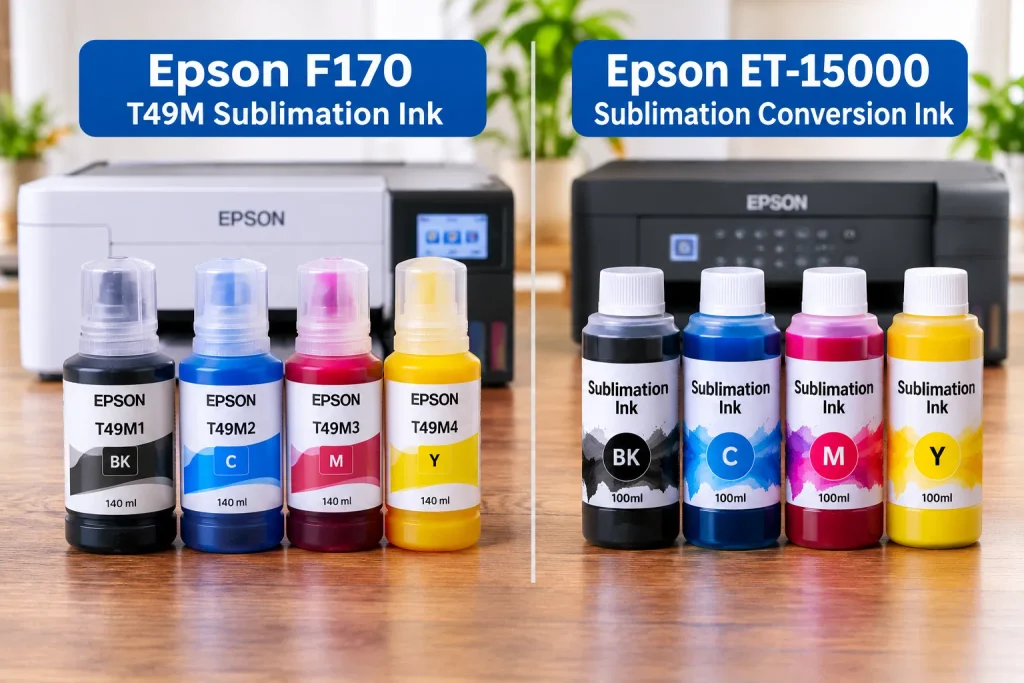
The F170 comes configured for dye-sublimation printing. Its ink delivery system uses Epson T49M sublimation ink, and Epson includes software designed for sublimation workflows.
The ET-15000 follows a different approach. It normally uses standard EcoTank ink for everyday document and image printing.
To use it for sublimation, you must introduce compatible sublimation ink instead. This makes the ET-15000 a converted sublimation printer, not a factory-supported sublimation model.
If you want to understand the wider Epson lineup before choosing, explore our guide to the best Epson printer for sublimation.
Print Size, Resolution and Ink Differences
Print width is the ET-15000’s strongest advantage.
Its rear feed accepts media up to 13 × 19 inches. The F170 supports 8.5 inches of width but can handle paper up to 47.2 inches long, subject to application, operating system and driver limitations.
That distinction matters for shirt designs. A wide chest graphic may require more horizontal space, while a long vertical design might fit the F170’s narrower paper path.
Also, don’t assume the ET-15000 produces better sublimation transfers because its listed resolution is higher. DPI specifications alone cannot establish transferred color accuracy, sharpness or overall sublimation quality.
Is the Epson F170 Better for Sublimation?
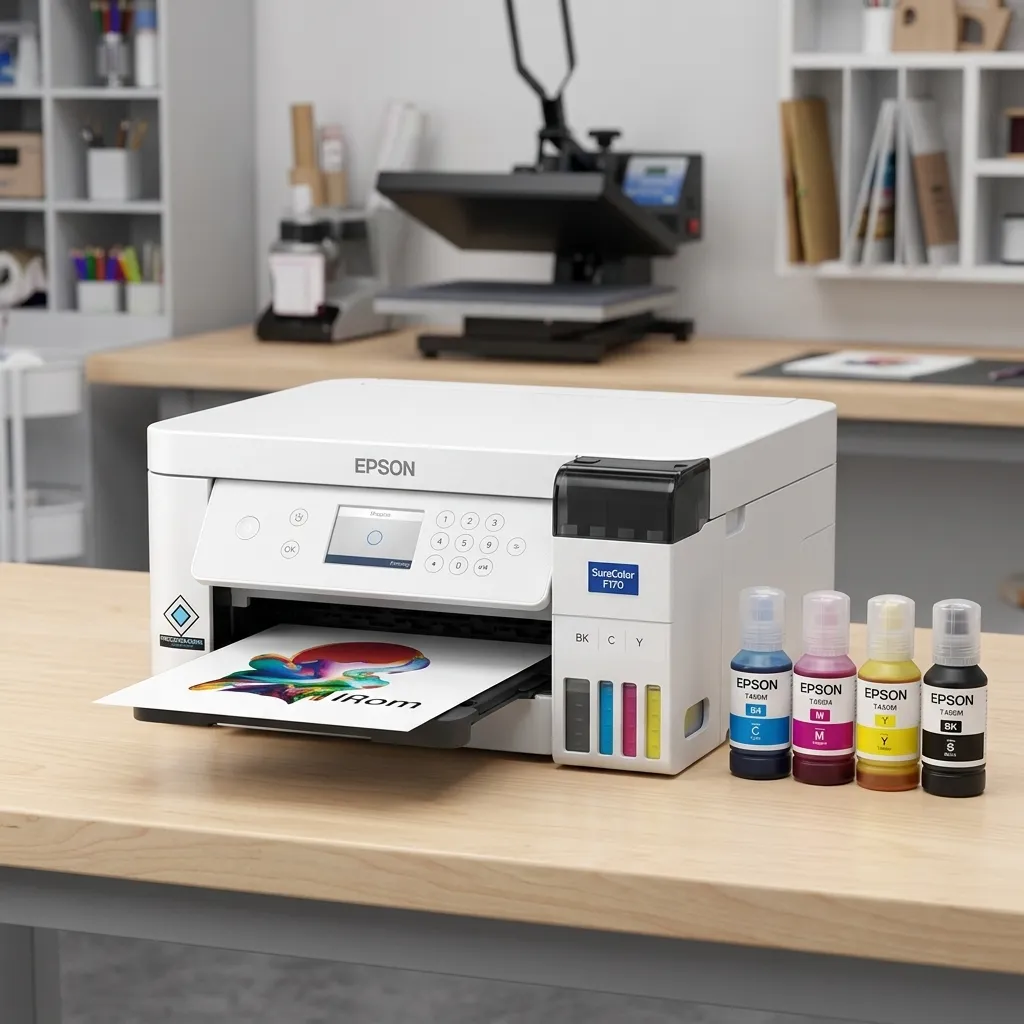
The Epson SureColor F170 is the more straightforward choice for buyers who want a printer specifically designed for dye-sublimation.
It avoids the ink conversion process and provides a manufacturer-designed printing workflow.
Ready-to-Use Epson Sublimation Ink
The F170 uses four genuine Epson T49M ink bottles:
- Black (T49M120)
- Cyan (T49M220)
- Magenta (T49M320)
- Yellow (T49M420)
Each supplied bottle contains 140 mL. Epson also includes sublimation-focused software and supports its DS Multi-Use transfer paper for soft and rigid materials.
Its 150-sheet automatic paper tray suits home-based makers and smaller production workflows.
You don’t need to research third-party ink compatibility or replace the original ink with another formulation before starting sublimation.
For beginners, this reduces the number of decisions involved in initial setup.
F170 Print Quality and Small-Format Limitations
Epson specifies a maximum resolution of 1200 × 600 dpi and uses a PrecisionCore MicroTFP printhead.
However, its biggest limitation is the 8.5-inch maximum paper width.
That restriction affects large horizontal shirt graphics, oversized designs and projects that require wider transfer sheets.
Its maximum 47.2-inch paper length provides additional flexibility for long designs, so the F170 isn’t limited to ordinary letter-size transfers.
F170 advantages:
- Purpose-built sublimation printing.
- Genuine Epson T49M ink.
- Simplified setup.
- Compact 10.2-pound design.
- Manufacturer-supported ink configuration.
F170 disadvantages:
- Maximum 8.5-inch paper width.
- No scanning, copying or faxing.
- Less flexibility for wide shirt graphics.
- One-year standard warranty.
If you’re evaluating the F170 as a long-term purchase, our Epson F170 ownership costs and review covers the individual printer in greater detail.
Is the ET-15000 Worth Converting?
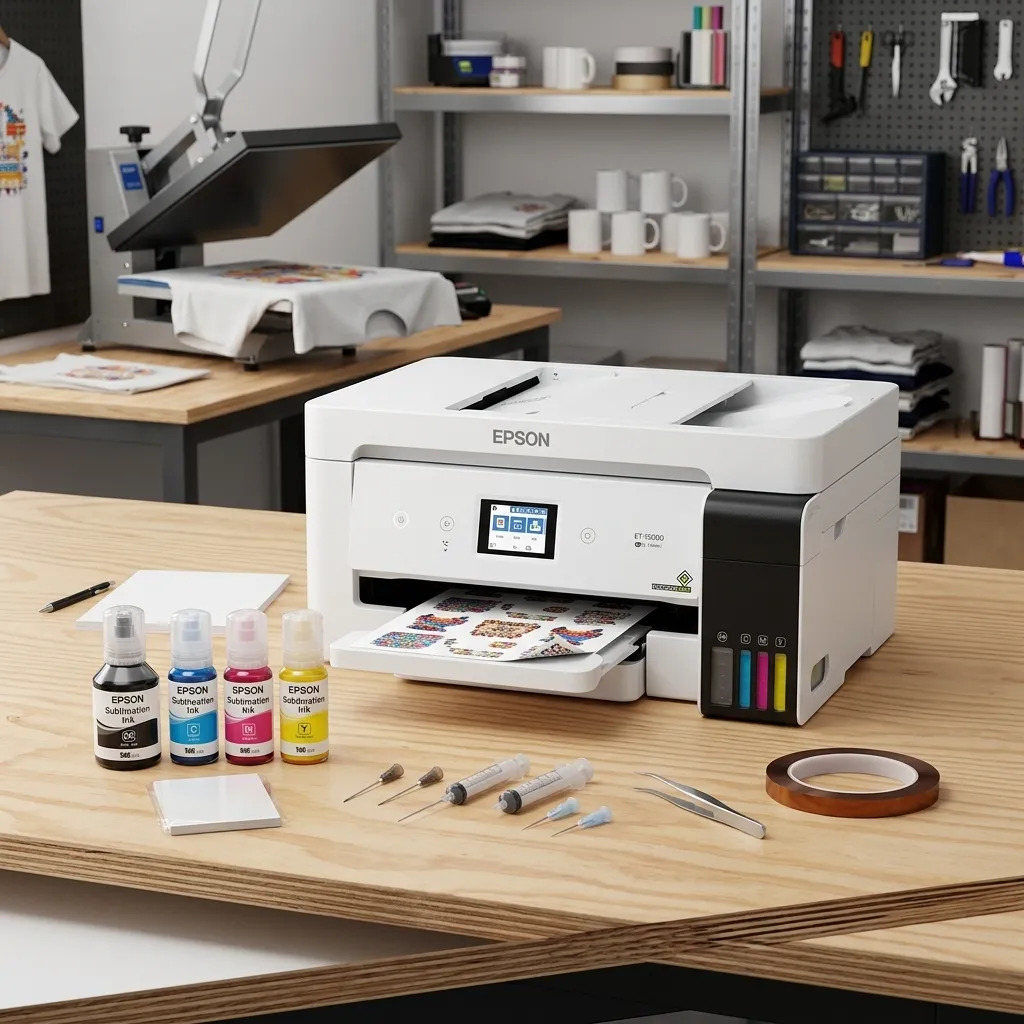
The ET-15000 makes sense when the F170’s 8.5-inch width becomes a genuine production limitation.
Its larger rear-feed capacity supports 13 × 19-inch media. That provides more room for oversized shirt graphics, multiple smaller designs on one sheet and larger sublimation projects.
However, the wider printing capability comes with additional responsibilities.
13 × 19-Inch Wide-Format Printing
The ET-15000 supports media up to 13 × 19 inches through its rear specialty-paper feed.
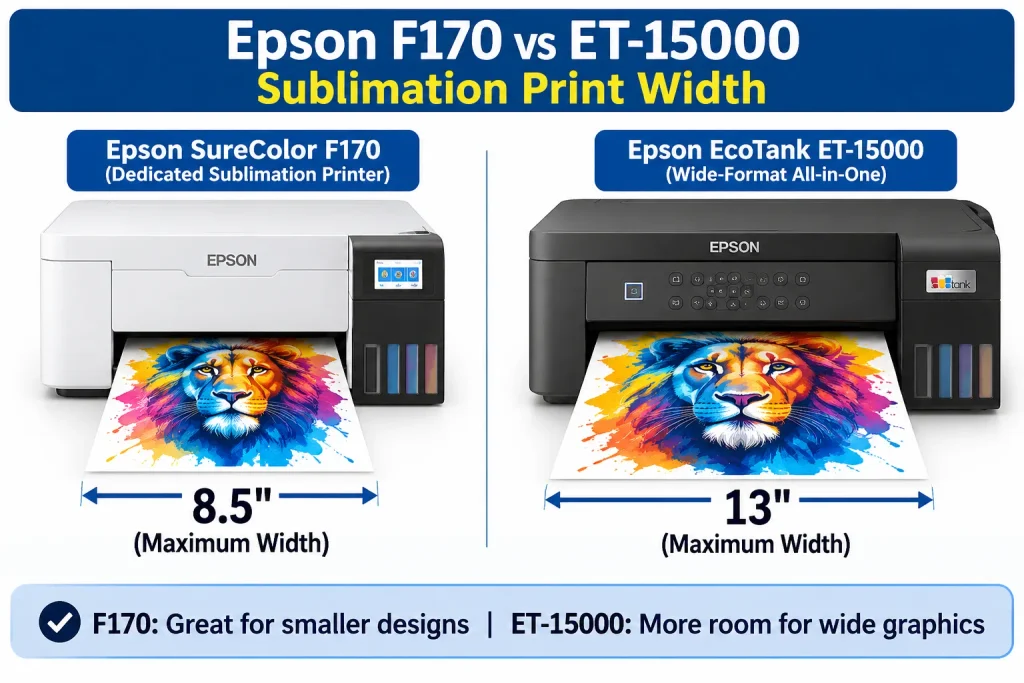
Its standard front tray holds up to 250 sheets, while the rear feed accommodates up to 20 sheets.
Here’s what the additional width means:
| Project | F170 | ET-15000 |
|---|---|---|
| Small shirt logos | Suitable | Suitable |
| Standard mug transfers | Suitable | Suitable |
| Wide chest graphics | More restrictive | More flexible |
| Multiple designs per sheet | Limited by width | More layout space |
| Oversized shirt artwork | May require redesign | More suitable |
| Long vertical artwork | Suitable | Suitable within supported media |
The extra width doesn’t automatically make the ET-15000 better for every shirt.
Check your actual transfer dimensions, garment size and heat press working area before paying more for wide-format capability.
Sublimation Ink Conversion and ICC Profiles
The ET-15000 requires a different ink setup before you can use it for sublimation.
A typical conversion involves:
- Obtaining a compatible ET-15000 and third-party sublimation ink.
- Preparing the printer according to the ink supplier’s conversion instructions.
- Filling the tanks with the intended sublimation ink.
- Completing the required ink charging and nozzle checks.
- Installing an appropriate ICC color profile.
- Configuring printing software and transfer-paper settings.
An ICC profile helps translate the colors in your design into the output expected from a particular ink, printer and paper combination.
Without suitable color management, transferred colors may differ from your screen or design file.
The conversion process also means you should not switch casually between standard ink and sublimation ink. Treat the converted printer as a dedicated sublimation machine.
For detailed conversion instructions, see our EcoTank conversion guide.
Warranty and Conversion Risks
This is where buyers need accurate information.
Converting an ET-15000 does not automatically cancel every part of its warranty.
However, Epson’s documentation warns that damage caused by non-genuine or unspecified ink may not receive warranty coverage.
That distinction matters because a printhead or ink-delivery problem caused by incompatible sublimation ink could become your financial responsibility.
The ET-15000 also requires attention to:
- Ink compatibility and supplier quality.
- Nozzle checks and printhead maintenance.
- Color profile configuration.
- Ink wastage during setup and troubleshooting.
- Potential repair expenses.
Epson advertises a two-year limited warranty with registration for the standard ET-15000. Registration conditions apply, and the non-genuine ink damage exclusion still matters. Epson US+3
The F170 avoids this particular conversion-related complication because it uses the intended Epson sublimation ink.
F170 vs ET-15000: Ink and Ownership Costs
A lower initial printer price doesn’t necessarily mean a cheaper sublimation setup.
You need to calculate the complete cost of getting usable transfers from either machine.
Initial Printer and Ink Costs
Compare these expenses before purchasing:
| Cost component | F170 | ET-15000 |
|---|---|---|
| Printer purchase | Dedicated sublimation model | Standard EcoTank |
| Initial ink | Epson T49M | Third-party sublimation ink |
| Conversion supplies | Not required | Required |
| ICC profile | Sublimation workflow configuration | Compatible profile required |
| Transfer paper | Required | Required |
| Heat press | Required | Required |
| Initial setup | Standard printer setup | Conversion and configuration |
Don’t assume the ET-15000 automatically costs less. Its final purchase price, conversion supplies and ink requirements determine the actual difference.
Also, don’t compare the ET-15000’s standard document ink cost per page with the F170’s sublimation ink cost. Those figures describe different printing workflows.
Long-Term Running Costs and Maintenance
Use this formula to estimate ownership costs:
TCO=P+I+S+M+W
Where:
- P: Printer purchase price.
- I: Sublimation ink expenses.
- S: Transfer paper and other supplies.
- M: Maintenance, test prints and wasted materials.
- W: Potential warranty-related repair exposure.
For example, a seller printing 200 transfer sheets monthly should calculate:
Monthly printing cost = 200 X (Cost per usable transfer)
Then add maintenance and other operating expenses.
The ET-15000 may offer better value when wide-format printing helps you fit more designs onto each sheet. But that advantage depends on the actual artwork layout and usable printed area.
The F170 may offer better operational value when you prioritize a simpler, supported sublimation setup.
For a more detailed assessment, see our guide to wide-format sublimation printers.
Which Printer Is Better for Shirts, Mugs and Business?
The right printer depends on the products you actually sell, not just your business plans.
Best Printer for Sublimation Shirts
The ET-15000 has the advantage for wider shirt graphics.
Its 13-inch printing width provides more room for large chest designs and multiple smaller graphics arranged together.
The F170 remains suitable for smaller graphics, logos and long vertical artwork.
If your standard designs consistently exceed 8.5 inches in width, the ET-15000 deserves serious consideration.
Best Printer for Mugs and Tumblers
The F170 is a practical choice for many mug makers.
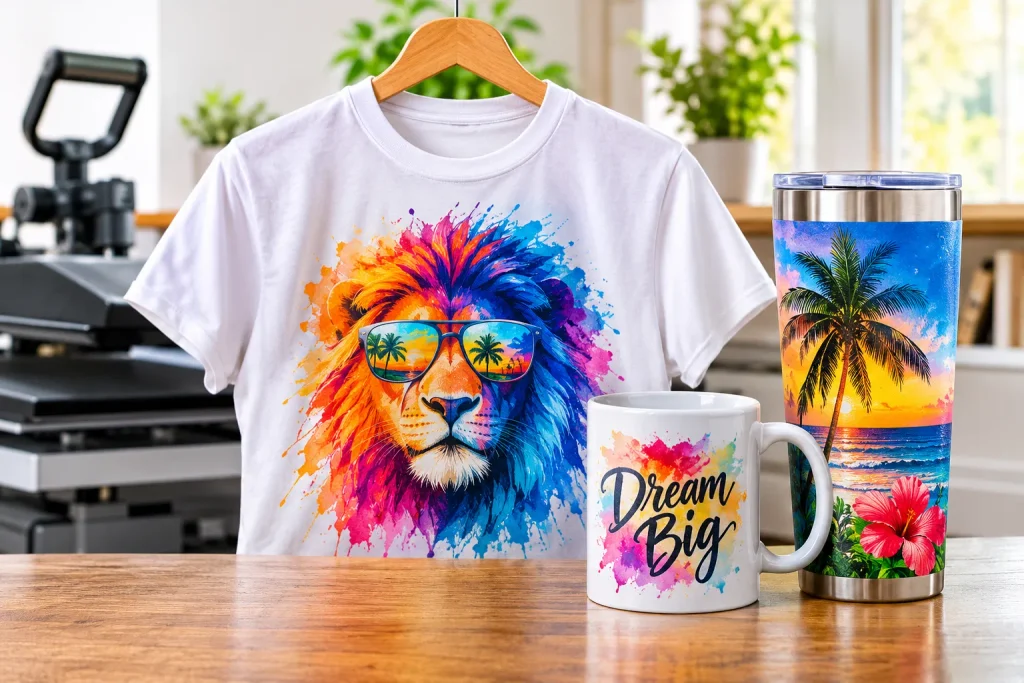
Many standard mug transfers use relatively narrow artwork. They don’t necessarily require the additional width offered by the ET-15000.
Both printers can produce transfer artwork for suitable sublimation blanks. Actual results depend on ink, transfer paper, color management and heat-press settings.
Remember that sublimation requires compatible polyester-coated or polymer-coated surfaces. Neither printer makes ordinary untreated materials sublimation-ready.
Best Printer for a Sublimation Business
Consider two hypothetical business workflows.
Scenario 1: A beginner selling mugs and personalized gifts
A seller produces small mug graphics, keychains and occasional shirt logos. The F170 offers a simpler starting workflow without conversion.
Scenario 2: An established Etsy shirt seller
A seller regularly produces wider chest designs and multiple graphics per transfer sheet. The ET-15000 offers more useful printing space, provided the seller can manage conversion and maintenance.
These are illustrative buying scenarios, not documented customer case studies or measured production results.
| Buyer type | Better choice | Main reason |
|---|---|---|
| Sublimation beginners | F170 | Simpler setup |
| Mug makers | F170 | Narrower designs are often sufficient |
| Large shirt graphics | ET-15000 | 13-inch printing width |
| Small craft businesses | Depends | Product dimensions and workload |
| Buyers prioritizing genuine Epson sublimation ink | F170 | Designed for T49M |
| Buyers needing an all-in-one printer | ET-15000 | Scan, copy and fax functions |
Neither printer is an automatic winner for business production. Consider daily workload, downtime, supply costs and future design requirements.
Which Epson Printer Should You Buy?
The Epson F170 vs ET-15000 decision becomes straightforward when you prioritize your actual production requirements.
Choose the F170 If You Want Simplicity
Buy the F170 if you:
- Are starting your first sublimation business.
- Mainly produce mugs, tumblers and smaller shirt designs.
- Prefer genuine Epson sublimation ink.
- Want to avoid third-party ink conversion.
- Value a dedicated sublimation workflow over wider media support.
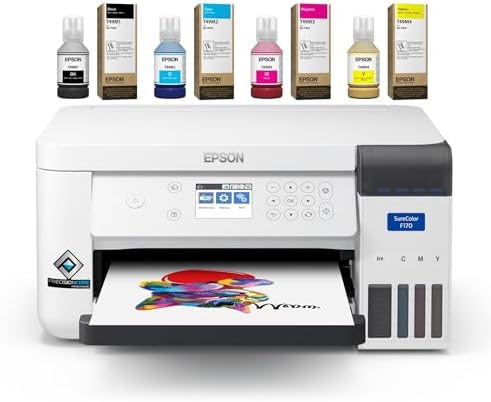
- EPSON SURECOLOR F170 SUBLIMATION PRINTER – Designed for dye-sublimation printing with Epson dye-sublimation ink technolo…
- Genuine Epson Ink Included: This Epson F170 sublimation printer includes a full set of OEM Epson sublimation inks, AC po…
Choose the ET-15000 If You Need Wide Format
Choose the ET-15000 if you:
- Regularly print designs wider than 8.5 inches.
- Need 13 × 19-inch transfer sheets.
- Produce larger shirt graphics.
- Understand third-party sublimation ink compatibility.
- Can manage color profiles and additional maintenance.

- Sold as 1 Each.
- All-in-one printer gives you printing, faxing, copying, and scanning capability
- Inkjet printer has a resolution that goes up to 4800 x 2400 dpi for excellent readability
Our verdict: The F170 is the better starting point for most dedicated sublimation beginners. The ET-15000 is the better fit for experienced makers who genuinely need wider printing.
Don’t pay for 13-inch printing if your products don’t require it. Equally, don’t buy an F170 and expect it to handle oversized horizontal graphics.
Check Current Printer Prices
Compare the available models before purchasing. Check the included ink, warranty conditions and return policy, not just the advertised printer price.
Epson SureColor F170 – Our beginner recommendation
Dedicated sublimation printer · T49M ink
Epson EcoTank ET-15000 – Wide-format recommendation
13 × 19-inch capability · Conversion required
Frequently Asked Questions
Is the Epson F170 Better Than the ET-15000 for Sublimation?
Yes, the F170 is generally better for buyers who want a dedicated sublimation printer. It comes configured for Epson T49M sublimation ink and avoids the conversion process. However, the ET-15000 is more suitable when you need 13-inch-wide printing. Your choice should depend on print dimensions and your willingness to manage third-party ink.
Can You Convert an Epson ET-15000 to Sublimation?
Yes, you can convert the Epson ET-15000 for sublimation printing. You need compatible third-party sublimation ink, appropriate setup instructions and a suitable ICC color profile. Follow the ink supplier’s conversion procedure and treat the printer as a dedicated sublimation machine afterward. Conversion also introduces additional maintenance and warranty considerations.
For the wider process, read our EcoTank sublimation conversion guide.
Does Converting the ET-15000 Affect Its Warranty?
Conversion does not automatically cancel the entire warranty. However, Epson states that damage caused by non-genuine or unspecified ink may not receive warranty coverage. If incompatible sublimation ink damages the printhead or ink-delivery system, you may have to pay for repairs. Check the warranty terms for your specific purchase and region.
Can the Epson F170 Print 13 × 19 Sublimation Designs?
No, the F170 cannot print a 13-inch-wide design on a single sheet. Its maximum paper width is 8.5 inches, although it supports paper lengths up to 47.2 inches. You can print long vertical designs, but you cannot use its longer paper capability to overcome the width restriction.
Is the ET-15000 Better for Sublimation Shirts?
The ET-15000 is better for wider shirt designs. Its 13-inch maximum media width provides more space for oversized graphics and multi-design layouts. However, the F170 can still handle smaller chest graphics and long vertical designs. Check your artwork dimensions before deciding that you need a wide-format printer.
Which Printer Has Cheaper Sublimation Ink?
Neither printer has a guaranteed lower ink cost per finished transfer. The F170 uses Epson T49M sublimation ink, while the converted ET-15000 requires compatible third-party sublimation ink. Compare bottle prices, usable ink yield, maintenance consumption and wasted test prints. The cheapest bottle does not necessarily deliver the lowest cost per usable design.
Can You Print Mugs With the Epson F170?
Yes, the Epson F170 can print sublimation transfers for suitable mugs. Its 8.5-inch paper width is generally sufficient for many standard mug designs. You also need compatible sublimation-coated blanks, suitable transfer paper and a mug heat press. Always check the dimensions of your specific mug before preparing artwork.
Which Epson Printer Is Better for Sublimation Beginners?
The Epson F170 is the better choice for most beginners. It arrives designed for sublimation and uses genuine Epson T49M ink. You avoid the additional conversion, third-party ink compatibility and color-profile setup required by the ET-15000. The trade-off is its narrower 8.5-inch maximum paper width.
Editorial Methodology and Author Information
How This Comparison Was Developed
This comparison uses manufacturer documentation to establish technical specifications, ink compatibility, media dimensions and warranty conditions.
We distinguish factory-supported sublimation printing from third-party ink conversion. We also consider the practical requirements of shirt, mug and small-business production.
Testing transparency: GadgetsChamp has not supplied documented firsthand testing results for these two specific printers. Therefore, this article does not claim measured print speeds, independently tested color accuracy, measured ink consumption or firsthand conversion results.
Author Bio
Kamran Asghar
Kamran Asghar is an SEO content strategist and product research writer at GadgetsChamp. He focuses on turning technical specifications, product documentation and buying considerations into practical comparisons. His editorial approach prioritizes transparent research, accurate product information and honest purchasing recommendations.