
Affiliate Disclosure: As an Amazon Associate, GadgetsChamp earns from qualifying purchases. If you buy through links on this page, we may earn a commission at no extra cost to you. Our recommendations are based on product specifications, current manufacturer information, ownership considerations, and honest trade-offs.
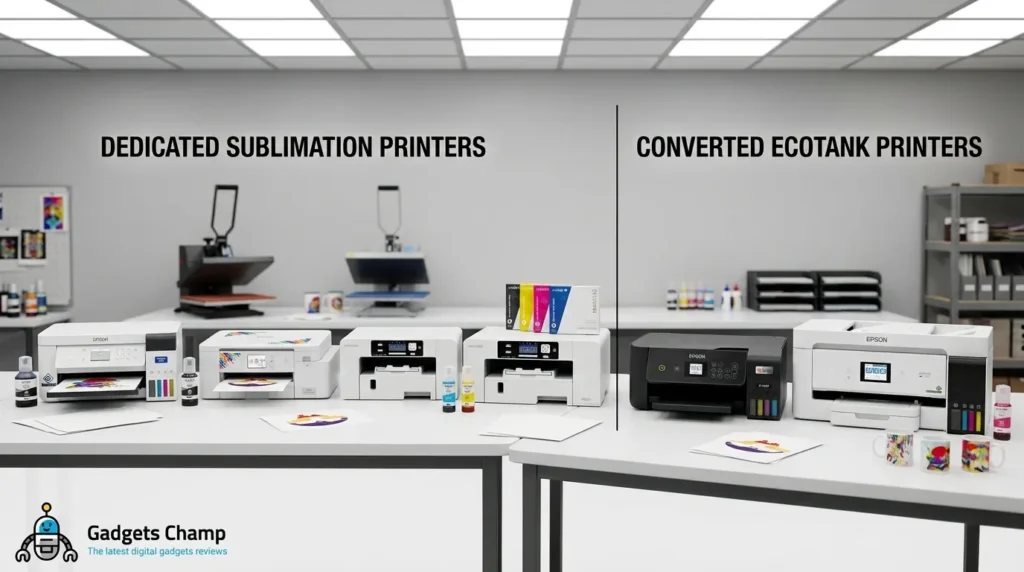
If you are searching for the best sublimation printer, the cheapest machine is not automatically the smartest buy. The real decision is whether you want a purpose-built sublimation printer with a supported workflow or a cheaper EcoTank conversion that puts more responsibility on you.
For most first-time buyers, the Epson SureColor F170 is the easiest dedicated starting point. The Brother SP1 makes sense for makers who want a craft-focused workflow, while the Sawgrass SG500 and SG1000 are stronger choices when software, support, and larger production needs matter. Converted Epson EcoTank models can reduce the initial cost, but they introduce setup, maintenance, ink, and warranty considerations that should not be ignored.
If you are still learning the process, our guide to how sublimation printing works explains the fundamentals without turning this buying guide into another technical tutorial.
Our Top Sublimation Printer Picks
Quick Comparison
| Printer | Type | Best For | Maximum Print Size | Ink System | Warranty | Price |
|---|---|---|---|---|---|---|
| Epson SureColor F170 | Dedicated | Best overall | 8.5″ wide | 140 mL CMYK bottles | 1 year | Check Current Price |
| Brother SP1 | Dedicated | Craft-focused workflow | Verify current media specification | 47 mL CMYK cartridges | 2 years | Check Current Price |
| Sawgrass SG500 | Dedicated | Managed small business | Up to 8.5″ × 14″ | Cartridge system | 3 years / 100K prints for qualifying purchases | Check Current Price |
| Sawgrass SG1000 | Dedicated | Larger designs | Up to 11″ × 17″, 13″ × 19″ with bypass tray | Cartridge system | 3 years / 100K prints for qualifying purchases | Check Current Price |
| Epson EcoTank ET-2800/ET-2803 | Converted | Low-cost entry | Letter-class | Converted tank system | Conversion caveat | Check Current Price |
| Epson EcoTank ET-15000 | Converted | Wide-format DIY setup | Up to 13″ × 19″ | Converted tank system | Conversion caveat | Check Current Price |
How We Chose These Printers
This is a research-based buying guide, not a disguised hands-on test.
We compare manufacturer specifications, current warranty and support information, ink system, printable size, setup requirements, maintenance considerations, ownership cost, and the practical trade-offs that matter when you are making shirts, mugs, tumblers, or products for sale.
We also separate dedicated sublimation printers from converted EcoTank printers because those are fundamentally different buying decisions.
Where GadgetsChamp has not personally tested a product, we do not describe it as “tested,” “hands-on,” or “real-world tested.”
Epson SureColor F170: Best Overall
Type: Dedicated sublimation printer
Current Epson MSRP: $408.99
Print width: Up to 8.5 inches
Ink: Four 140 mL CMYK dye-sublimation bottles
Input: 150-sheet auto-feed tray
Warranty: 1-year standard unit exchange
The Epson SureColor F170 is the best sublimation printer for most beginners who want a dedicated machine without jumping into a larger business printer.
Its biggest advantage is simplicity. Epson built the F170 specifically for dye-sublimation rather than asking you to convert an ordinary inkjet. It comes with genuine Epson sublimation ink, a 150-sheet feed system, and software designed for the printer.
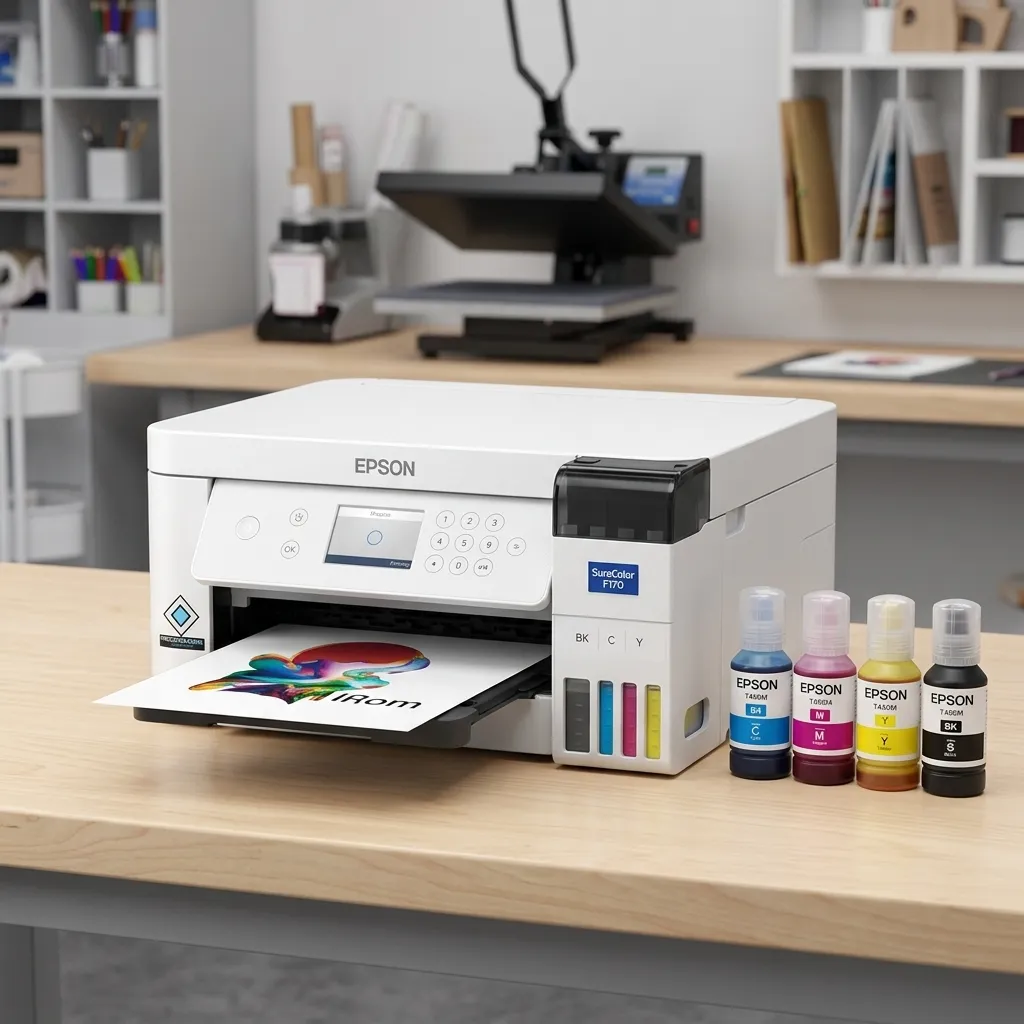
That matters because your first printer should not become a color-management project.
The F170 is particularly attractive for mugs, mousepads, awards, small apparel projects, and other products that fit within its 8.5-inch paper width.
Why it wins:
- Purpose-built for dye sublimation
- $408.99 MSRP makes it accessible for a dedicated machine
- Large 140 mL CMYK bottles
- 150-sheet automatic feed
- Straightforward setup compared with a converted printer
- Strong fit for home makers and first-time sellers
The major limitation: 8.5-inch width.
If your business depends on larger shirt graphics, oversized transfers, or production that will eventually require 11 × 17 or larger media, the F170 can become a bottleneck.
That is where the Sawgrass SG1000 for larger sublimation designs or another wide-format solution becomes more relevant.
Who should buy it: Beginners, home makers, Etsy sellers starting small, and buyers who want a dedicated sublimation workflow.
Who should not buy it: Anyone who already knows they need larger-than-letter-size transfer artwork.
Bottom line: The F170 is the safest dedicated starting point because it gives you sublimation hardware and ink without making you build the workflow yourself.
For a deeper product-specific evaluation, see our Epson F170 review.
Brother SP1: Best for Craft-Focused Workflow
Type: Dedicated sublimation printer
Current Brother price: $379.99
Ink: Four 47 mL CMYK cartridges
Included: Four full-size inks and 10 sublimation-paper sheets
Software: Artspira integration
Warranty: 2-year limited warranty
The Brother SP1 is the most interesting alternative to the F170 if your sublimation work is closely tied to crafting.
Brother positions the SP1 around makers, artists, and designers, with Artspira integration and support for projects such as shirts, tote bags, mugs, tumblers, and coasters. It also includes four 47 mL sublimation inks and 10 sheets of sublimation paper, so the initial package is designed to get you creating quickly.
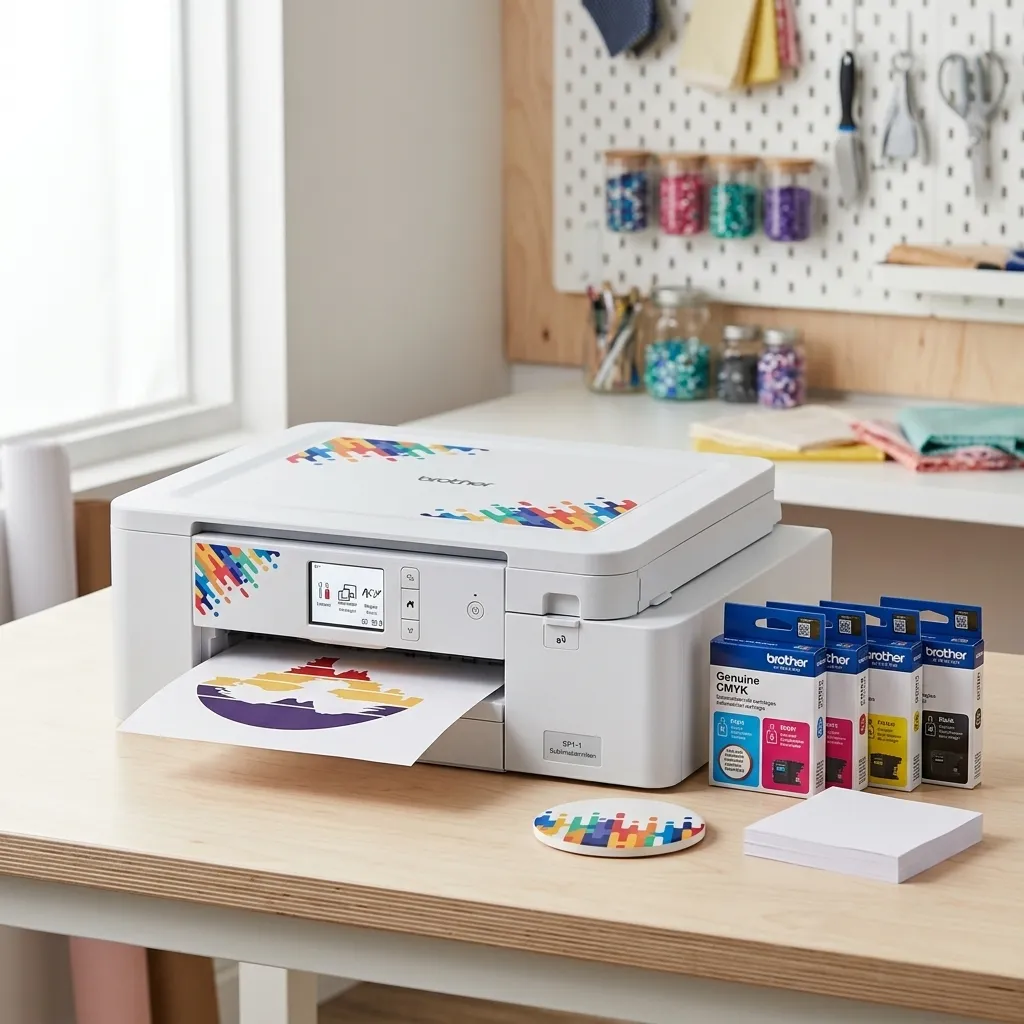
That bundled approach is useful for beginners who do not want to assemble every piece of the setup separately.
The trade-off is consumables. A cartridge-based workflow can be less attractive to someone who prints frequently and wants to optimize long-term ink economics. Before buying, compare the current replacement-cartridge price with your expected print volume rather than focusing only on the printer’s purchase price.
Pros:
- Dedicated sublimation hardware
- Artspira integration
- Four CMYK sublimation cartridges included
- Paper included in the box
- 2-year warranty
- Strong fit for craft projects
Cons:
- Cartridge-based consumables deserve closer cost scrutiny
- Less compelling if your priority is minimizing long-term ink expense
- Not the obvious choice for buyers who need larger-format output
Who should buy it: Makers who value a craft-oriented workflow and want a dedicated printer with design software integration.
Who should not buy it: High-volume sellers who choose equipment mainly around consumable economics.
Bottom line: The SP1 is a credible dedicated alternative to the F170, especially when Artspira fits the way you create.
See our guide to sublimation printers with ink included if the contents of the box are a major part of your buying decision.

- Compatible with Artspira: Import and save up to 20 printing images easily with the Artspira app. With access to printing…
- Create in Artspira: To start using the Brother dye sublimation printer for DIY crafts, you must first download the Artsp…
Sawgrass SG500: Best for Managed Small-Business Printing
Type: Dedicated sublimation printer
Maximum size: Up to 8.5″ × 14″
Software: Sawgrass Print Utility
Warranty: 3 years or 100,000 prints for printers purchased under the current warranty terms
The Sawgrass SG500 makes more sense when sublimation is becoming a business workflow rather than an occasional craft activity.
The machine is purpose-built for sublimation and works with Sawgrass’s print-management software. That software is one of the main reasons to consider the SG500 instead of treating every printer as a simple ink-and-paper device.
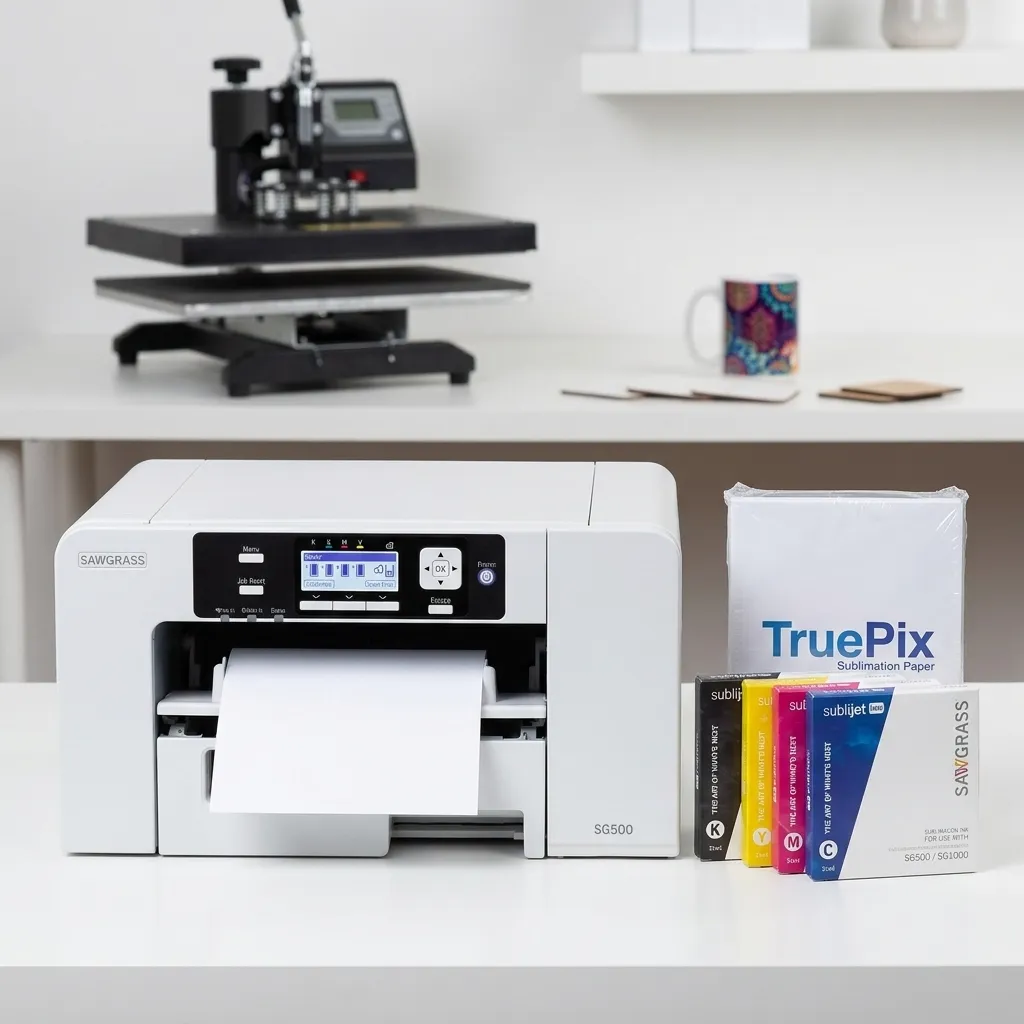
Color management, print presets, media selection, and repeatable workflows become more important once you start producing customer orders.
The SG500 also supports up to 8.5″ × 14″ through its main paper capability, giving you a little more room than a basic letter-size workflow.
The catch is cost. You are buying into a dedicated printer-and-consumables ecosystem, so cartridge economics deserve attention before you commit.
Pros:
- Purpose-built sublimation system
- Print-management software
- Up to 8.5″ × 14″ output
- Strong support for repeatable workflows
- Current warranty can reach 3 years or 100,000 prints
Cons:
- Consumables can make total ownership cost higher
- More printer than a casual hobbyist may need
- Not the right choice if large 11″ × 17″ artwork is already part of your workflow
Who should buy it: Small businesses, serious side hustles, and sellers who value a managed workflow.
Who should not buy it: Occasional users who mainly want to experiment with sublimation at the lowest possible entry cost.
Bottom line: The SG500 is less about finding the cheapest way to print and more about buying into a repeatable sublimation workflow.
For broader business planning, see our guide to sublimation printers for small business.
Sawgrass SG1000: Best for Larger Designs
Type: Dedicated sublimation printer
Maximum size: Up to 11″ × 17″; up to 13″ × 19″ with bypass tray
Software: Sawgrass Print Utility
Warranty: 3 years or 100,000 prints for qualifying current purchases
The SG1000 exists for one major reason: larger output.
If you are moving beyond small mugs and compact graphics, the ability to handle 11″ × 17″ media can matter more than saving a few hundred dollars on the printer itself.
Sawgrass positions the SG1000 for growing businesses and larger production requirements. It uses the same general purpose-built ecosystem as the SG500, but gives you substantially more media flexibility.
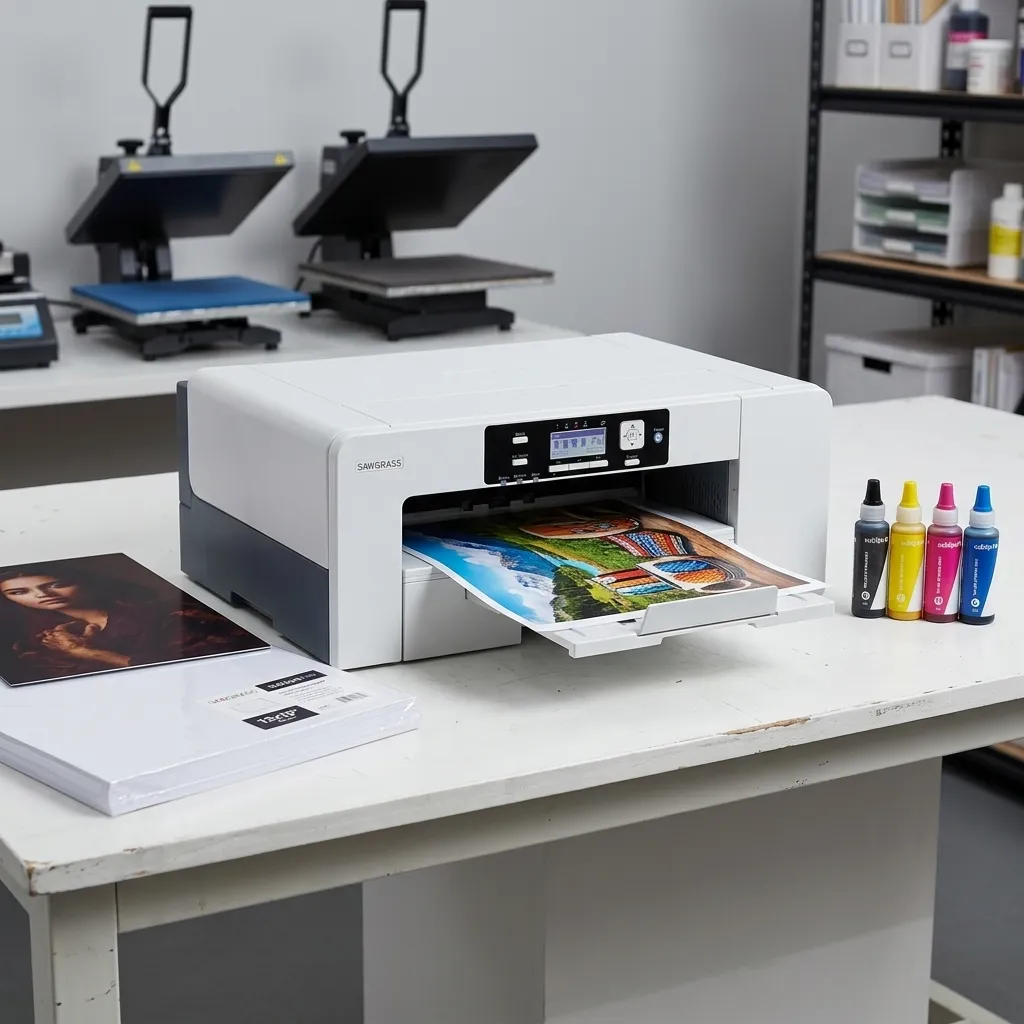
That makes it a better choice for larger shirt designs, bigger hard goods, and businesses that expect their product range to expand.
The downside is obvious: you pay for capacity you may never use.
If most of your orders are mugs, small signs, coasters, or compact transfers, the SG1000 can be unnecessary spending.
Pros:
- Up to 11″ × 17″ printing
- Optional 13″ × 19″ capability
- Purpose-built sublimation workflow
- Strong software ecosystem
- 3-year/100,000-print warranty for qualifying current purchases
Cons:
- Higher purchase commitment
- Larger footprint
- Overkill for occasional small-format projects
- Consumable costs still matter
Who should buy it: Growing sellers who need larger transfer sizes now or expect to need them soon.
Who should not buy it: Hobbyists who rarely exceed small-format designs.
Bottom line: If print size is the constraint holding back your product range, the SG1000 is the dedicated printer to look at first.
See our larger-format sublimation options before paying for capacity you may not need.
Epson EcoTank ET-2800/ET-2803: Best Low-Cost Conversion
Type: Converted printer
Original purpose: General home inkjet printing
Key attraction: Refillable tank system
Main risk: Conversion and maintenance responsibility
The Epson EcoTank ET-2800 and ET-2803 are not factory sublimation printers. They are ordinary EcoTank inkjet printers that some users convert for sublimation.
That distinction should be impossible to miss.
The attraction is obvious: refillable tanks and a lower-cost starting point can make the conversion route appealing to beginners who are willing to handle more of the setup themselves.
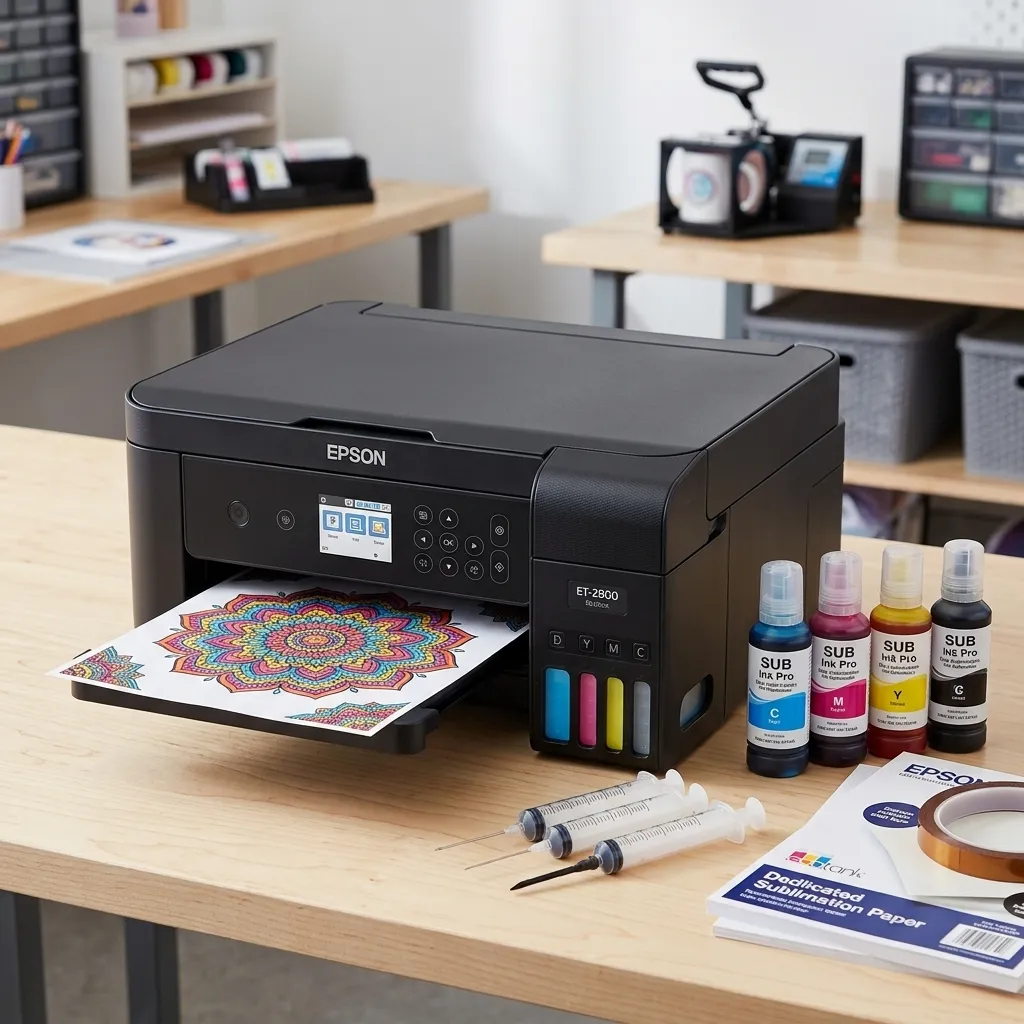
The downside is that you are moving away from the printer’s intended ink system. Epson itself recommends genuine Epson ink and warns that damage from non-genuine ink may not be covered under the limited warranty.
That does not mean you should repeat the simplistic claim that “conversion automatically voids the warranty.” Warranty coverage depends on the specific product terms and the cause of the problem.
The bigger practical question is whether you want to manage the additional variables.
Pros:
- Lower-cost route into sublimation
- Refillable tank design
- Cheap replacement-ink economics can be attractive
- Widely available EcoTank platform
Cons:
- Not factory-designed as a sublimation printer
- Requires conversion
- Color management becomes your responsibility
- Maintenance demands more attention
- Warranty implications need to be checked carefully
Who should buy it: DIY users who care more about lowering the entry cost than minimizing setup complexity.
Who should not buy it: Buyers who want a supported, ready-to-use sublimation workflow.
For the deeper model-selection question, use our Epson EcoTank sublimation guide.
Epson EcoTank ET-15000: Best Wide-Format Conversion
Type: Converted printer
Maximum Epson print size: Up to 13″ × 19″
Current Epson MSRP: $449
The ET-15000 is the wide-format option in this group, but it comes with the same warning as the smaller EcoTank models: Epson sells it as an EcoTank all-in-one, not as a factory sublimation printer.
Its 13″ × 19″ printing capability is the reason it remains interesting for conversion users. Larger media opens up more design possibilities, especially for people producing larger apparel transfers or products where letter-size output feels restrictive.
But do not compare the ET-15000 with the SG1000 as if they are identical solutions.
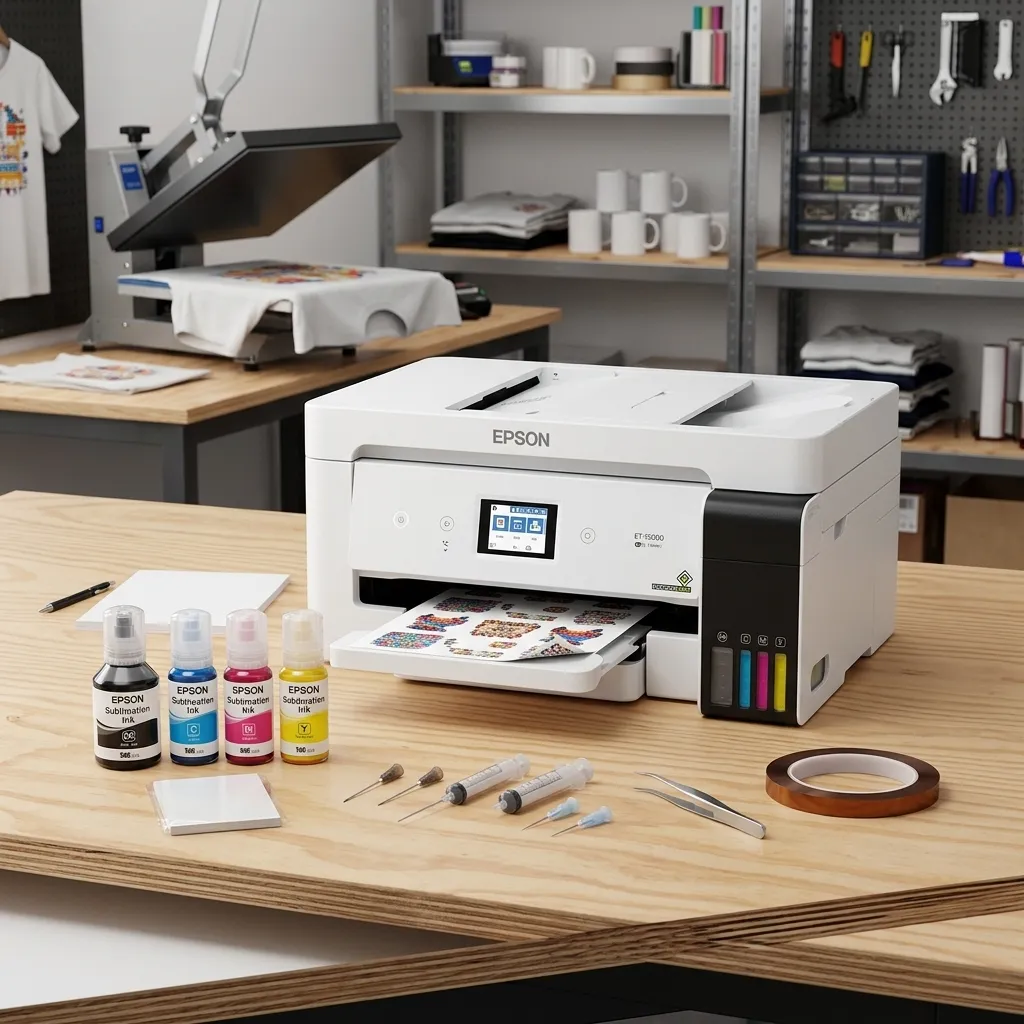
The SG1000 is purpose-built for sublimation. The ET-15000 starts life as an all-in-one office printer and enters sublimation only after conversion.
Pros:
- Up to 13″ × 19″ original print capability
- Large refillable tanks
- Useful for buyers who need wider media
- Flexible all-in-one hardware before conversion
Cons:
- Conversion required
- More DIY responsibility
- Warranty and non-genuine-ink considerations
- Office-printer features do not automatically improve sublimation workflow
Who should buy it: Experienced DIY users who specifically need a wider converted setup.
Who should not buy it: Beginners who simply want the easiest path into sublimation.
If you need to compare the conversion route with other Epson options, continue to our EcoTank sublimation guide.
Dedicated vs Converted Sublimation Printers
What You Get With a Dedicated Printer
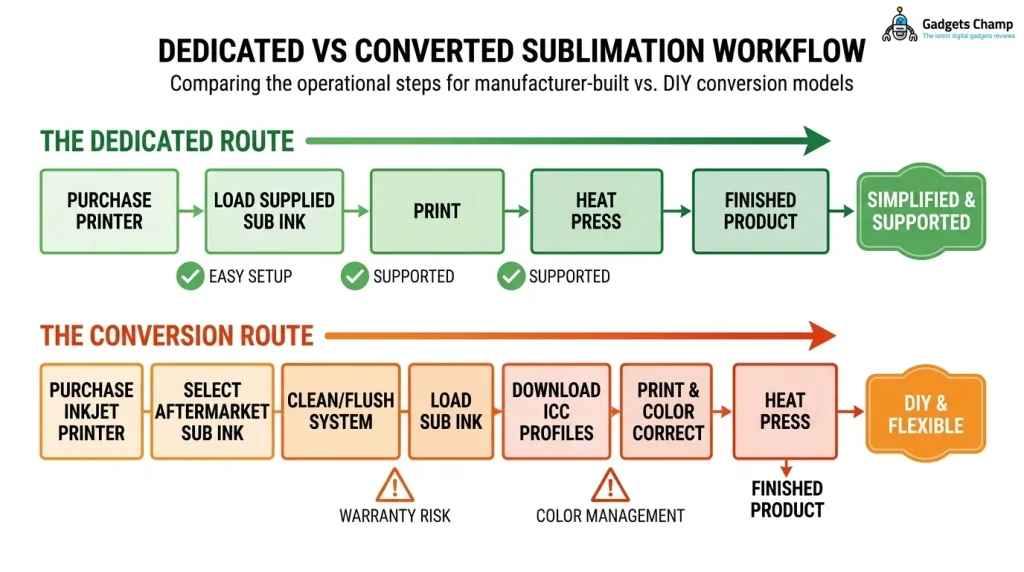
A dedicated sublimation printer is designed around the sublimation workflow from the start.
That generally means compatible sublimation ink, manufacturer-supported hardware, appropriate print settings, and a clearer support path.
For a beginner, this reduces the number of variables you need to solve. You still need sublimation paper, a heat press, compatible blanks, and suitable software or design tools, but the printer itself is not another DIY project.
Key takeaway: Pay more upfront if reducing setup and troubleshooting matters more than squeezing the purchase price as low as possible.
Why Converted EcoTanks Cost Less
The converted route attracts buyers because the hardware can be cheaper or more flexible, particularly when refillable tanks are involved.
But the lower printer price is not the entire equation.
You also need to consider sublimation ink, color profiles, paper settings, maintenance, wasted prints during setup, and the time required to troubleshoot problems.
A converted printer can be a smart choice for a technically comfortable DIY user. It is a poor choice for someone who bought it solely because the initial price looked cheap.
Warranty Is the Part People Ignore
This is where many “cheap sublimation printer” recommendations get sloppy.
An EcoTank’s normal warranty does not automatically mean Epson is endorsing a sublimation conversion. Epson’s product documentation warns that damage caused by non-genuine ink may not be covered under the limited warranty.
So before converting a printer, read the warranty terms for your exact model and purchase date.
Do not rely on a forum comment saying a conversion “voids the warranty.” The correct question is what the manufacturer actually excludes and whether a particular failure can be connected to the modification or consumables.
Which Setup Has More Clog Risk?
Neither dedicated nor converted printers should be treated as magically clog-proof.
Ink can dry or flow poorly when a printer sits unused. Maintenance routines, ink formulation, environmental conditions, print frequency, nozzle checks, and cleaning all affect reliability.
Heat Press Nation recommends printing a sublimation printer at least weekly to keep ink flowing and reduce the chance of drying in the printhead. That makes usage frequency an important buying factor, not a footnote.
If you expect to print only once every few weeks, ask whether you are prepared to maintain the machine between projects.
If you print several times a week, routine use itself becomes part of your maintenance strategy.
Which Sublimation Printer Is Best for Your Job?
Best Sublimation Printer for Shirts
For standard-size shirt graphics, the Epson F170 is an easy dedicated starting point.
If you need larger artwork, the Sawgrass SG1000 deserves more attention because its 11″ × 17″ capability gives you considerably more room.
The right answer depends on your design size, not simply the shirt itself.
For a more focused comparison, see our sublimation printer options for T-shirts.
Best Sublimation Printer for Mugs and Tumblers
Mugs and tumblers usually do not require the same print size as large apparel graphics.
That makes the F170 or SG500 more sensible for many buyers. The Brother SP1 is also worth considering if its craft-oriented software workflow fits your setup.
Remember that the printer is only one part of the process. You still need the appropriate paper, compatible blank, and a suitable heat press or mug/tumbler pressing setup.
Our guide to sublimation printers for mugs and tumblers covers that use case separately.
Best Sublimation Printer for a Small Business
For a small business, I would choose based on workflow and expected output, not just printer price.
The F170 is sensible for a smaller operation with compact products. The SG500 makes more sense when software, repeatability, and a managed ecosystem become important. The SG1000 is the better fit when larger designs or future expansion justify its extra capacity.
If you expect order volume to grow significantly, review our small-business sublimation printer recommendations before buying.
Best Budget Sublimation Printer
The cheapest route is usually a converted EcoTank, but that does not make it the best value for everyone.
If you want the lowest possible hardware cost and are comfortable with DIY setup, an EcoTank conversion can make sense.
If you want a dedicated machine with less setup uncertainty, the F170 is the stronger starting point.
Our cheap sublimation printer guide goes deeper into the budget trade-offs.
Best Wide-Format Sublimation Printer
For a dedicated system, look first at the Sawgrass SG1000.
For a converted Epson setup, the ET-15000 provides up to 13″ × 19″ print capability.
Those are not equivalent workflows, though. Choose the SG1000 if you want purpose-built sublimation. Consider the ET-15000 conversion only if you understand and accept the additional DIY responsibility.
For wider-format buying decisions, see our large-format sublimation printer guide.
Sublimation Printer Costs Beyond the Machine
Ink Cost
Printer price is only the beginning.
For ink, use a simple calculation rather than pretending one exact “cost per shirt” applies to every buyer:
Ink cost per transfer = ink used per print × current ink cost per mL
Your actual result changes with image coverage, print settings, paper, transfer size, and maintenance.
That is why a precise claim such as “this printer costs exactly $0.17 per shirt” is usually misleading unless the underlying assumptions are disclosed.
Sublimation Paper
Paper is a recurring cost that belongs in your ownership calculation.
Cheap paper is not automatically cheaper if it causes inconsistent transfers, wasted prints, or poor color results.
Compare paper price by usable sheet and size, not just by package price.
Heat Press
A sublimation printer cannot complete the transfer by itself.
You need an appropriate heat press or other suitable transfer equipment. The press becomes part of your real startup cost, especially if you are buying your first complete setup.
Blanks and Consumables
Shirts, mugs, tumblers, mousepads, coasters, protective paper, heat-resistant tape, and other consumables can quickly exceed the cost difference between two printers.
For a small business, calculate your complete setup before choosing the printer.
Waste, Cleaning and Maintenance
Failed transfers cost money.
So do clogged nozzles, cleaning cycles, incorrect paper settings, poor color profiles, and prints that need to be repeated.
That is why a printer with a higher upfront cost can sometimes make more sense than a cheaper converted machine.
What to Look for Before You Buy
Print Size
Start with the largest transfer you realistically expect to make.
Do not buy an 8.5-inch printer because most of your current designs fit, only to discover three months later that your best-selling shirt requires a larger graphic.
Ink System
Dedicated bottle systems and cartridge systems create different ownership economics.
A refillable tank can look attractive because the hardware uses large ink reservoirs, while cartridges may provide a more controlled manufacturer-supported workflow.
Compare replacement ink prices before deciding.
Warranty and Support
A printer is production equipment if customers depend on it.
Read the warranty. Check support options. Understand what happens if the printhead fails and whether your chosen ink is covered.
This matters even more for converted printers.
Maintenance and Clogging
Ask yourself one simple question:
How often will I actually print?
If the answer is “every few days,” routine use is easier to build into your workflow.
If the answer is “once a month,” maintenance becomes much more important.
Regular nozzle checks, correct storage, appropriate cleaning, and following manufacturer guidance can reduce avoidable problems.
Print Volume
Do not confuse maximum paper size with production capacity.
A large printer does not automatically make you a high-volume printer.
Estimate your weekly transfer count, typical artwork size, and how quickly you need to complete orders.
For growing sellers, paying for larger capacity before you need it can waste money. Buying too small can create a bottleneck later.
Software and Color Management
Color is not just an ink question.
Your design software, printer driver, color profiles, paper settings, and heat-press process all influence the final result.
This is one reason dedicated systems can appeal to business users: the manufacturer controls more of the workflow.
Where to Buy a Sublimation Printer
For GadgetsChamp readers, Amazon is the primary buying destination because the site participates in the Amazon Associates program.
Before buying, compare the current printer price, included ink, included paper, warranty, and replacement-ink cost rather than choosing solely from the headline price.
Prices and bundles can change quickly, especially around seasonal promotions.
Recommended buying actions:
- Check the current Amazon price for the Epson F170
- Compare the Brother SP1 bundle contents
- Check the current SG500 price and warranty terms
- Compare SG1000 pricing before choosing wide format
- Compare the full conversion cost before buying an EcoTank
A Practical Buyer Decision Scenario
Consider a new Etsy seller making mugs and occasional shirts.
A converted EcoTank may look attractive because the initial printer cost can be lower. But if the seller does not understand color management or wants minimal maintenance, the apparent saving can disappear through setup time, wasted transfers, and troubleshooting.
The F170 costs more as a dedicated machine, but it removes much of that DIY conversion work.
Now change the scenario.
If the seller already understands printer profiles, is comfortable maintaining an EcoTank, and wants to minimize ongoing tank-based ink costs, the conversion route becomes more reasonable.
That is the real decision.
The best sublimation printer is not necessarily the cheapest printer. It is the printer whose trade-offs match your workflow.
Frequently Asked Questions
What Is the Best Sublimation Printer in 2026?
For most first-time buyers, the Epson SureColor F170 is the strongest dedicated starting point. It combines a $399 MSRP, purpose-built dye-sublimation hardware, 140 mL CMYK bottles, and an 8.5-inch maximum paper width. If you need larger designs, the Sawgrass SG1000 is a better fit.
Is a Dedicated Sublimation Printer Better Than an EcoTank?
For most beginners, yes, if simplicity and manufacturer-supported sublimation hardware matter more than the lowest initial cost. A converted EcoTank can be cheaper, but you take on conversion, color management, maintenance, and warranty considerations.
For more detail, compare dedicated and converted printers in our EcoTank sublimation guide.
Can Any Epson EcoTank Be Converted to Sublimation?
No. You should not assume every EcoTank model is equally suitable for conversion. Compatibility depends on the specific printer, ink system, available profiles, and conversion method. Research the exact model before buying it for sublimation.
Does Sublimation Printing Require a Heat Press?
Yes, a heat-transfer step is required to move the sublimation design from the printed transfer paper onto a compatible substrate. The printer creates the transfer, but it does not complete the sublimation process by itself.
Which Sublimation Printer Is Best for T-Shirts?
The answer depends mainly on design size. The F170 works well for compact transfers, while the SG1000 is more suitable when you need 11″ × 17″ output. Sublimation also works best on suitable polyester or specially coated substrates, so printer choice is only part of the T-shirt decision.
Which Sublimation Printer Is Best for Mugs?
The Epson F170 is a strong dedicated choice for buyers focused on mugs and other compact products. The Brother SP1 and Sawgrass SG500 are also worth considering. The important point is that the printer must support the transfer size you need; the mug itself does not require a large-format printer.
Do Sublimation Printers Clog?
They can. Inactivity, dried ink, environmental conditions, maintenance, and ink-flow problems can contribute to clogged nozzles. Regular printing and following the manufacturer’s maintenance instructions can reduce the risk. Heat Press Nation recommends at least weekly printing as one way to keep sublimation ink flowing.
How Much Does Sublimation Ink Cost?
There is no single cost-per-transfer number that applies to every printer. Ink consumption depends on image coverage, print size, settings, paper, and maintenance. Calculate ink cost using the amount of ink consumed and the current price per milliliter rather than trusting an unexplained “cost per shirt” figure.
Can Sublimation Printers Print on Cotton?
Traditional dye sublimation is designed primarily for polyester and compatible coated substrates, not ordinary cotton. Do not buy a conventional sublimation printer expecting it to behave like a direct-to-garment cotton printer. Specialized systems and transfer technologies can change the equation, so check the specific technology before buying.
How Big Can a Sublimation Printer Print?
It depends on the printer. The Epson F170 reaches 8.5 inches in maximum paper width. The Sawgrass SG500 supports up to 8.5″ × 14″, while the SG1000 supports up to 11″ × 17″ and can reach 13″ × 19″ with the optional bypass tray. The Epson ET-15000 can print up to 13″ × 19″, but remember that it is an ordinary EcoTank unless separately converted.
Final Verdict: Which Sublimation Printer Should You Buy?
For most people entering sublimation, the Epson SureColor F170 is the best sublimation printer to start with.
It is dedicated, relatively affordable for a purpose-built machine, and avoids the conversion work that makes cheap EcoTank setups attractive but more complicated.
Choose the Brother SP1 if its craft-focused Artspira workflow fits how you create.
Choose the Sawgrass SG500 when a managed business workflow matters more than minimizing consumable costs.
Choose the Sawgrass SG1000 if larger designs are central to your business.
Choose a converted Epson EcoTank ET-2800/ET-2803 if you deliberately want the DIY route and understand the maintenance and warranty trade-offs.
Choose the ET-15000 conversion when wide-format output is the reason you are considering an EcoTank in the first place.
The winning strategy is simple: choose the printer around your actual product size, print frequency, workflow, and ownership tolerance, not the cheapest headline price.
Related GadgetsChamp Guides
If you are still narrowing your setup, continue with:
- Best sublimation printers for beginners
- Best Epson sublimation printers
- Epson EcoTank sublimation printer guide
- Cheap sublimation printers
- Sublimation printers for small business
- Sublimation printer for Cricut projects
- Best printers for crafting
- Best printer for T-shirt printing
- Dye-sublimation photo printers
Author: Kamran Asghar
Kamran Asghar is an SEO strategist and content writer focused on research-driven affiliate content. His editorial approach emphasizes product specifications, search intent, semantic coverage, transparent trade-offs, and practical buying decisions rather than unsupported hype.
Editorial note: Product prices, availability, warranty terms, and specifications can change. Verify the current manufacturer information and retailer price before purchase.
Amazon Associate Disclosure: GadgetsChamp is a participant in the Amazon Services LLC Associates Program, an affiliate advertising program designed to provide a means for sites to earn advertising fees by advertising and linking to Amazon.com.