
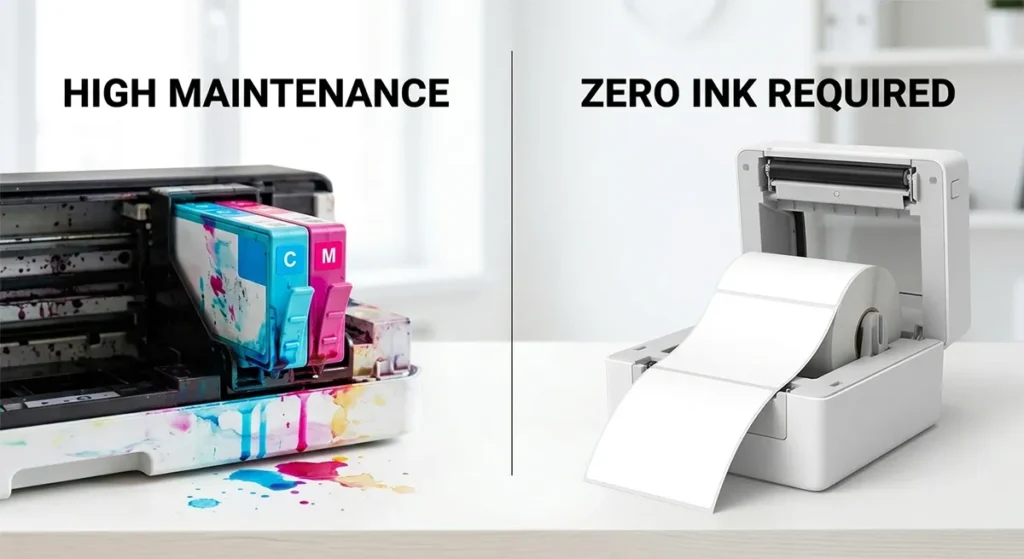
Direct thermal label printers use no ink, toner, and ribbon. The only consumable is the label roll itself. Thermal transfer label printers use a solid wax or resin ribbon, not liquid ink. The ribbon melts onto the label surface when heated. Neither type uses liquid ink cartridges of any kind. If your printer is labeled direct thermal only (Rollo X1040, DYMO LabelWriter 5XL, Brother QL-1110NWB), load a label roll and print. If your printer supports thermal transfer (Zebra ZD421, Zebra ZD621, Zebra ZT411), you need both a label roll and the correct ribbon type before your first label prints.
This article explains what each printer type needs, what each consumable costs, and one detail about direct thermal paper that almost no guide mentions.
Direct Thermal Printers: What They Use Instead of Ink
How the Image Forms Without Ink
Direct thermal printing works through a chemical reaction inside the label material itself. The label coating contains a leuco dye, a colorless compound that turns black when heated above approximately 60°C to 90°C. The thermal printhead applies precisely targeted heat to specific points across the label surface. Those points darken permanently. No ink transfers. No ribbon is involved. The image is a physical change in the paper chemistry, not a deposit of liquid on the surface.
This is why direct thermal labels are waterproof and smudge-proof. There is no wet ink to run or smear. The image is part of the paper. It is also why you cannot use regular paper in a direct thermal printer. Standard office paper contains no leuco dye coating and produces no output when heat is applied.
The Only Consumable: The Label Roll
For a direct thermal printer, the shopping list before your first label prints is exactly one item: a label roll in the correct size for your printer. For Etsy, Shopify, eBay, and Amazon shipping labels, the standard size is 4×6 inches (4 inches wide by 6 inches long). Every thermal printer designed for shipping labels accepts 4×6 rolls.
Third-party 4×6 direct thermal label rolls from suppliers on Amazon cost approximately $0.02 to $0.05 per label depending on roll quantity and supplier. A 500-label roll typically costs $8 to $15. A case of 12 rolls (6,000 labels) brings the per-label cost down to the lower end of that range.
One important exception: the DYMO LabelWriter 5XL requires genuine DYMO-branded label rolls. Its Automatic Label Recognition system reads an RFID chip on the roll core. Third-party rolls without that chip do not work. Genuine DYMO 4×6 labels cost significantly more per label than open-format alternatives. Every other major direct thermal printer on the market (Rollo, Brother QL series, Zebra ZSB) accepts open-format third-party rolls.
What to Know About BPA in Direct Thermal Paper
This is the section most guides skip entirely, and it matters for specific use cases.
Some direct thermal label paper uses bisphenol A (BPA) or bisphenol S (BPS) as the chemical developer that activates the leuco dye reaction. According to the U.S. EPA’s Design for the Environment alternatives assessment for BPA in thermal paper, BPA functions as a developer in thermal paper by reacting with colorless dyes in the presence of heat, converting them to a dark color. The EPA’s assessment notes that workers who handle thermal paper frequently may face higher cumulative BPA exposure.
A peer-reviewed study published in Science Direct found BPS in all 220 thermal paper samples collected across 39 countries, with all samples from the United States containing BPS as the primary developer rather than BPA.
For standard shipping labels that travel on the outside of a package and get handled briefly before disposal, BPA or BPS exposure from label paper is not a significant concern. For food product labels, healthcare labels, labels that contact skin for extended periods, or any application subject to California Proposition 65 compliance, BPA-free or phenol-free thermal paper is the correct choice.
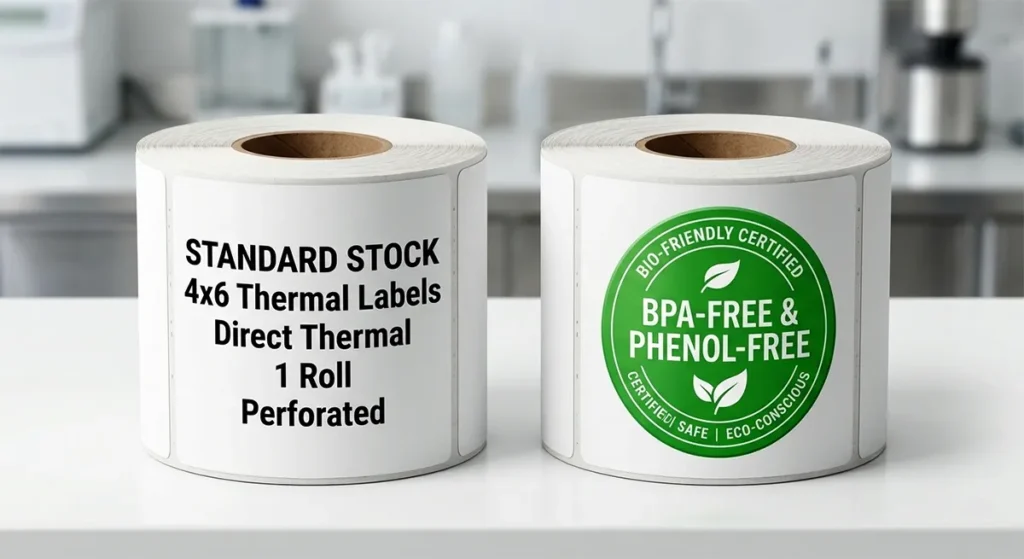
As Star Micronics documents, phenol-free thermal papers now use vitamin C-based or urea-based developers that produce the same print quality without bisphenol compounds. They cost nearly the same as standard thermal paper and work in all standard thermal printers without any settings adjustment. California, Minnesota, and Connecticut have passed legislation restricting BPA and BPS in receipt and label paper. Other states have legislation pending.
If you sell food products, healthcare items, or children’s goods where your labels contact product packaging directly, look for rolls specifically labeled BPA-free and phenol-free, not just BPA-free (which may still contain BPS).
What a Direct Thermal Printer Costs to Run
At $0.02 to $0.05 per label for open-format rolls, printing 100 shipping labels per day costs approximately $2 to $5 per day in label consumables. Annualized at 250 shipping days per year, that is $500 to $1,250 in label costs. No ink. No ribbon. No cartridges. The only other maintenance item is a printhead cleaning card (isopropyl alcohol card), which costs $5 to $10 for a pack of 10. Clean the printhead every time you change a label roll. It takes 30 seconds and extends printhead life significantly.
Thermal Transfer Printers: The Ribbon Is Not Ink (But It Is a Consumable)
Thermal transfer printing also uses no liquid ink. The ribbon is a solid material, not a liquid cartridge. Misunderstanding this causes buyers to search for ink or toner when they need a ribbon roll, which is why this section exists.
The ribbon consists of four layers: a thin polyester base film, a release coating, a solid ink layer (wax, wax-resin, or full resin depending on the ribbon type), and a back coating that protects the printhead from friction and static during printing. The printhead heats specific elements that melt the solid ink layer from the ribbon surface and transfer it to the label substrate. The ink bonds permanently to the label material at a molecular level. That bond is what gives thermal transfer labels their durability advantage over direct thermal output.
The Three Ribbon Types and What Each Costs
According to Weber Packaging’s thermal transfer ribbon guide and Online Labels’ ribbon selection guide, the three ribbon types cover three distinct durability ranges.
- Wax ribbons use a wax-based solid ink layer with a small resin addition for durability. They melt at lower temperatures (140°F to 160°F), which makes them fast to print and gentle on the printhead. Full wax thermal transfer ribbons are the most economic choice, ideal for basic general uses such as shipping and retail labels, with a lower melting temperature resulting in a lighter print that is less durable but also less expensive. Wax ribbons work on coated and uncoated paper labels. They cost approximately $5 to $15 per standard 450-meter desktop roll.
- Wax-resin ribbons blend wax and resin to produce harder, more scratch-resistant output. Wax-resin thermal transfer ribbons are more durable than full wax ribbons, providing excellent resistance to scratching, abrasion, and contact with moisture, and creating sharp and clear images on a wide range of material types. They are a good choice for labels exposed to extreme conditions such as industrial refrigerators and freezers, as well as applications that involve heavy or frequent handling. They bond to coated paper and synthetic label substrates. Cost: approximately $10 to $25 per 450-meter desktop roll.
- Full resin ribbons use a resin-only ink layer that melts at higher temperatures and bonds deeply to synthetic substrates. Full resin ribbons are made of pure resin. They melt at a much higher temperature, dissolving into the material on which they are printed, resulting in extreme durability. They can endure indoor use, moisture, handling, scratching, abrasion, sunlight, extreme temperature changes, water, chemicals, medical machinery, outdoor conditions, and UV exposure. Full resin ribbons require synthetic label stock: polyester (PET), polypropylene (PP), or vinyl. They cost approximately $20 to $50 per 450-meter desktop roll.
For a complete ribbon-to-label-substrate matching guide with all three ribbon types, see our thermal transfer ribbon guide for label printers covering wax, wax-resin, and resin options with full compatibility charts.
Ribbon Winding Direction: The Mistake That Wastes Money
It is the most common reason a newly purchased ribbon produces no output or poor quality print.
Thermal transfer ribbons wind onto a core in one of two directions: coated side out (CSO) or coated side in (CSI). The direction determines which side of the ribbon faces the printhead during printing. If you load the wrong winding direction, the ink layer faces away from the label surface, and the printer produces a blank or smeared output.
Printers like Zebra and TSC use the popular format of CSO. This means the waxed side of the inked ribbon faces the outside of the roll. Other printers like Datamax and Sato are commonly designed the opposite way and use CSI ribbons.
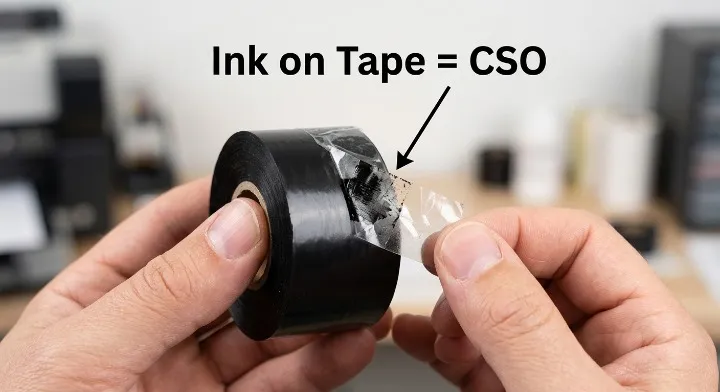
Practically: if you own a Zebra ZD421, ZD621, or ZT411, you need CSO ribbons. If you use a Datamax or SATO printer, you need CSI ribbons. An easy way to determine which ribbon you need is based upon the brand of the printer you are using. All Zebra printers use coated side out (CSO) ribbons, while all Datamax and Sato printers use coated side in (CSI) ribbons.
If you have a ribbon and are not certain which type it is, there is a simple field test. Take a piece of scotch tape and apply it to the outside of the roll. When you peel the tape off, look for the ink to come off with it. If it does, it is a CSO ribbon. If it does not come off with the tape, try the other side of the ribbon. The ink should come off: you have a CSI ribbon.
Always check the winding direction before ordering ribbons online. It is listed in the product specifications for every ribbon sold by reputable suppliers.
How Many Label Rolls Does One Ribbon Roll Cover?
A standard 450-meter desktop ribbon roll covers approximately 2 to 3 label rolls of the same length. A 500-label roll of 4×6 labels at 6 inches per label uses approximately 76 meters of ribbon (500 labels × 6 inches × 0.0254 meters per inch). One 450-meter ribbon roll covers roughly 2,950 six-inch labels, which is approximately 5 to 6 standard 500-label rolls.
At 100 labels per day, one 450-meter ribbon roll lasts approximately 30 days. Ribbon cost at that volume adds approximately $2 to $8 per 1,000 labels depending on ribbon type, on top of label roll costs of $0.02 to $0.05 per label.
Industrial 600-meter ribbon rolls cover proportionally more output and reduce the frequency of ribbon changes for high-volume operations.
Which Type of Printer Do You Have?
If you are not sure whether your printer needs a ribbon, check these three things.
- Check the printer label or spec sheet for the words “direct thermal only.” Rollo X1040, DYMO LabelWriter 5XL, and Brother QL-1110NWB are all direct thermal only. No ribbon required. Load a label roll and print.
- Check for a ribbon compartment inside the printer. Open the printer housing. Direct thermal printers have one compartment for the label roll. Thermal transfer printers have a second compartment or mounting point for a ribbon roll. If your printer has a ribbon mounting area and you run it empty, it either produces blank output or displays a ribbon-out error.
- Check if your printer is listed as “dual-mode.” The Zebra ZD421 and ZD621 support both direct thermal (no ribbon) and thermal transfer (ribbon required). In direct thermal mode, remove the ribbon and load heat-sensitive direct thermal label stock. In thermal transfer mode, load the ribbon and use paper, polyester, polypropylene, or vinyl label stock.
For a full side-by-side comparison of both print methods covering durability, cost, and application fit, see our direct thermal vs thermal transfer guide.
What to Buy Before You Print Your First Label
If You Have a Direct Thermal Printer
One item: 4×6 direct thermal label rolls in the correct format for your printer.
For Rollo X1040 and most open-format printers: any third-party 4×6 direct thermal roll. Buy in bulk (cases of 500 to 1,000 labels per roll) for the lowest per-label cost.
For DYMO LabelWriter 5XL: genuine DYMO 4XL label rolls only. The RFID chip on the roll core is required.
For Brother QL-1110NWB: genuine Brother DK series 4×6 label rolls for shipping labels.
Optional but recommended: a pack of isopropyl alcohol printhead cleaning cards. Clean the printhead every label roll change.
If You Have a Thermal Transfer Printer
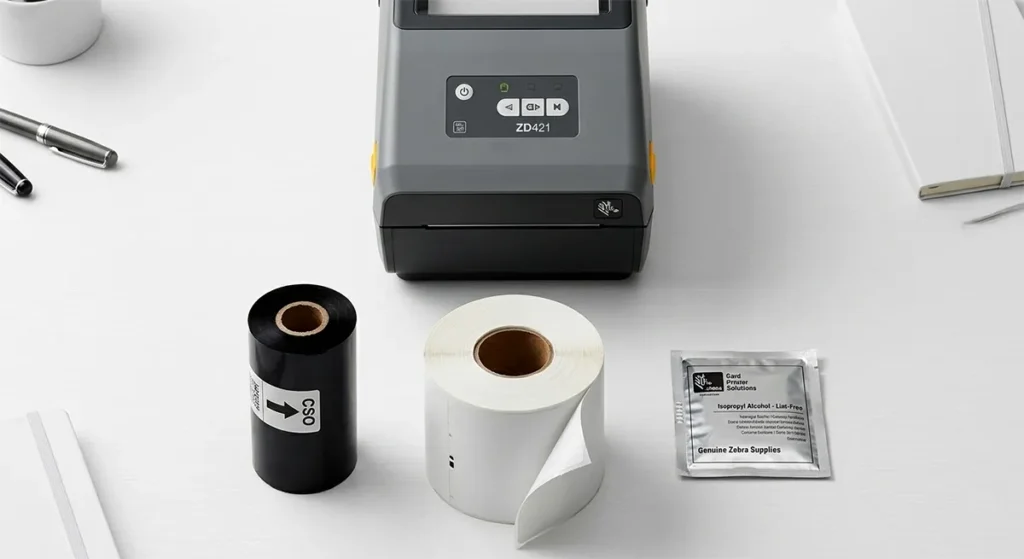
Three items: label rolls in the correct substrate for your application, the correct ribbon type for that substrate, and the correct winding direction (CSO for Zebra; CSI for Datamax and SATO).
For shipping labels (4×6, short life): coated paper label rolls plus a wax ribbon in CSO format for Zebra, or CSI for Datamax and SATO.
For product labels (shelf storage, moderate life): coated paper or polypropylene label stock plus wax-resin ribbon.
For freezer, outdoor, or chemical labels (long life, harsh environment): polyester or polypropylene label stock plus full resin ribbon.
Frequently Asked Questions
Do thermal label printers need ink?
No. Direct thermal printers need only a label roll. Thermal transfer printers need a label roll and a solid wax or resin ribbon, which is not liquid ink. Neither type uses ink cartridges, toner, or any liquid consumable.
What is a thermal transfer ribbon made of?
A thermal transfer ribbon consists of four layers: a polyester base film, a release coating, a solid ink layer (wax, wax-resin, or resin), and a back coating that protects the printhead during printing. The ink layer is a solid material that melts onto the label surface when the printhead applies heat. It is not liquid at any point in normal use.
How long does a thermal transfer ribbon last?
A standard 450-meter desktop ribbon roll covers approximately 2,950 six-inch labels, or roughly 5 to 6 standard 500-label rolls. At 100 labels per day, one ribbon roll lasts approximately 30 days. Industrial 600-meter rolls last proportionally longer and suit high-volume operations printing several hundred labels per day.
Is BPA in thermal label paper a concern for sellers?
For standard shipping labels on package exteriors, BPA exposure from label paper is minimal and unlikely to affect the seller or the buyer. For food product labels, healthcare labels, or labels subject to California Proposition 65 compliance, BPA-free and phenol-free thermal paper is the correct choice. According to the U.S. EPA, BPA in thermal paper is a documented exposure pathway, particularly for workers who handle thermal paper frequently. BPA-free and phenol-free thermal label rolls are available from multiple suppliers at nearly the same price as standard rolls and work in all standard thermal printers without settings adjustment.
Can I use any ribbon with my Zebra printer?
Only CSO (coated side out) ribbons work correctly in Zebra thermal transfer printers. Using a CSI ribbon in a Zebra printer causes the ink layer to face away from the label surface, producing blank or smeared output. Always confirm the winding direction before ordering replacement ribbons. Every reputable ribbon supplier lists CSO or CSI in the product specifications.
What happens if I run a thermal transfer printer without a ribbon?
The printer either produces completely blank labels or displays a ribbon-out error, depending on the model. In some older thermal transfer printers without a ribbon sensor, running without a ribbon causes the printhead to make direct contact with the label surface, which accelerates printhead wear significantly. If you want to run your dual-mode printer (such as the Zebra ZD421) without a ribbon, switch it to direct thermal mode first using the driver settings, then load direct thermal label stock.
Affiliate Disclosure: GadgetsChamp participates in the Amazon Associates program. If you buy through a link on this page, we earn a small commission at no extra cost to you. Kamran Asghar wrote this guide based on verified manufacturer documentation, industry technical sources, and EPA regulatory data. No brand paid for placement here.
This article was written by Kamran Asghar, founder of GadgetsChamp. Technical data verified from the U.S. EPA’s BPA alternatives assessment for thermal paper, ScienceDirect’s peer-reviewed BPA in thermal paper study (2020), Star Micronics’ phenol-free thermal paper guide, Weber Packaging’s thermal transfer ribbon technical guide, Smith Corona’s ribbon winding direction guide, Online Labels’ ribbon selection guide, iDPRT’s CSO vs CSI technical explanation, and Electronic Imaging Materials’ CSI vs CSO field test guide. Last updated: March 2026.