
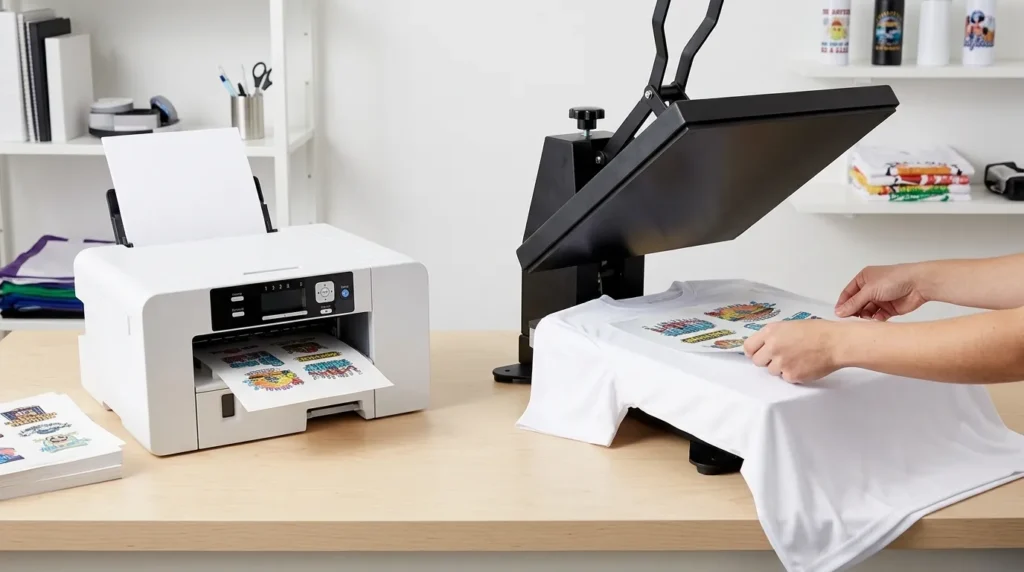
You can buy a great sublimation printer and still end up with a disappointing T-shirt. The problem often isn’t the printer. It’s the fabric.
Standard sublimation printing works best on white or light-colored polyester shirts. The heat-activated dye bonds with the polyester fibers, producing a design integrated into the fabric. Untreated cotton and dark shirts present different problems, so choosing a printer before choosing your material can lead to wasted money.
This guide explains which sublimation printer for shirts suits your budget, what size designs it can print, and which supplies you need to complete the process. We’ll also explain the difference between a dedicated sublimation printer, a converted ink-tank printer, and newer cotton-treatment systems.
Quick answer: Start with a dedicated printer such as the Epson SureColor F170 if you want a purpose-built setup for smaller transfers. Pair it with compatible sublimation ink and paper, a suitable heat press, and light-colored polyester blanks. Consider a wider-format system if your designs need more space.
Affiliate disclosure: GadgetsChamp may earn a commission from qualifying purchases made through affiliate links. As an Amazon Associate I earn from qualifying purchases without extra cost to you.
Can You Use a Sublimation Printer on Any T-Shirt?
No. A standard dye-sublimation printer is not suitable for every T-shirt. Fabric composition, shirt color, and any compatible surface treatment determine whether the transferred design will look as intended.
Why Polyester Works Better Than Cotton
Dye sublimation uses heat to transfer special ink from printed paper into a suitable receiving surface. On polyester fabric, the heat helps the dye bond with the fibers rather than simply sitting as a separate layer on top.
That makes polyester a natural fit for sublimation T-shirts. When you use a compatible blank and follow the correct pressing instructions, the finished design becomes part of the fabric’s surface.
Untreated cotton behaves differently. Standard sublimation dye does not bond to cotton in the same dependable way, so the design can appear weak, fade quickly, or fail to produce the expected result.
Before buying a printer, read our guide to choosing blank shirts for sublimation printing. The right blank matters just as much as the printer.
What Happens on Cotton, Blends, and Dark Shirts?
Use this compatibility chart as your starting point.
| Shirt material or color | Standard sublimation suitability | What to know |
|---|---|---|
| White, 100% polyester | Excellent starting point | Best match for traditional sublimation |
| Light-colored polyester | Generally suitable | Fabric and ink colors affect the result |
| Polyester-cotton blend | Conditional | The cotton content may leave a faded or vintage-looking effect |
| Untreated cotton | Poor | Standard sublimation does not reliably bond to cotton fibers |
| Black or dark-colored shirts | Poor | Sublimation ink cannot print an opaque white layer |
| Light cotton treated with a compatible primer | Specialized option | Requires a validated treatment and pressing workflow |
The dark-shirt limitation is particularly important. Sublimation ink is translucent, so the garment color can show through the design. White artwork will not print white on a standard sublimation printer.
If you need reliable results on cotton or dark garments, read our guide to choosing the best printer for T-shirt printing. That page compares alternative decoration methods rather than just sublimation equipment.
Can a Cotton Primer Change the Rule?
Yes, a specialized treatment may expand the materials you can use, but it does not make untreated cotton compatible with ordinary sublimation.
On September 23, 2026, Epson announced the SureColor F370 and a Sublimation Primer for Cotton. Epson stated that both products were expected to become available in November 2026, with US suggested retail prices of $999 for the printer and $149.95 for the primer. Those are announced prices, not confirmation of current stock or final retail pricing.
You can read Epson’s announcement of the new printer and cotton primer for the manufacturer’s description of the system.
Before purchasing, verify availability, exact supported materials, application instructions, wash-care requirements, and compatibility with the printer and ink you intend to use. Do not assume the primer works with every sublimation printer or that it makes dark cotton shirts suitable for standard sublimation.
Which Sublimation Printer Is Best for T-Shirts?
The best sublimation printer for shirts depends on your design size, budget, setup experience, and expected production volume. For a beginner, a purpose-built printer can reduce conversion work. A converted ink-tank printer may suit a more hands-on buyer who understands the risks.
The models below are a research shortlist, not a claim of hands-on testing or a definitive performance ranking.
Epson SureColor F170: A Dedicated Starting Point
Best for: Beginners making smaller shirt designs.
The Epson SureColor F170 is designed specifically for dye-sublimation printing. Epson lists a maximum paper width of 8.5 inches and supports transfer paper up to 8.5 × 47.2 inches, subject to application and driver limitations.
Trade-off: The limited paper width can restrict larger, single-piece shirt-front designs.
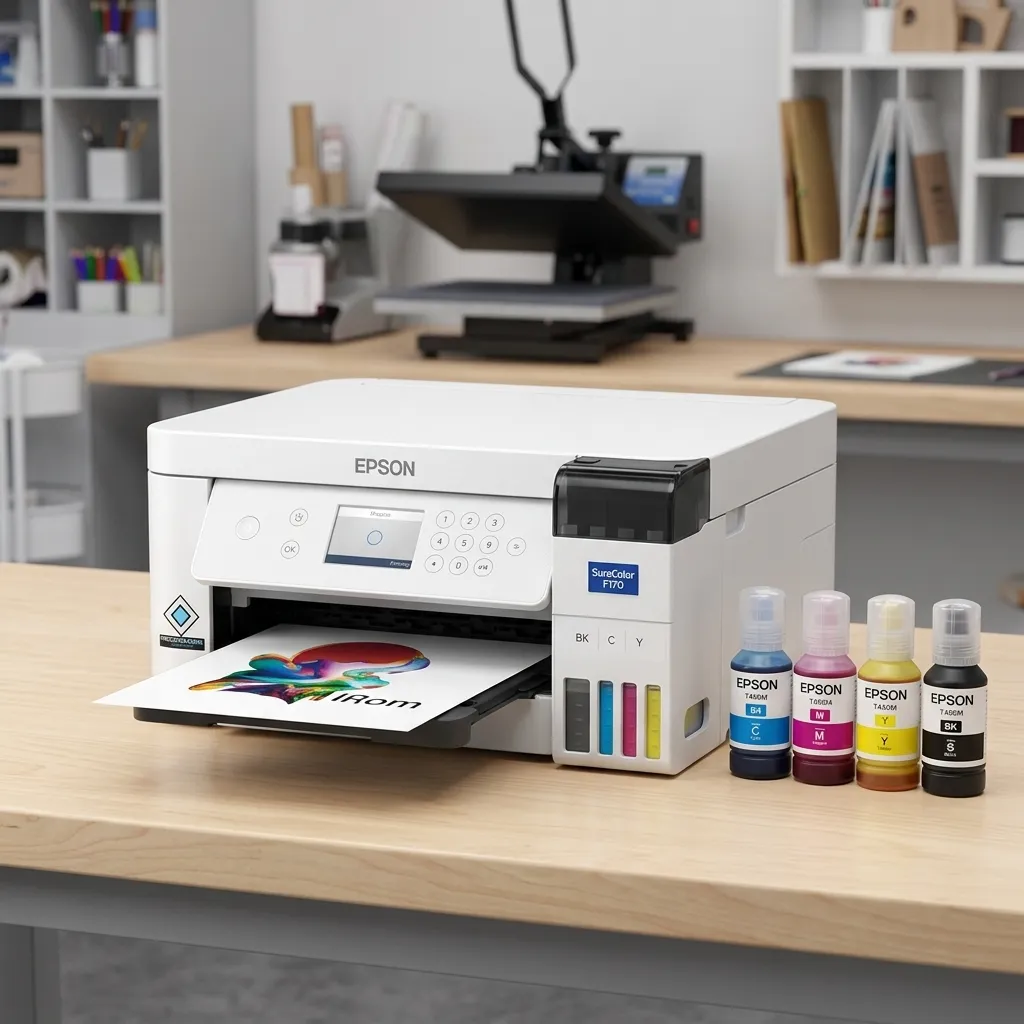
The F170 is a sensible candidate if you want a purpose-built system rather than converting an ordinary inkjet. It also avoids the initial conversion decisions involved in using a compatible EcoTank.
Before buying, compare the current printer price, genuine ink costs, supported paper, and warranty. If you want a broader comparison across dedicated systems, see our guide to the best sublimation printers.
Converted Epson EcoTank: Lower Entry Cost, More Responsibility
Best for: Buyers comfortable managing a conversion.
A compatible Epson EcoTank ET-2800 may be considered for a converted setup, but it is not a factory-configured sublimation printer. Suitability depends on the exact model, ink system, and conversion method.
Trade-off: Conversion, ink compatibility, troubleshooting, and warranty support require careful checking.
Do not assume you can fill an ordinary EcoTank with sublimation ink and expect a supported system. Check the printer’s documentation, conversion supplier instructions, and warranty terms before proceeding. Never mix ordinary ink with sublimation ink.
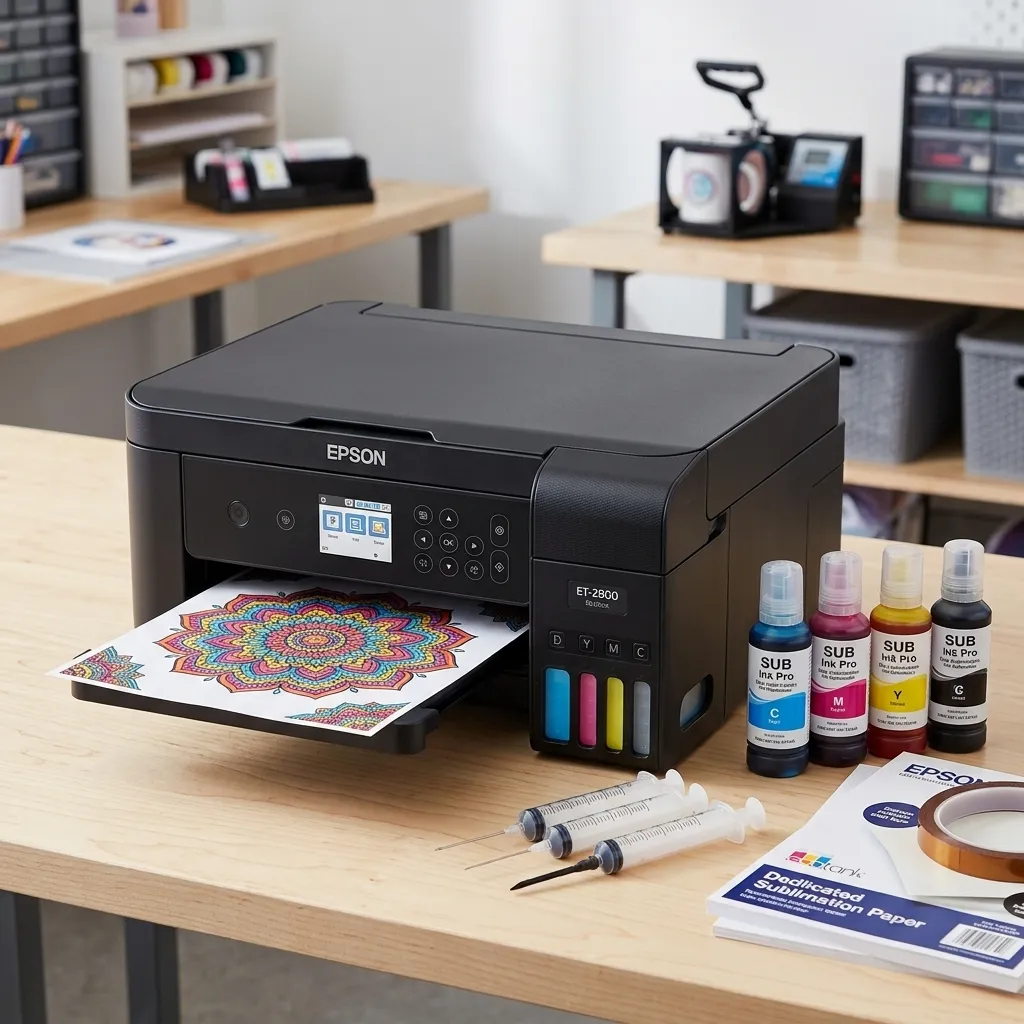
The initial purchase price alone does not establish which route costs less over time. For more model-specific guidance, visit our best EcoTank printers for sublimation guide.
Sawgrass SG500 and Other Dedicated Options
Best for: Buyers comparing dedicated printer ecosystems.
The Sawgrass SG500 is another purpose-built option. Sawgrass lists standard media up to 8.5 × 14 inches, with longer media supported using an optional bypass tray. Its software, supported inks, and warranty should be evaluated alongside the printer itself.
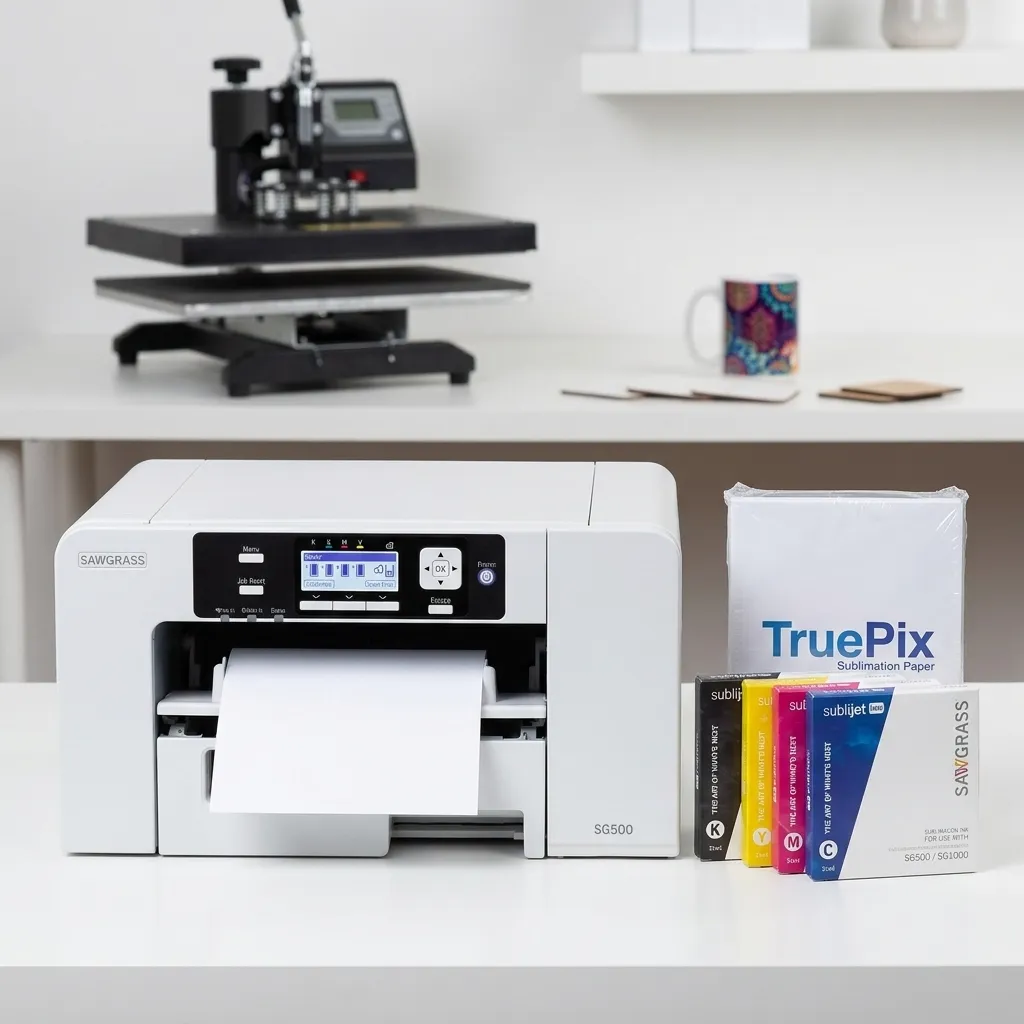
The Epson F170 and Sawgrass SG500 both target compact sublimation workflows, but their supported media, ink systems, software, and ownership costs differ. Compare the exact configuration rather than ranking them by advertised resolution alone.
The Epson F370 deserves a separate look if cotton treatment is important to your business. However, verify that the printer and primer are actually available and that their documented workflow fits your intended garments before treating them as a ready-to-buy solution.
Printer comparison: Which route fits your needs?
| Buyer type | Printer route | Main advantage | Main limitation |
|---|---|---|---|
| Beginner making small designs | Epson SureColor F170 | Dedicated sublimation workflow | 8.5-inch maximum paper width |
| Hands-on budget hobbyist | Compatible converted EcoTank | May lower initial equipment cost | Conversion and support risks |
| Buyer comparing dedicated systems | Sawgrass SG500 | Purpose-built ink and software ecosystem | Media and ongoing ink costs |
| Buyer exploring cotton | Verified compatible primer system | Potentially broader material options | Availability and workflow need verification |
Prices and stock change. Check current listings and warranty conditions before purchasing. Do not compare a printer-only price with a bundle that includes ink, software, or other equipment without accounting for those differences.
What Size Sublimation Printer Do You Need for T-Shirts?
Your printer’s maximum media width limits how wide your transfer can be, but it does not automatically determine the final printable area on every shirt. Paper margins, design proportions, garment size, and placement all affect the finished result.
Chest Logos and Small Designs
An 8.5-inch-wide printer can be a practical starting point for small chest logos, names, sleeve graphics, and many compact designs. You can also print a taller design within the supported paper length, provided your software, driver, and transfer paper support the required dimensions.
For example, a small left-chest logo may fit comfortably within a narrow transfer. You don’t need a wide-format printer simply because you’re decorating adult T-shirts.
Full-Front Designs and Larger Garments
A large graphic across the front of a shirt needs more planning. An 8.5-inch paper width may be too restrictive for the design you have in mind, even when the printer supports longer sheets.
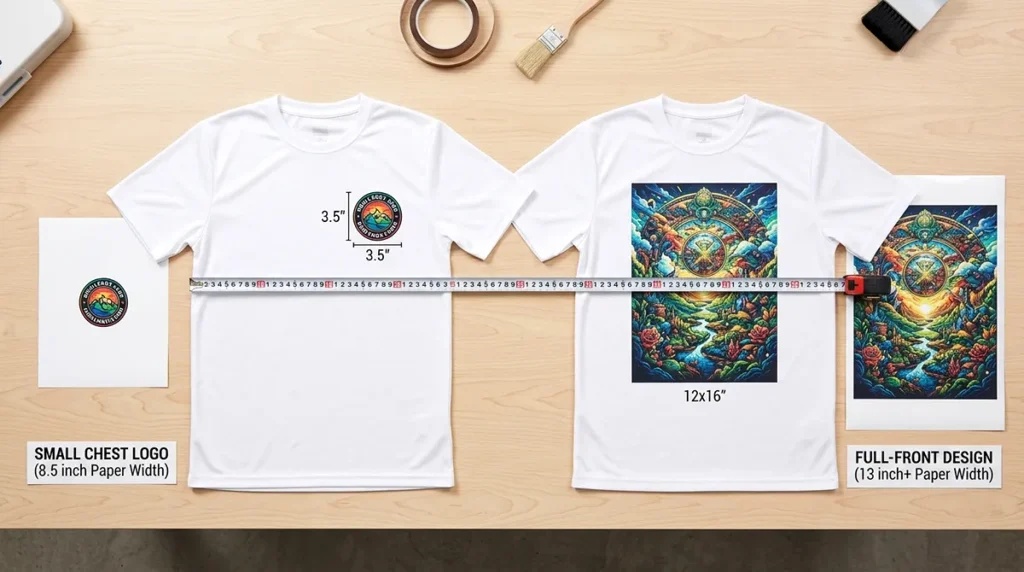
Small chest design
A compact logo or name can suit a narrow transfer sheet, depending on its dimensions and placement.
Large front design
A wide graphic may need a larger-format printer, a revised layout, or a different production approach.
Before buying, measure your intended artwork and check the printer’s supported paper dimensions. Don’t assume that one sheet size will fit every adult garment.
What Equipment Do You Need to Sublimate T-Shirts?
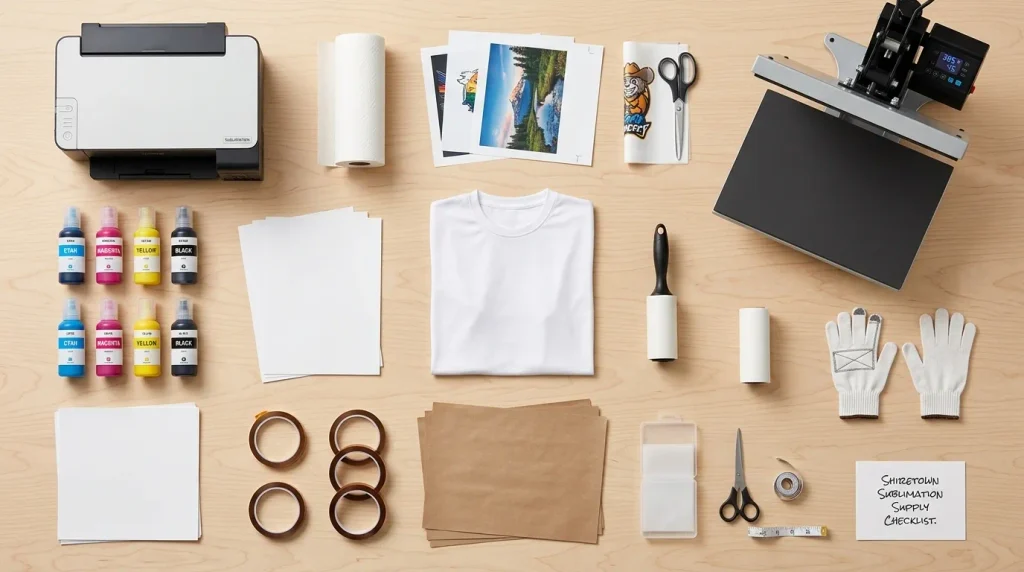
A sublimation printer is only one part of the setup. You also need compatible ink and transfer paper, a suitable heat press, protective paper, heat-resistant tape when required, and suitable shirt blanks.
Printer, Compatible Ink, and Sublimation Paper
Start with these three items:
- Printer and ink: Use the ink system specified for your printer or a verified compatible conversion setup. Ink compatibility affects the workflow and cannot be assumed from the printer brand alone.
- Sublimation paper: Choose transfer paper compatible with your ink, printer, and intended material. Paper affects ink release and handling.
- Design software: Use software that supports your artwork dimensions and printer settings. Follow the appropriate color-management instructions rather than assuming every screen color will match the finished shirt.
Before printing, check the printer’s nozzle condition, paper size, media settings, and color profile where applicable. Our guide to the best sublimation paper explains what to compare when choosing transfer paper.
Heat Press, Butcher Paper, and Heat-Resistant Tape
A suitable shirt heat press applies controlled heat and pressure across the transfer area. A household iron is harder to control consistently and may not provide even pressure across a full design.
You may also need:
- Butcher paper or another protective sheet specified for the workflow, to help prevent unwanted ink transfer and protect press surfaces.
- Heat-resistant tape to keep the transfer in position when needed.
- A lint roller and a clean work surface to remove loose fibers and debris.
- A heat-resistant surface and appropriate safety precautions around hot equipment.
Choose the protective materials recommended by your blank and equipment manufacturers. Not every type of paper is suitable for every press workflow.
For a more complete shopping list, use our complete sublimation equipment list. It covers the broader set of tools and supplies used in a sublimation workspace.
Light-Colored Polyester Shirt Blanks
Check the garment listing for its exact fiber composition, color, and suitability for sublimation. A shirt described as a polyester blend is not necessarily equivalent to a 100% polyester blank.
Start with white or light-colored polyester blanks if you want predictable color visibility with a standard sublimation workflow. Compare fabric feel, fit, and garment dimensions as well as price.
Our sublimation printer guide for beginners can help you connect the printer choice with the rest of your first setup.
How to Sublimate a T-Shirt at Home
The process is straightforward once your printer, ink, paper, garment, and heat press are compatible. However, temperature, pressing time, and pressure depend on the specific blank and equipment. Use the manufacturers’ instructions rather than relying on one universal setting.
Prepare and Mirror Your Design
- Create your artwork in suitable design software.
- Resize it to fit the supported transfer dimensions and the intended shirt placement.
- Mirror the artwork if required by your transfer workflow so text and graphics appear correctly after pressing.
- Check your printer’s paper settings, ink compatibility, and color-management instructions.
- Run a nozzle check if needed, especially if the printer has been idle or shows missing lines.
A design that looks correct on screen can still produce a disappointing transfer if the paper, ink, or printer settings are wrong.
Print, Position, and Press the Transfer
Follow these steps for a standard polyester-shirt workflow:
- Print the design onto compatible sublimation paper using the specified settings.
- Prepare the shirt according to the blank manufacturer’s instructions. Remove lint and moisture where the recommended process calls for it.
- Position the transfer on the garment and secure it with suitable heat-resistant tape if needed.
- Protect the garment using the specified protective paper or other approved materials.
- Press the transfer using the temperature, time, and pressure recommended for the exact blank and equipment.
- Remove the paper according to the manufacturer’s instructions, taking care around hot surfaces.
Do not copy pressing settings from an unrelated shirt listing. A setting suitable for one material or press may not be suitable for another.
Check the Finished Print
Look for missing areas, uneven color, unwanted marks, or a design that appears much weaker than expected. These problems may relate to fabric compatibility, ink, paper, color settings, transfer movement, or pressing conditions.
If you see repeated defects, review the setup before printing more blanks. Our guide to sublimation printing settings and software covers the settings and troubleshooting side of the workflow.
Video demonstration placeholder
Add an original video showing artwork preparation, mirrored printing, transfer positioning, pressing, and inspection of the finished polyester shirt. Include the actual printer and heat-press models used, and disclose any relevant sponsorship or affiliate relationship.
Is Sublimation Printing Worth It for a T-Shirt Side Hustle?
Sublimation can suit a small apparel business if your customers want designs on compatible garments and your equipment fits the work. Whether it is profitable depends on your material costs, waste, labor, sales fees, and order volume.
Calculate Your Cost per Shirt
Use this formula to estimate the direct production cost of each shirt:
Direct cost per shirt = blank + ink + paper + other consumables + expected waste
Then calculate your selling margin after adding labor, packaging, shipping you pay, platform fees, and other business expenses.
Consider this illustrative example. These numbers are assumptions for demonstrating the calculation, not current market prices or measured production costs.
| Cost component | Example amount |
|---|---|
| Polyester blank | $4.00 |
| Ink allocation | $0.80 |
| Sublimation paper | $0.25 |
| Tape and protective consumables | $0.20 |
| Waste allowance | $0.50 |
| Direct cost per shirt | $5.75 |
Calculation: $4.00 + $0.80 + $0.25 + $0.20 + $0.50 = $5.75.
If you sell that shirt for $15, the $9.25 difference is not net profit. You still need to account for labor, fees, packaging, shipping, equipment costs, returns, and taxes as applicable.
Use your actual receipts and ink consumption to replace the example values. This will give you a more useful picture of your business than comparing printer purchase prices alone.
When Should You Choose Another Shirt-Printing Method?
Standard sublimation is a poor fit if your main products are untreated cotton shirts, black garments, or designs that require opaque white ink. You may be better served by a different transfer or garment-decoration method.
Read our comparison of the best printer options for T-shirt printing before committing to a production workflow. That page covers the alternatives; this guide focuses on choosing and using a sublimation setup for shirts.
Choose Your T-Shirt Sublimation Setup
Choose your equipment around the shirts you intend to sell, not around the cheapest printer you can find.
- For a beginner: Compare the Epson SureColor F170 with other dedicated systems and check whether its 8.5-inch media width suits your designs.
- For a hands-on budget buyer: Evaluate a compatible converted EcoTank only after checking the exact model, ink requirements, conversion instructions, and support implications.
- For cotton-focused products: Verify a complete, compatible treatment system before buying. Do not assume a newly announced primer will work with your existing equipment.
Before ordering, review our complete sublimation equipment checklist and compare the ongoing cost of ink, paper, and blanks. The best setup is the one that reliably produces the garments your customers actually want.
Frequently Asked Questions
Can you use a sublimation printer on cotton shirts?
Not reliably with standard sublimation. The dye bonds best with suitable polyester fibers, while untreated cotton does not provide the same bonding mechanism. A specialized, compatible cotton-treatment system may expand your options, but you must follow its specific instructions and verify the supported fabric and wash-care requirements.
What is the best sublimation printer for T-shirts?
The best option depends on design size, budget, and setup preferences. The Epson SureColor F170 is a candidate for beginners who want a dedicated printer and smaller transfers. The Sawgrass SG500 is another purpose-built option. Compare media dimensions, ink costs, software, support, and warranty before deciding.
Can you sublimate on dark-colored shirts?
Standard sublimation generally does not work well on dark shirts because its inks are translucent and the printer does not lay down an opaque white layer. Dark fabric can obscure the transferred colors. Choose light-colored polyester for standard sublimation or consider another garment-decoration method for dark apparel.
What percentage of polyester is best for sublimation shirts?
A 100% polyester shirt is a strong starting point for standard sublimation, particularly when the garment is white or light-colored. Polyester blends can produce a more muted or vintage-looking result because the dye does not bond to cotton fibers in the same way. Test the exact blank before producing a batch.
Do you need a heat press for sublimation T-shirts?
A suitable heat press is the recommended choice because it provides controlled heat and pressure across the transfer area. A household iron may apply uneven pressure and is harder to control consistently. Follow the instructions for your specific garment and press rather than assuming a single temperature or pressing time works for every setup.
Can an Epson EcoTank be converted for sublimation?
Some EcoTank models may be used in converted sublimation setups, but suitability depends on the exact printer and conversion method. A converted printer is not the same as a factory-configured sublimation system. Check ink compatibility, conversion instructions, warranty conditions, and support options before purchasing or modifying a printer.
What paper do you use for sublimation shirts?
Use sublimation transfer paper compatible with your printer, ink, and intended material. Ordinary office paper is not a substitute for suitable transfer paper. Compare supported sheet sizes and follow the paper manufacturer’s printing and handling instructions to help avoid poor transfers and wasted blanks.
What equipment do you need to start a T-shirt sublimation business?
You need a compatible sublimation printer and ink, sublimation paper, a suitable heat press, light-colored polyester blanks, and any required protective paper and heat-resistant tape. You also need design software and a workflow for checking print quality. Budget for test blanks, waste, packaging, and other operating expenses before accepting paid orders.