
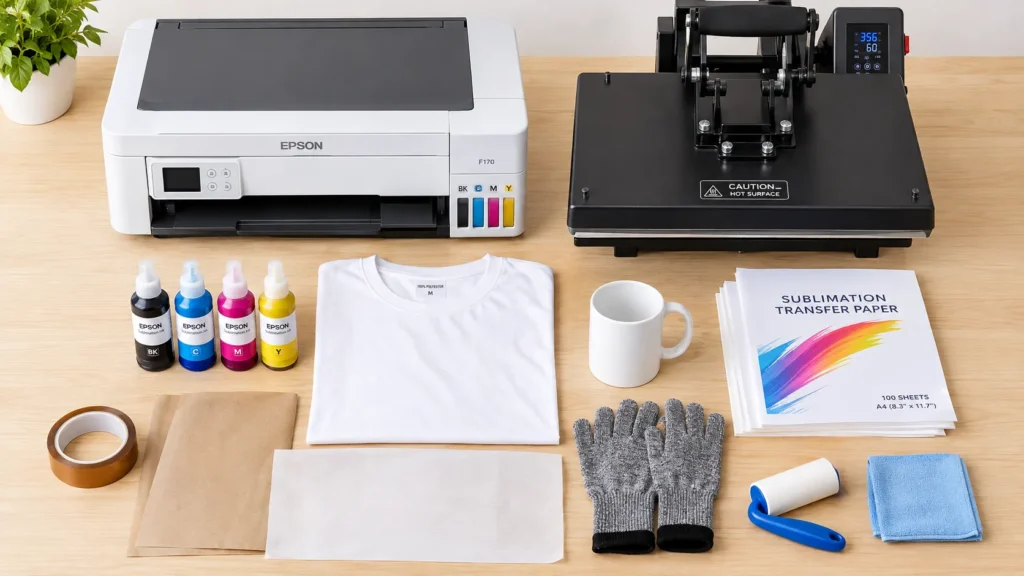
Starting a sublimation business sounds simple: buy a printer, print a design, and press it onto a product. The problem is that a printer alone cannot complete the job. You also need compatible ink, transfer paper, a suitable heat press, sublimation blanks, and a few inexpensive supplies.
Sublimation equipment includes the machines, consumables, software, and accessories used to transfer dye-based designs onto compatible polyester fabrics and polymer-coated products. Your exact setup depends on what you want to make, whether that means shirts, mugs, tumblers, or personalized gifts.
You don’t need every machine on day one. Start with the equipment required for your first product, then add specialty presses when demand justifies the expense.
Affiliate disclosure: As an Amazon Associate, GadgetsChamp earns from qualifying purchases. We may earn a commission if you buy through our links, at no extra cost to you.
For the printing side of your setup, start with our basics of sublimation printing. This guide covers the other equipment and supplies you need to complete your workflow.
What Equipment Do You Need for Sublimation Printing?
You need a compatible printing system, a suitable heat source, transfer materials, and a blank designed for sublimation. For in-house production, the standard starter setup includes a sublimation printer, compatible ink, sublimation paper, a flat heat press, protective paper, heat-resistant tape, and compatible blanks.
The Essential Sublimation Equipment Checklist
Use this checklist to separate your first purchases from upgrades you can postpone.
| Equipment | Purpose | Priority | Listings |
|---|---|---|---|
| Sublimation printer | Prints the design onto transfer paper | Essential for in-house printing | Check Price |
| Compatible sublimation ink | Transfers the design during heating | Essential | Check Price |
| Sublimation transfer paper | Carries the printed design to the blank | Essential | Check Price |
| Flat heat press | Transfers designs onto compatible flat products | Essential for flat products | Check Price |
| Sublimation blanks | Provide the polyester or coated surface | Essential | Check Price |
| Heat-resistant tape | Keeps the transfer from shifting | Essential for most workflows | Check Price |
| Protective or blowout paper | Helps prevent unwanted ink transfer to the press | Essential | Check Price |
| Computer and design software | Prepares artwork and print files | Essential for most custom designs | Check Price |
| Lint roller and cleaning cloth | Removes dust, lint, and surface debris | Low-cost essentials | Check Price |
| Heat-resistant gloves | Protects your hands when handling hot items | Safety essential | Check Price |
The Unisub equipment and supplies guide also identifies protective paper, heat tape, cleaning supplies, and heat-resistant gloves as useful parts of a sublimation workflow.
One exception matters: you can buy ready-printed sublimation transfers instead of printing them yourself. That removes the need to own a sublimation printer and manage ink, but you still need a compatible press and blanks.
What You Can Buy Later
Delay purchases that don’t support your first product.
- Mug or tumbler presses if you’re starting with flat products.
- A dedicated convection oven if your chosen process actually requires one.
- Professional color-calibration tools until color consistency becomes a business need.
- Multiple presses and larger printers until order volume justifies them.
- Large quantities of blanks before you test your process.
The simplest rule is to buy for your first product, not every product you might eventually sell.
Which Sublimation Printer and Heat Press Should You Buy?
Your printer and press perform different jobs. The printer produces the transfer, while the press supplies the controlled heat and pressure needed to transfer the design to a compatible blank.
Dedicated Versus Converted Sublimation Printers
A dedicated sublimation printer is designed for sublimation ink and transfer media. A converted inkjet printer uses a compatible inkjet platform that someone adapts for sublimation.
| Factor | Dedicated sublimation printer | Converted inkjet printer |
|---|---|---|
| Initial setup | Designed for sublimation use | Requires careful conversion |
| Ink compatibility | Uses the manufacturer’s specified ink system | Depends on the exact printer and conversion |
| Setup complexity | Generally simpler | More responsibility for compatibility |
| Main advantage | A purpose-built workflow | Potential access to a lower-cost starting route |
| Main drawback | Purchase price and ongoing consumables | Conversion risks and possible support limitations |
For example, the Epson SureColor F170’s official product documentation specifies Epson T49M sublimation ink and Epson DS Multi-Use transfer paper. It also lists an 8.5-inch maximum paper width. Check the current specifications before buying because availability and supported systems can change.
Don’t assume a standard office inkjet becomes a reliable sublimation printer just because you fill it with sublimation ink. Check the exact printer model, ink requirements, driver support, and conversion limitations first.
If you need help choosing a machine, compare our best sublimation printer for beginners guide. For model-specific buying advice, use the sublimation printer guide rather than turning this equipment checklist into another printer roundup.
Clamshell Versus Swing-Away Heat Presses
A flat heat press is the practical starting point for shirts and other compatible flat blanks. Its opening style affects workspace clearance, loading, and access to the pressing area.
| Feature | Clamshell press | Swing-away press |
|---|---|---|
| Opening | Upper platen lifts on a hinge | Upper platen moves away from the lower platen |
| Workspace | Often needs less room behind the press | Needs room for the platen’s movement |
| Access | Can restrict access beneath the open platen | Provides more open access to the lower platen |
| Main trade-off | Compact layout, but less open access | Easier loading access, but needs more clearance |
Neither style is automatically better for every buyer. Check the machine’s platen dimensions, opening clearance, pressure adjustment, and compatibility with your intended blanks.
How to Choose the Right Press Size
Choose a press based on the largest design you expect to make regularly, not just your smallest starter project.
Check three measurements before ordering:
- Design dimensions: Make sure the usable platen accommodates your artwork.
- Blank dimensions: Confirm that the entire pressing area fits safely within the machine.
- Blank thickness and shape: Thick seams, raised areas, and uneven surfaces can prevent even contact.
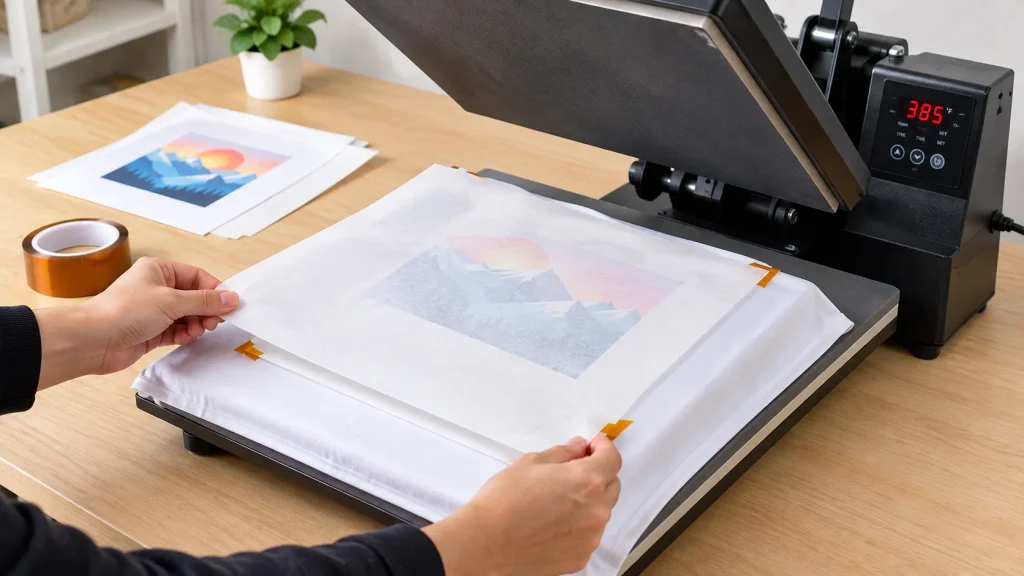
A larger platen can handle more projects, but it also takes more space. If you’re planning shirt production, read our guide to sublimation equipment for making shirts before choosing your first press.
What Sublimation Supplies Do You Need?
The machines get most of the attention, but compatible supplies determine whether your setup can produce a clean transfer. A mismatch between printer, ink, paper, or blank can waste materials before you finish your first order.
Sublimation Ink and Transfer Paper
Sublimation ink contains dyes formulated for transfer through heat. Use ink approved for your exact printer or conversion system. Don’t mix incompatible ink systems or assume that ordinary inkjet ink will produce the same result.
Sublimation paper carries the printed design from the printer to the blank. Paper types differ in coating, transfer behavior, supported printer systems, and recommended settings.
Buy paper that matches your printer, ink, and intended workflow. Our best sublimation paper guide should handle paper comparisons, while this page explains where paper fits into the complete setup.
You should also account for replacement ink and paper in your operating budget. For the broader financial picture, see our sublimation printer cost guide.
Heat-Resistant Tape and Protective Paper
These inexpensive supplies help protect your work and equipment.
- Heat-resistant tape: Holds the transfer in position during pressing.
- Protective or blowout paper: Helps catch excess ink and prevents contamination of the press platens.
- Nonstick or Teflon sheets: May suit particular workflows, but only when the press and blank instructions permit them.
- Scissors or a trimmer: Removes unwanted paper around the printed design.
Do not assume a Teflon sheet is always the correct covering. Different blanks and transfer methods can require different arrangements. Follow the blank manufacturer’s instructions and keep protective materials clean.
Compatible Blanks and Surface Preparation
Sublimation works best with suitable polyester fabric or products designed with a compatible polymer coating. A random cotton shirt or untreated hard surface will not behave like a purpose-made sublimation blank.
Before pressing:
- Confirm that the blank supports sublimation.
- Check its material, coating, size, and heat limitations.
- Remove protective film when the product instructions require it.
- Remove dust, lint, and loose debris.
- Use a lint roller on garments where appropriate.
For product-specific choices, see our best blanks for sublimation guide and what to sublimate on guide.
Computer, Design Software, and Color Profiles
You need a way to create or prepare artwork and send it to your printer. Your computer, graphics software, printer driver, and color settings form part of the sublimation printing system.
Start with software you can already use. Add paid design tools or professional color-calibration equipment only when your workflow requires them.
For help with output settings and color consistency, use our guide to sublimation color profiles and print settings. This keeps technical troubleshooting separate from the equipment list.
Do You Need a Mug Press, Tumbler Press, or Oven?
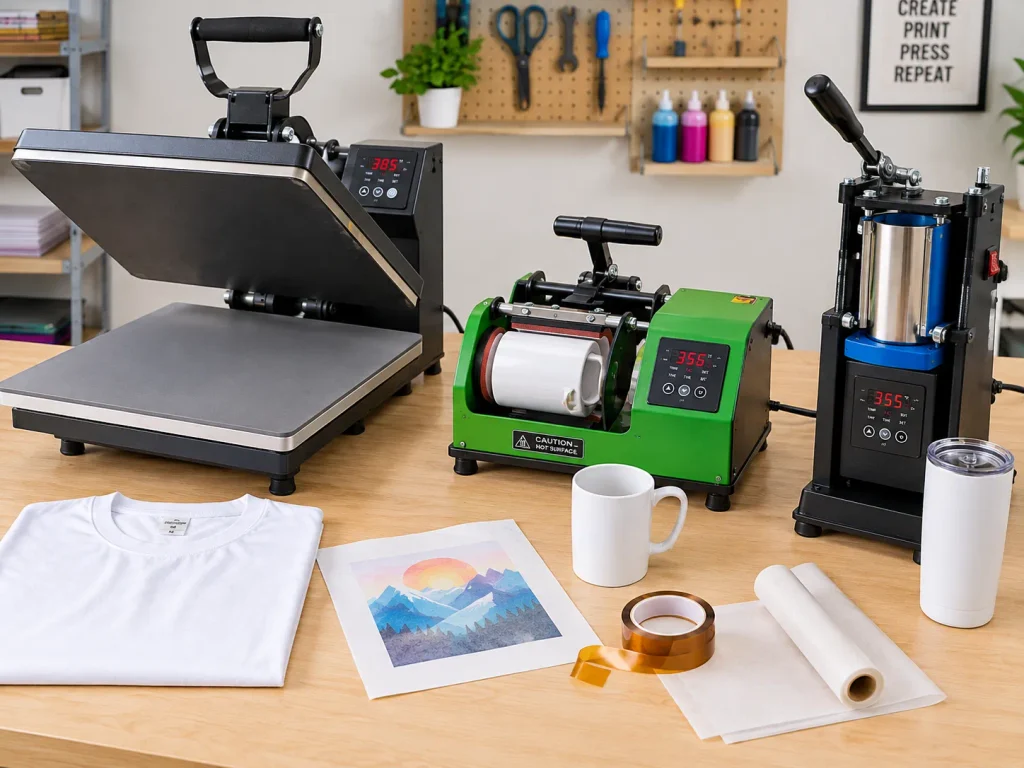
You only need specialty equipment when your chosen products require it. A flat heat press won’t automatically handle curved drinkware, and a mug press won’t replace a large flat platen.
| Product | Equipment to consider | What to verify |
|---|---|---|
| Shirts and flat fabric products | Flat heat press | Platen size, garment material, and pressure |
| Compatible ceramic mugs | Mug press | Mug diameter, height, coating, and heating element |
| Sublimation tumblers | Tumbler press | Diameter, length, shape, and heating element |
| Certain specialty hard goods | Dedicated convection oven and compatible accessories | Blank instructions, transfer method, and oven compatibility |
Mug Presses for Ceramic Drinkware
A mug press holds compatible drinkware against a heated element. It makes sense if personalized mugs are a core product rather than an occasional experiment.
Before purchasing one, check the mug’s dimensions, coating, and required pressing method. A press that fits one mug style may not fit another.
For a complete drinkware setup, visit our guide to equipment for sublimating mugs and tumblers.
Tumbler Presses for Cylindrical Blanks
A tumbler press uses a heating element designed for compatible cylindrical blanks. The blank’s diameter, length, taper, and shape determine whether it fits correctly.
Don’t buy a tumbler press based only on a product photo. Confirm the manufacturer’s supported dimensions and heating instructions before ordering.
When a Dedicated Convection Oven Makes Sense
Some sublimation workflows use a dedicated convection oven with suitable heating accessories. The exact requirements depend on the blank and transfer method.
Never assume a household oven is suitable. Do not use food-preparation equipment for sublimation chemicals or transfers. Check the product instructions and use a dedicated appliance when the process requires one.
How to Build a Sublimation Setup on Your Budget
Your starting budget should reflect your product range, production volume, and available workspace. There is no reliable single price for every sublimation setup because equipment, consumables, shipping, and product requirements differ.
Minimum Setup for Flat Products
For shirts and other compatible flat products, start with:
- A dedicated or properly converted sublimation printer, unless you buy ready-printed transfers.
- Compatible ink and transfer paper.
- A flat heat press.
- Suitable blanks.
- Heat-resistant tape and protective paper.
- A computer, design software, and basic cleaning supplies.
- Heat-resistant gloves and a safe work area.
Skip specialty presses and bulk inventory until you know which products customers want.
Setup for Mugs and Tumblers
A drinkware setup needs the core printing supplies plus a compatible mug or tumbler press. If you plan to sell both product types, confirm whether one machine supports both or whether you need separate equipment.
Start with a small selection of compatible blanks. Test each product style before purchasing large quantities.
Equipment for a Small Sublimation Business
A small business may need a larger press, more reliable production capacity, organized consumable storage, and a process for repeat orders.
However, buying industrial equipment before demand exists ties up money without guaranteeing sales. Expand when your actual order volume, turnaround requirements, and equipment limitations justify the investment.
For detailed budgeting, use our sublimation equipment and startup costs guide. It should account for the printer, press, consumables, blanks, shipping, and ongoing operating expenses.
A Practical Starter Scenario
Consider a new seller who wants to make custom polyester shirts. Instead of purchasing a printer, mug press, tumbler press, oven, and hundreds of blanks, the seller starts with one compatible printing system, one suitable flat press, a small blank selection, and essential supplies.
The seller tests the workflow, checks print quality, and measures material waste before expanding. This is an illustrative buying scenario, not a documented customer case study. We don’t have verified customer results or cost records to support a genuine case study.
How to Set Up Your Equipment for the First Transfer
Your first transfer should test compatibility and process control, not production speed. Follow the instructions for your exact printer, ink, paper, press, and blank.
Step 1: Prepare the Printer, Paper, and Artwork
Create your design at the required dimensions. Check the printer’s supported media, driver settings, ink compatibility, and any mirroring instructions for your workflow.
Print a small test design before committing expensive blanks. Review the transfer for obvious defects and confirm that you used the correct paper.
Step 2: Prepare the Blank and Heat Press
Clean the blank and remove lint or dust. Position the transfer, secure it with heat-resistant tape where appropriate, and place protective paper as the manufacturer instructs.
Set the press according to the specific blank’s instructions. Temperature, pressing time, and pressure are not universal settings. One product’s instructions cannot safely substitute for another’s.
Step 3: Inspect the Transfer Before Scaling Up
Wear suitable heat-resistant gloves when handling hot items. Keep your hands clear of heated surfaces, maintain a stable workspace, and allow the product to cool as directed.
Inspect the finished transfer for uneven color, unwanted marks, or movement during pressing. Record the settings and materials used so you can repeat successful results.
Video embed placeholder: Add a short, original demonstration showing transfer placement, protective paper, press operation, and finished-product inspection. Do not label stock footage or a third-party demonstration as GadgetsChamp’s own testing.
Common Sublimation Equipment Mistakes to Avoid
A cheap purchase can become expensive when it doesn’t work with the rest of your setup. Use this red-flag checklist before ordering equipment.
- Using incompatible ink: Confirm that the ink supports your exact printer or conversion system.
- Buying the wrong paper: Match the paper to the printer, ink, and transfer process.
- Choosing unsuitable blanks: Check the material or coating and the manufacturer’s heat instructions.
- Buying specialty presses too early: Choose your first product before investing in dedicated drinkware equipment.
- Skipping protective supplies: Use suitable protective paper and follow the press manufacturer’s operating instructions.
- Ordering too much inventory: Test a small batch before buying large quantities.
- Ignoring operating costs: Include replacement ink, paper, blanks, rejected transfers, and shipping in your calculations.
The goal is not to own the most equipment. It’s to build a compatible setup that can produce repeatable results without unnecessary spending.
Frequently Asked Questions
Can You Start Sublimation With Just a Printer and Heat Press?
Not if you want to print and transfer designs yourself. You also need compatible ink, transfer paper, suitable blanks, and essential supplies. Ready-printed transfers can remove the need to own a printer.
Can You Use a Regular Printer for Sublimation?
Not with ordinary ink. A compatible inkjet printer may support a conversion, but you must verify the exact model, ink requirements, and limitations before proceeding.
Do You Need a Mug Press to Make Sublimation Mugs?
A compatible mug press is a straightforward option for regular mug production. Some workflows use other approved heating equipment, but you must follow the specific mug and transfer instructions.
Can You Use a Household Oven for Sublimation?
Don’t assume a household oven is suitable. Use equipment approved for the specific sublimation process, and never use food-preparation equipment for sublimation chemicals or transfers.
Is a Teflon Sheet Necessary for Sublimation?
Not always. Some workflows require other protective materials or different covering arrangements. Follow the instructions for your press, transfer method, and blank.
What Paper Is Used for Sublimation Printing?
Use sublimation transfer paper compatible with your printer, ink, and intended product. Ordinary office paper isn’t a direct substitute for purpose-made transfer paper.
What Is the Most Important Sublimation Equipment Purchase?
Choose the equipment that enables your first product workflow. For in-house production, that generally means a compatible printer and ink system, suitable heat press, transfer paper, and compatible blanks.
Can Beginners Start Without Buying Every Accessory?
Yes. Buy the essentials for your chosen product, including necessary safety and protective supplies. Add specialty presses, bulk blanks, and advanced color tools when your workflow requires them.
Build Your Sublimation Setup Without Wasting Money
Start with one product category and buy only the equipment needed to make it properly. For flat products, prioritize a compatible printer, a suitable flat heat press, transfer paper, ink, blanks, and protective supplies.
Before you buy, review our beginner sublimation printer recommendations and sublimation startup cost guide. Then compare the equipment with your planned products and available workspace.
Your next step: Choose the first product you want to make, confirm equipment compatibility, and build your shopping list around that workflow. Check current listings and manufacturer instructions before purchasing.