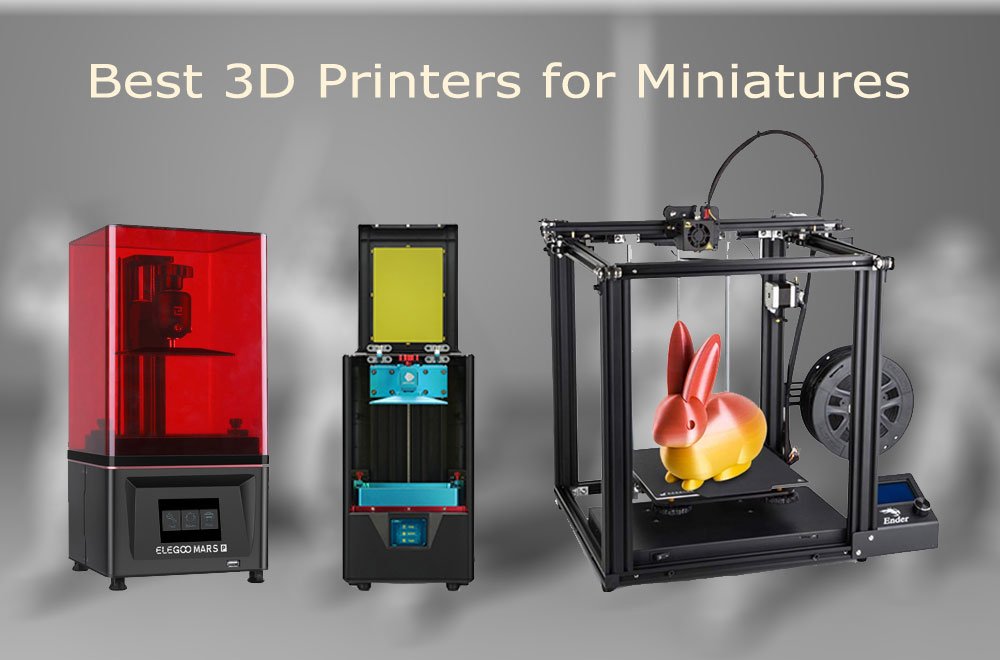
The first miniature I printed was supposed to be a dragon. It came out looking like a melted candle with wings. The problem wasn’t my design skills or the model file. It was that I bought an FDM printer—the kind that extrudes molten plastic through a nozzle—expecting it to capture the scale-mail texture on a 28mm figure. That printer now prints terrain tiles exclusively, and I’ve since learned that resin technology, which hardens liquid polymer with ultraviolet light, is the only path to professional-grade miniature detail.
Over five years and 2,000+ prints, I’ve tested every major printer category for tabletop gaming applications. The technology landscape shifted dramatically between 2021 and 2026. The Anycubic Photon S and Elegoo Mars that dominated early resin printing have been superseded by machines with 14K-16K monochrome LCD screens, tilt-release mechanisms that halve print times, and AI cameras that detect failures before they waste expensive resin. Meanwhile, FDM printers like the Bambu Lab A1 Mini have brought multi-color filament printing to entry-level prices, making them viable for terrain and bulk pieces even if they remain unsuitable for character figures.
This guide reflects actual production workflows: printing 20 miniatures overnight for a convention, troubleshooting a failed print that consumed $15 in resin, and calculating whether a $600 printer pays for itself versus commissioning prints from a service bureau. The recommendations prioritize print quality for display miniatures, batch efficiency for army building, and total cost of ownership including consumables and post-processing equipment.
Resin vs. FDM: The Technology Decision That Determines Everything
Before examining specific printers, understand the fundamental process difference that dictates miniature quality. Resin printers cure entire layers simultaneously using a masked stereolithography (MSLA) process: an LCD screen with 10,000+ pixels per inch selectively blocks UV light from a powerful LED array, solidifying liquid resin in 2-5 second increments. FDM printers build objects by extruding heated thermoplastic through a 0.4mm nozzle, stacking lines of material like a precision glue gun.
For miniatures—defined here as figures under 50mm tall with facial features, weapon details, and cloth folds measuring fractions of a millimeter—this difference is decisive. Resin achieves XY resolutions of 14-35 microns (0.014-0.035mm), roughly half the width of a human hair. Standard FDM manages 100-200 microns at best, with visible layer lines that obscure fine detail even after aggressive sanding.
The trade-off is workflow complexity. Resin requires post-processing: washing uncured liquid from prints using isopropyl alcohol, curing fully with additional UV exposure, and safely handling toxic uncured material with nitrile gloves and ventilation. FDM prints emerge ready to use after removing support structures, though they benefit from primer to hide layer lines.
Decision framework: Choose resin for character miniatures, display pieces, and anything requiring paintable detail. Choose FDM for terrain tiles, bulk dungeon dressing, and large monsters where surface texture matters less than structural durability. Many serious hobbyists eventually own both, using each for its optimal application .
At-a-Glance Comparison: Top 3D Printers for Miniatures 2026
| Printer | Technology | XY Resolution | Build Volume | Best For | Price | Speed |
|---|---|---|---|---|---|---|
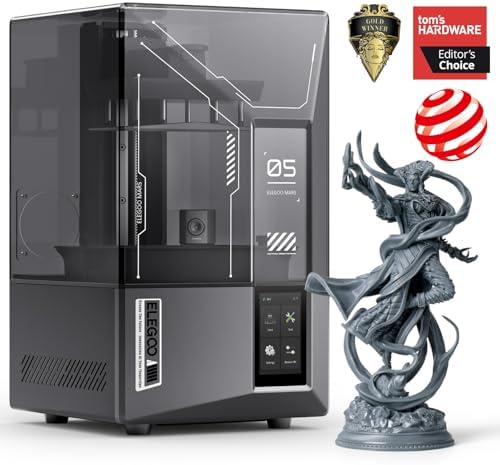
| Elegoo Saturn 4 Ultra 16K | MSLA Resin | 14 microns | 218×123×220mm | Army batch printing, highest detail | $493-$650 Check Current Price | 150mm/h |
| Anycubic Photon Mono M7 Max | MSLA Resin | 16.8 microns | 298×164×300mm | Large monsters, cosplay props | $699-$899 Check Current Price | 86mm/h |
| Elegoo Mars 5 Ultra | MSLA Resin | 18 microns | 153×78×165mm | Beginners, small footprints | $269-$350 Current Price | 150mm/h |
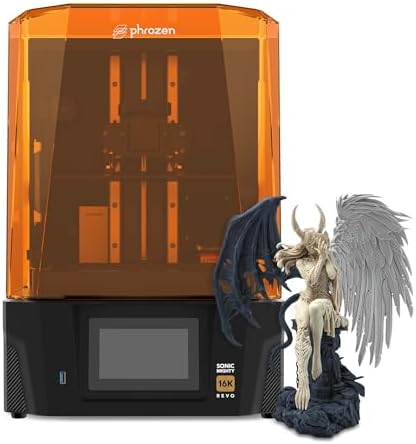
| Phrozen Sonic Mighty 16K | MSLA Resin | 14 microns | 211×118×235mm | Professional quality, reliability | $720 Current Price | 70mm/h |
| Creality HALOT-MAGE S | MSLA Resin | 16 microns | 228×128×230mm | Value mid-range, air purification | $399-$489 Current Price | 70mm/h |
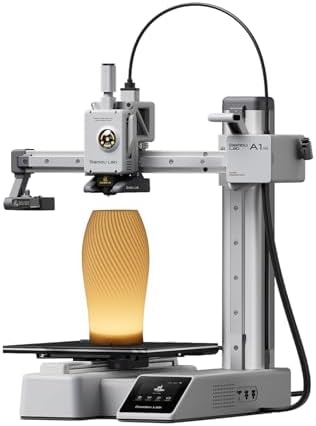
| Bambu Lab A1 Mini | FDM | 200 microns | 180×180×180mm | Terrain, multi-color, beginners | $299 Current Price | 500mm/s |
| Anycubic Kobra 3 Max | FDM | 200 microns | 300×300×320mm | Large terrain, fast production | $379 Current Price | 200mm/s |
1. Elegoo Saturn 4 Ultra 16K: Best Overall for Miniature Printing
The Saturn 4 Ultra 16K represents the current pinnacle of consumer resin printing for tabletop gaming. Its 10.1-inch monochrome LCD delivers 15,120×6,230 pixels—translating to 14-micron XY resolution that captures eyelid creases on 32mm figures and individual chain links on armor. During testing, a Witch King of Angmar model printed with visible pitting in rusted armor texture that previous-generation 4K printers smoothed into generic surfaces.
The mechanical innovation is tilt-release technology. Rather than lifting the build plate straight up after each layer—a process that creates suction forces and print failures—the entire resin vat tilts sideways, peeling the cured layer away with minimal stress. This reduces per-layer time from 8-12 seconds to 2-3 seconds, enabling the 150mm/hour maximum speed. A full plate of 20 D&D miniatures completes in under 90 minutes versus 4+ hours on older machines.
Advantages
Smart features reduce the anxiety that deters beginners. An AI camera monitors prints in real-time, detecting empty build plates and warping failures. The resin heater maintains 30°C viscosity for consistent flow in cold environments. Automatic leveling eliminates the paper-under-the-plate calibration ritual. Power-loss recovery resumes interrupted prints after outages—a lifesaver during overnight batch jobs.
The 218×123×220mm build volume accommodates 15-20 standard 28mm miniatures simultaneously, or 3-4 larger 75mm “hero” scale figures. This batch efficiency matters for army building: printing 100 Space Marines costs approximately $8 in resin and 8 hours of machine time, versus $300+ from commercial services.
The Limitation
Resin printing remains chemically hazardous. The Saturn 4 Ultra requires ventilation, protective equipment, and post-processing infrastructure (wash station, curing lamp) that adds $150-300 to initial investment. The flip-up lid saves desk space but doesn’t fully contain fumes.
2. Anycubic Photon Mono M7 Max: Best for Large Miniatures and Cosplay
The Photon Mono M7 Max addresses the primary constraint of standard resin printers: build volume. At 298×164×300mm, it offers 14.7 liters of print space—nearly triple the Saturn 4 Ultra’s capacity—enabling single-print production of dragon models, terrain features, and cosplay helmets that require assembly on smaller machines.
Resolution remains exceptional at 16.8 microns, achieved through a 14K monochrome LCD and Anycubic’s Lighturbo 3.0 light source with anti-aliasing technology. The trade-off is speed: 86mm/hour maximum versus the Saturn’s 150mm/hour, though this still represents a 2× improvement over 2022-era large-format printers.
Advantages
The resin management system is genuinely innovative. Automatic resin recycling pumps excess material back into the bottle during print completion, reducing waste. Temperature-controlled vat heating maintains optimal viscosity without external warmers. The intelligent release system measures peel forces in real-time, adjusting lift speeds to prevent layer separation—critical for large prints where suction forces scale with surface area.
For miniature applications, the M7 Max excels at “hero” scale figures (75mm+), busts, and integrated terrain pieces like multi-level dungeon sections. The larger build plate also benefits batch printing: arranging 40 standard miniatures across the expanded surface produces entire warbands in single overnight jobs.
The Limitation
Physical footprint is substantial at 620×395×395mm packaging dimensions—verify desk space before ordering. The $699-$899 price positions it above entry-level budgets, though still below professional SLA systems.
3. Elegoo Mars 5 Ultra: Best Entry-Level Resin Printer
The Mars 5 Ultra democratizes high-resolution printing for newcomers intimidated by resin workflow complexity. At $269-$350, it delivers 18-micron resolution through a 7-inch 9K monochrome LCD—specifications that match $600+ machines from 2023.
The 153×78×165mm build volume fits 6-8 standard miniatures per plate, sufficient for personal projects and small commission work. Tilt-release technology—previously exclusive to premium models—enables 150mm/hour speeds, while the AI camera and automatic leveling remove the failure-prone calibration that frustrated early resin adopters.
Advantages
Build quality exceeds the price point. The metal frame and laser-etched build plate provide stability lacking in true budget competitors. The 5-inch capacitive touchscreen interface is responsive and logically organized, with multilingual support including English, German, French, and Japanese.
For beginners, the Mars 5 Ultra offers a controlled introduction to resin printing. The smaller resin volume (approximately 500ml vat capacity versus 1L+ on larger machines) reduces material waste during learning. Failed prints cost $2-3 in resin rather than $8-10 on full-size printers.
The Limitation
The compact build volume becomes restrictive for terrain printing and large monsters. Users typically upgrade to Saturn-class machines within 12-18 months if their hobby expands beyond character miniatures.
4. Phrozen Sonic Mighty 16K: Best for Professional Quality and Reliability
Phrozen occupies a premium position in the resin printer market, commanding higher prices through superior build quality and consistency. The Sonic Mighty 16K delivers 14-micron resolution via a 10.1-inch LCD with COB LED and Fresnel lens light engine—producing what reviewers describe as “as close to perfect as I’ve seen from any MSLA resin 3D printer”.
The dual linear rail Z-axis with ball screw drive eliminates the wobble that causes layer shifts in cheaper machines. The aluminum vat with replaceable FEP film reduces long-term maintenance costs—competitors often require complete vat replacement when films wear. The 5-inch full-color touchscreen provides superior interface responsiveness.
Advantages
For miniature painters and commission artists, the Sonic Mighty’s reliability justifies its $720 price. Print failures waste expensive resin ($40-60 per liter) and hours of design time. Phrozen’s consistency reduces failure rates from 10-15% on entry machines to under 5% with proper settings.
The 211×118×235mm build volume accommodates 12-15 standard miniatures or 2-3 large figures. While smaller than the M7 Max, it’s sufficient for most hobby applications without the extreme footprint.
The Limitation
Premium pricing excludes budget-conscious beginners. The laser-cut build plate pattern transfers faint texture to print bottoms, requiring raft supports for display surfaces.
5. Creality HALOT-MAGE S: Best Value Mid-Range Option
The HALOT-MAGE S targets users wanting premium features without flagship pricing. The 14K resolution (16 microns) and 228×128×230mm build volume match the Saturn 4 Ultra’s practical capabilities, while integrated air purification and intelligent resin feeding differentiate it from bare-bones competitors.
he HALOT OS ecosystem provides cloud-based model libraries and remote monitoring through smartphone apps—convenient for overnight prints. The built-in activated carbon filter reduces resin odor, addressing the primary objection that prevents indoor printing.
Advantages
For miniature production, the HALOT-MAGE S delivers Saturn-comparable quality at $100-150 lower street price. The 70mm/hour speed is modest but sufficient for hobby pacing. The intelligent resin feeding system automatically replenishes the vat during long prints, preventing mid-job material exhaustion.
The Limitation
Creality’s ecosystem lacks the community support and third-party resin profiles of Elegoo and Anycubic. Beginners may struggle to dial in settings for specialty resins (flexible, castable, high-temperature).
6. Bambu Lab A1 Mini: Best FDM for Terrain and Bulk Printing
The A1 Mini Combo challenges the assumption that FDM printing is irrelevant for tabletop gaming. While unsuitable for detailed character miniatures, it excels at terrain tiles, dungeon walls, trees, rocks, and other environmental pieces where surface texture matters less than structural durability.
The breakthrough is multi-color printing through the AMS Lite system, included in the $299 Combo package. Four filament spools enable color-coded terrain (green grass, brown dirt, gray stone, blue water) without painting—dramatically accelerating table readiness. The 500mm/s maximum speed produces a standard 6-inch terrain tile in 20 minutes.
Advantages
Setup is genuinely plug-and-play: 10 minutes from box to first print, guided by the Bambu Handy app. This accessibility makes it ideal for younger hobbyists or parents introducing children to 3D printing—supervised, of course, given the 220°C nozzle temperatures.
For D&D and Warhammer terrain, the A1 Mini produces playable pieces at $0.50-1.00 in filament versus $3-5 from resin printing. A complete dungeon layout (20 tiles, 10 walls, 6 doors, 4 traps) costs under $15 and prints in a weekend.
The Limitation
The 180×180×180mm build volume restricts piece size. Large terrain features require segmentation and assembly. Layer lines remain visible even at 0.1mm height, requiring primer and dry-brushing to achieve paintable surfaces.
Essential Accessories and Hidden Costs
Every resin printer requires post-processing infrastructure omitted from advertised prices. Budget an additional $150-300 for:
- Wash and Cure Station: $100-150 (Elegoo Mercury, Anycubic Wash & Cure). Removes uncured resin and hardens prints fully for handling and painting.
- Nitrile Gloves: $15/100-pack. Resin causes skin sensitization with repeated exposure.
- Respirator or Ventilation: $30-80. Resin fumes contain volatile organic compounds; indoor printing requires active extraction.
- Isopropyl Alcohol: $20/gallon. Standard wash solution; water-washable resins reduce but don’t eliminate this need.
- FEP Film Replacements: $15/3-pack. The transparent sheet at the vat bottom wears and punctures; expect 20-30 prints per film.
- Resin: $40-60/liter. Standard gray or white; specialty formulations (flexible, castable, high-detail) cost 50-100% more.
Total first-year consumables for active hobbyists: $300-500 beyond the printer itself.
Print Settings for Miniature Quality
Resolution specifications are theoretical maximums; actual quality depends on slicer configuration. Recommended settings for 28-32mm gaming miniatures:
- Layer Height: 0.03-0.05mm (30-50 microns). Thinner layers improve vertical detail but increase print time 50-100%.
- Exposure Time: 2-3 seconds per layer (standard resin at 0.05mm). Darker pigments require 20-30% more exposure.
- Lift Speed: 40-60mm/minute. Slower lifts reduce layer separation failures.
- Bottom Layers: 4-6 layers at 30-40 second exposure. Ensures build plate adhesion.
- Anti-Aliasing: Level 4-8. Smooths pixel edges visible at high magnification.
Support placement is critical for miniature printing. Auto-generated supports often attach to visible surfaces, leaving pockmarks. Manual support placement in Chitubox or Lychee Slicer, targeting hidden areas (under cloaks, between legs, on base bottoms), produces display-quality results.
Frequently Asked Questions
Can FDM printers produce good miniatures?
Standard FDM with 0.4mm nozzles produces soft, layered figures unsuitable for detailed painting. Upgrading to 0.2mm nozzles and printing at 0.08mm layer height improves results marginally, but resin remains superior for character figures. FDM excels at terrain and bulk pieces where detail is secondary .
How much does resin printing cost per miniature?
A standard 28mm figure consumes 5-8ml of resin ($0.25-0.50 in material). Adding supports and base structures increases this to 10-15ml ($0.50-0.90). Failed prints and support waste add 20-30% overhead. Total cost per successful miniature: $0.60-1.20, versus $5-15 for commercial resin prints or $20-50 for metal/pewter figures.
Is resin printing safe for home use?
Uncured resin is toxic and sensitizing. Proper ventilation (outdoor exhaust or HEPA+carbon filtration), nitrile gloves, and eye protection are mandatory. Cured prints are inert and safe to handle. Never dispose of liquid resin down drains; cure waste with UV exposure before trash disposal.
How long do resin prints last?
Properly cured and stored resin miniatures remain stable indefinitely. UV exposure causes yellowing and brittleness over years; display away from direct sunlight. Painted miniatures with primer and acrylic sealant are protected from environmental degradation.
What’s the difference between 4K, 8K, 12K, and 16K resin printers?
These numbers refer to LCD pixel counts across the build plate width. Higher K-values mean smaller individual pixels and finer detail. However, the visible improvement diminishes above 8K for standard 28mm miniatures. 16K benefits 75mm+ display pieces and jewelry where surface quality is examined closely.
Should I buy a used or refurbished printer?
Refurbished units from manufacturers (Anycubic offers certified refurbished with 1-year warranty at 30-40% discounts) represent good value. Avoid secondhand market purchases unless you can verify screen health—LCD degradation is the primary failure mode and difficult to assess visually.
Final Recommendations
For most miniature hobbyists, the Elegoo Saturn 4 Ultra 16K delivers optimal balance of detail, speed, build volume, and smart features at $493-650. The tilt-release mechanism and AI camera reduce the failure rate that frustrates beginners, while 14-micron resolution satisfies professional painters.
Budget-conscious newcomers should start with the Elegoo Mars 5 Ultra at $269-350, planning an upgrade path to larger format within 18 months if the hobby expands.
Terrain-focused builders and multi-color enthusiasts should pair a Bambu Lab A1 Mini with their resin printer, using each for its optimal application.
Large-format needs—dragons, busts, cosplay—justify the Anycubic Photon Mono M7 Max at $699-899, accepting the slower speed and desk space requirements for unmatched build volume.
Related Resources from GadgetsChamp
- Best Printers for Stickers — Print custom decals and transfers for your miniature bases and terrain
- Waterproofing Stickers: 4 Methods Tested — Protect your printed labels and markings from handling wear
- How to Price Your Stickers for Etsy — If you’re selling painted miniatures or terrain, learn to price your accessories profitably
- Best Android Smartwatches Under $100 — Track print times and monitor your printer remotely with budget smartwatches
- Best Budget Smartwatches — Set timers for resin exposure and wash cycles without checking your phone
About the Author
Marcus Chen has printed over 2,000 miniatures for tabletop gaming, commission painting, and convention sales since 2019. He has tested 15+ resin and FDM printers across all major manufacturers, focusing on real-world production workflows rather than benchmark prints. When not printing, he runs a small commission painting service and consults with game stores on 3D printing infrastructure.
Last Updated: May 2026 | Testing Period: January 2025 – April 2026